2.Replacement and Adjustment
43
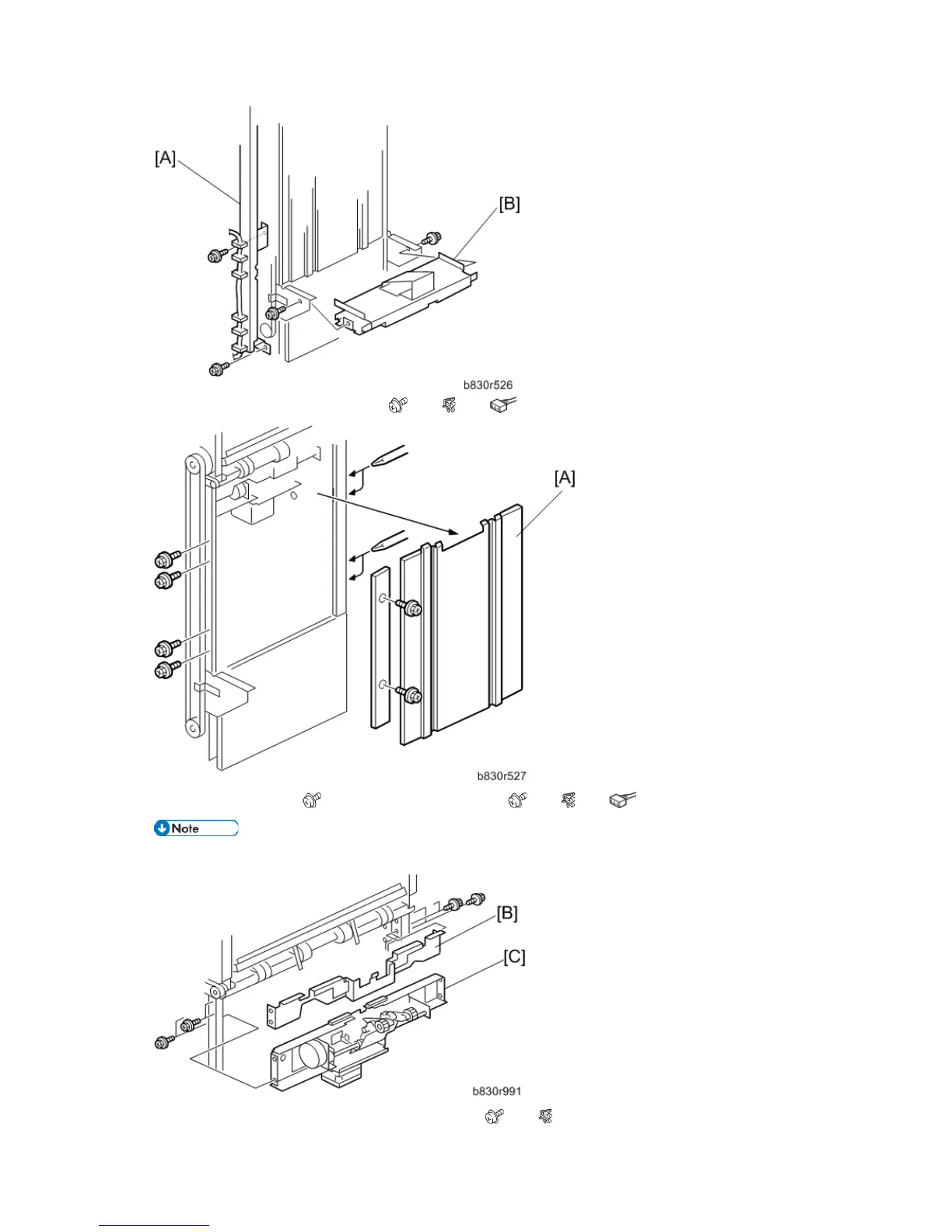
3. Remove the end fence [A] and plate. ( x8, x6, x2)
4. Remove the Cover [B] ( x 4) and the motor stay [C]. ( x4, x7, x4)
• Make sure the motor and sensor connectors are disconnected before removing.
5. Remove the Drag roller motor unit [A]. (Bearing x1, x2, x1)



 To Next Page