PERFORMER Digital Partyline, User Manual, Version 2.30
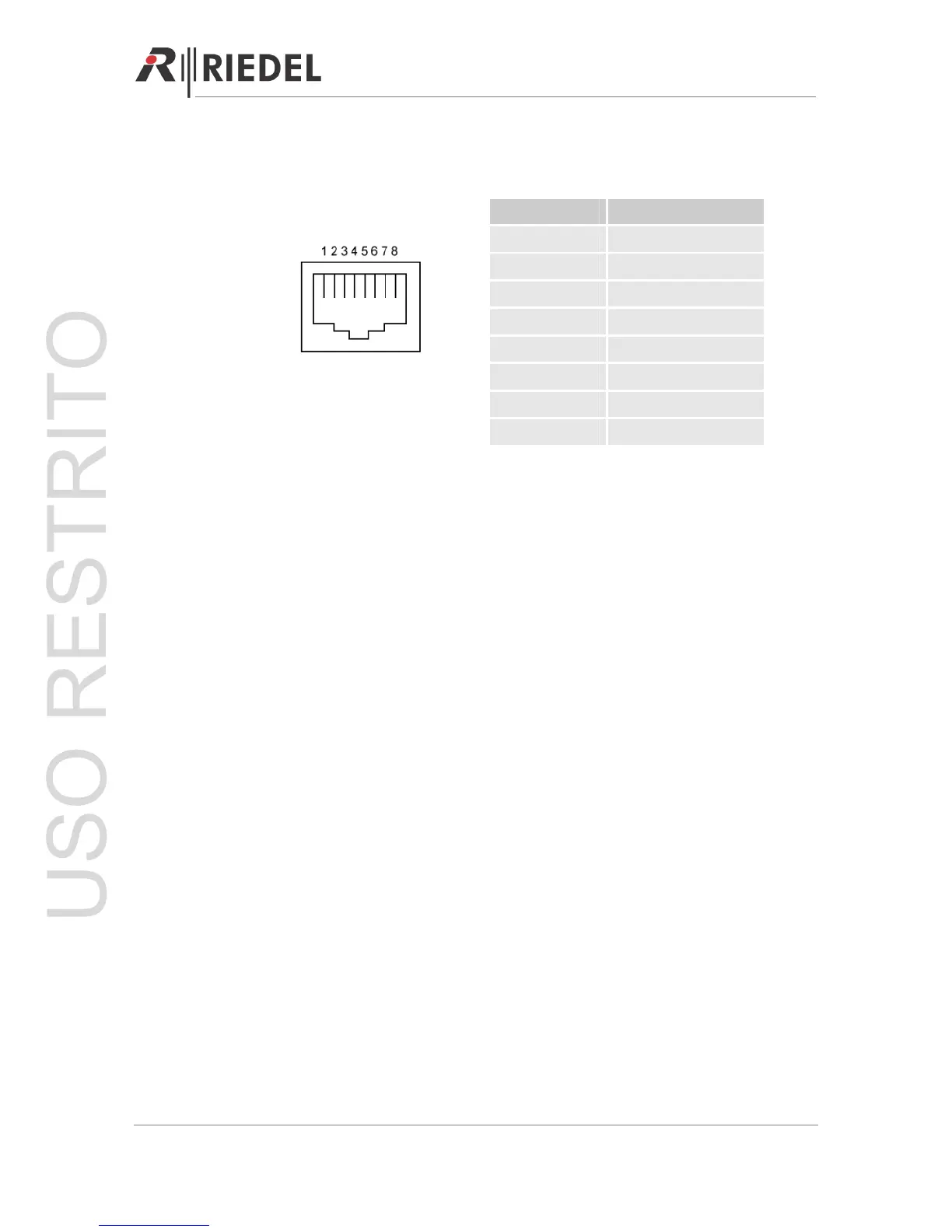
Pin Out RJ45- Connector (Front)
Pin Signal
1
2
3
4 Audio IN +
5 Audio IN -
6
7 Audio OUT +
8 Audio OUT -
Audio RJ45
8.2.4 DIP Switches
The DIP switches are only active during stand-alone operation. They are used to select
between eight preset configurations. The highest numbered DIP switch has the highest
priority. For example, if DIP switches 2 and 6 are both in the ON position, the internal matrix
will be configured according to DIP switch 6.
Further information about the configuration of the DIP switches can be found in Chapter 5.
8.2.5 USB Port (C44plus only)
Connect your personal computer to the C44plus AFTER the USB driver is successfully
installed. Use the Audio Assignment Software (AAS) to configure the cross points of the C44
plus. (Æ see AAS manual for details)
8.3 User Elements Rear
8.3.1 Power Connector
Standard power connector for 110-220 VAC.
8.3.2 External Power Connector
If multiple C44 / C44plus are used in an installation, the C44 / C44plus can be set-up for
redundancy in order to bridge a power supply failure.
The connection of an external universal power supply is also possible (48V, 3A).
Page 52




 To Next Page