PERFORMER Digital Partyline, User Manual, Version 2.30
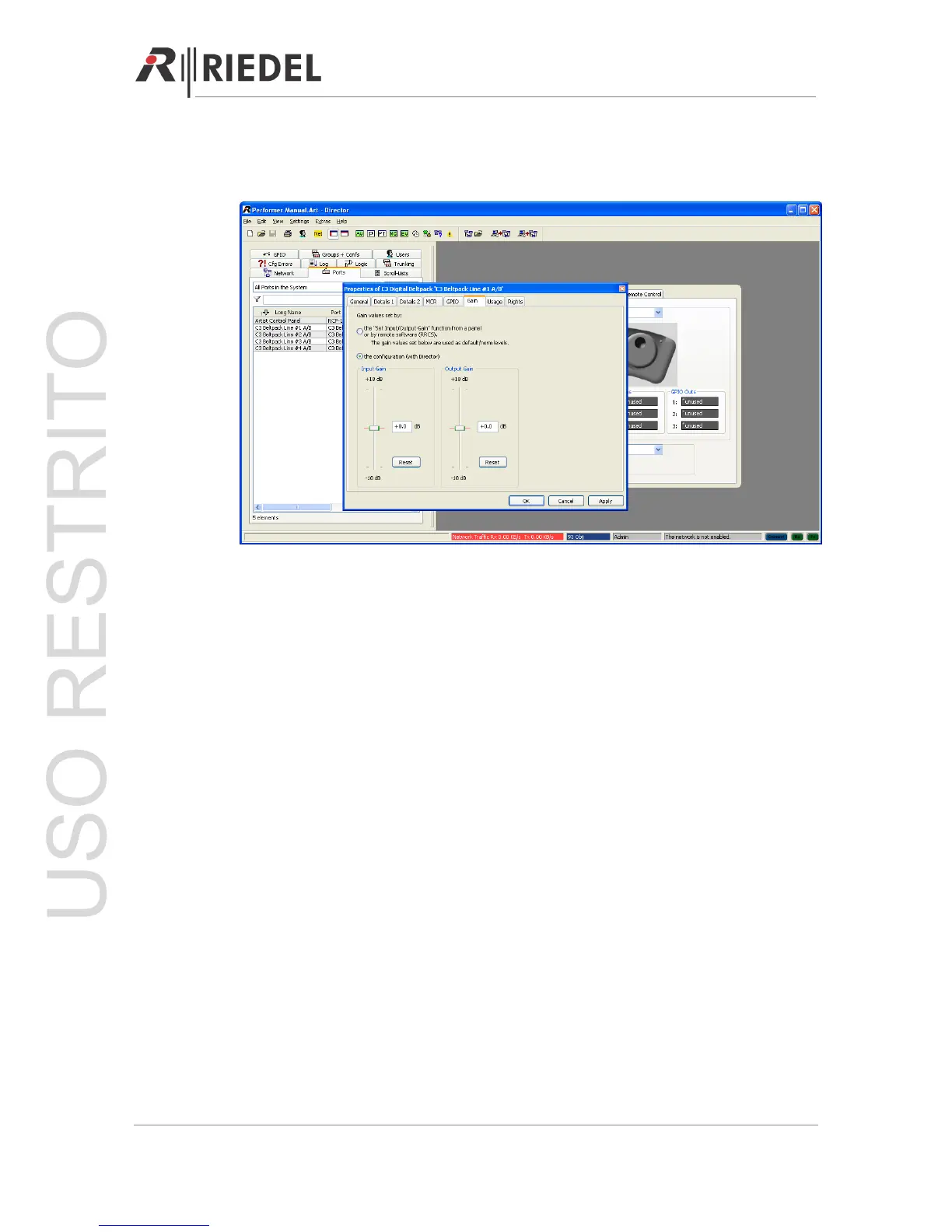
9.2.4 GAIN Adjustment
In the properties of the partyline the input and output gain of the partyline can be adjusted.
9.3 Integration with 3rd Party Matrix
Integrate your digital Performer partyline with any 3
rd
party intercom matrix by using the C44
/ C44plus system interface.
The C44 / C44plus provides four digital AES CAT-5 connectors (Artist I/O) on the rear and
eight analog 4-wire ports on the front corresponding with the four digital 2-channel partyline
lines. GPI In/Outs are also available (Æ C44 / C44plus GPIO Interface).
9.3.1 Physical Connection
Simply connect the C44 / C44plus system interface with the digital 4-wire AES (Artist I/O)
rear ports or the analog 4-wire front ports to the 3
rd
party matrix.
Each C44 / C44plus Artist I/O rear port represents one digital partyline with its two channels.
Each C44 analog 4-wire port represents one digital partyline with one channel. Check with
your 3
rd
party manufacturer for the exact cabling of your matrix client card port.
You can also connect the GPIs (In and Out Æ C44 GPI SUB D Pin Out) with your 3
rd
party
matrix to trigger or read relays for call signalization or the “Kill Mic” function.
Note: If the C44 / C44plus system interface is not connected to an Artist/Performer matrix
the DIP switch setting of the cross points is active. (
Æ
C44 / C44plus Program Select via DIP
Switch (Front))
Page 72




 To Next Page