PACK 5040M/6050M
PACK 5040A/6050A
‒
o reset the counter,
ress th
(6) and (7) ke
s simultaneousl
.
How to restore the default
arameter
‒ To restore the original values of the parameters, press and keep pressed the (5)”sealing conveyor
s
eed" switch when the machine is switched on.
he dis
la
shows the writin
dEF to indicate that the
rocess has been carried out.
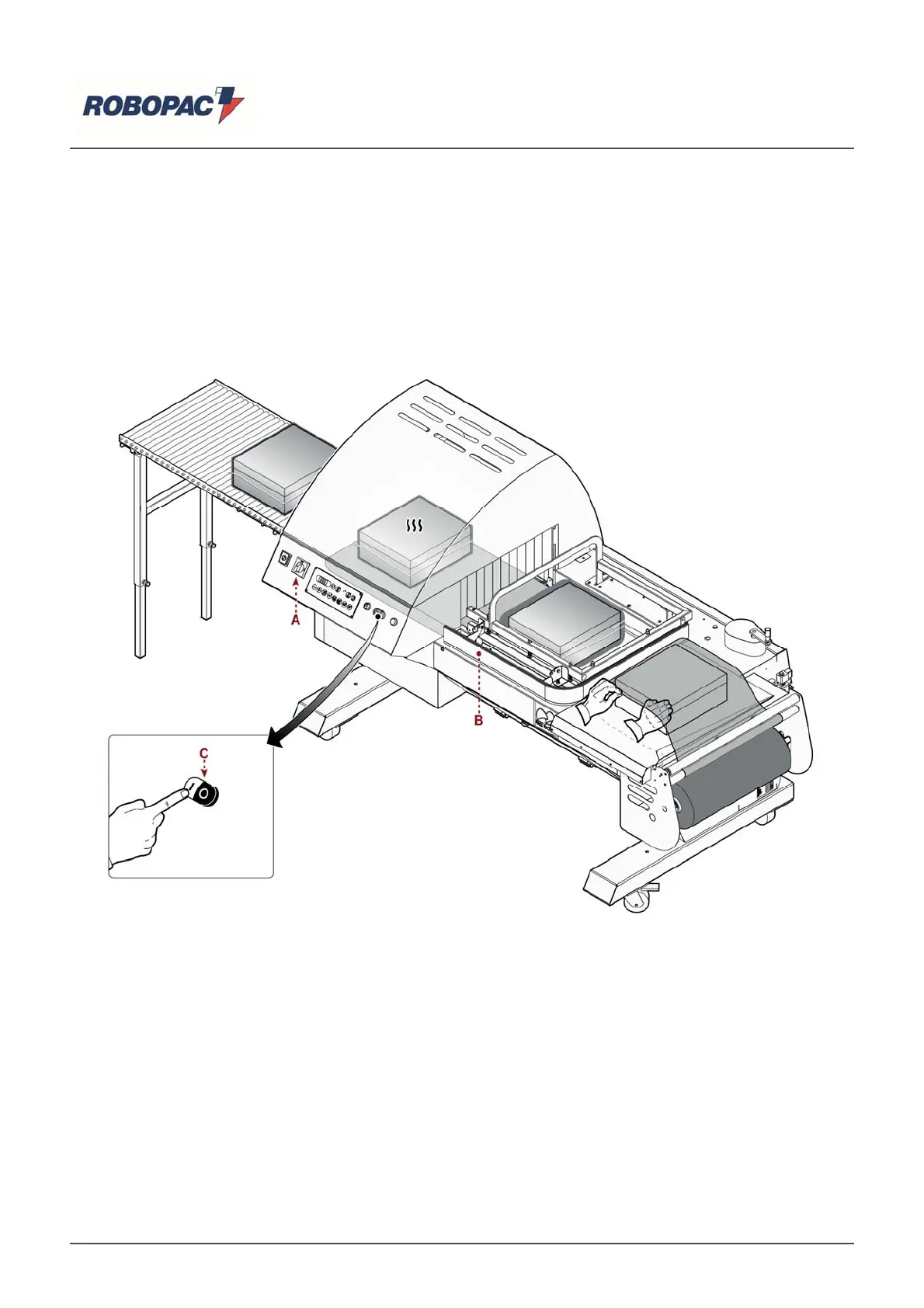
6.5. MACHINE USE (PACK 5040M - PACK 6050M)
he illustration shows the
oints of intervention and the descri
tion indicates the
rocedures to follow.
1. Insert film reel in the
ro
er housin
on the reel carria
e.
2. Turn the main switch (A) on "l" (on) to su
l
electrical
ower to the machine.
"E00" a
ears on the dis
la
.
3. Press the (C) (white) switch to start the tunnel mat and turbine.
4. Ad
ust the weldin
and coolin
arameters accordin
to the t
e of the film used.
5. Ad
ust the hei
ht and s
eed of the carriers accordin
to the
roduct to be
acka
ed.
6. Adjust the trolleys according to the product to be packaged (See "Adjusting reel carriage and product
carrier").
7. Wait until the tunnel tem
erature reaches the set value.
8. Insert the product to be packaged between the two layers of film and place it on top of the sealing
conve
or.
9. Lower the (B) weldin
arm until the ma
net is attached and release.
he two sides of the weldin
arm should be
ositioned on the sides of the film outside the
roduct.
-
he timed electroma
netic lockin
of the welder allows weldin
of the two la
ers of film.
10. At the end of the weldin
the arm is raised automaticall
.
English



 To Next Page