PACK 5040M/6050M
PACK 5040A/6050A
he
roduct is conve
ed into the tunnel, where it under
oes a shrinka
e of the film.
11. At the end of the c
cle, the
roduct exits the tunnel.
|
Important
As soon as the welding of a product has ended and the welding mat has finished the run, the machine is ready
for a new cycle even if the previously welded product has not yet come out of the tunnel or even if it has not
et reached the tunnel carrier.
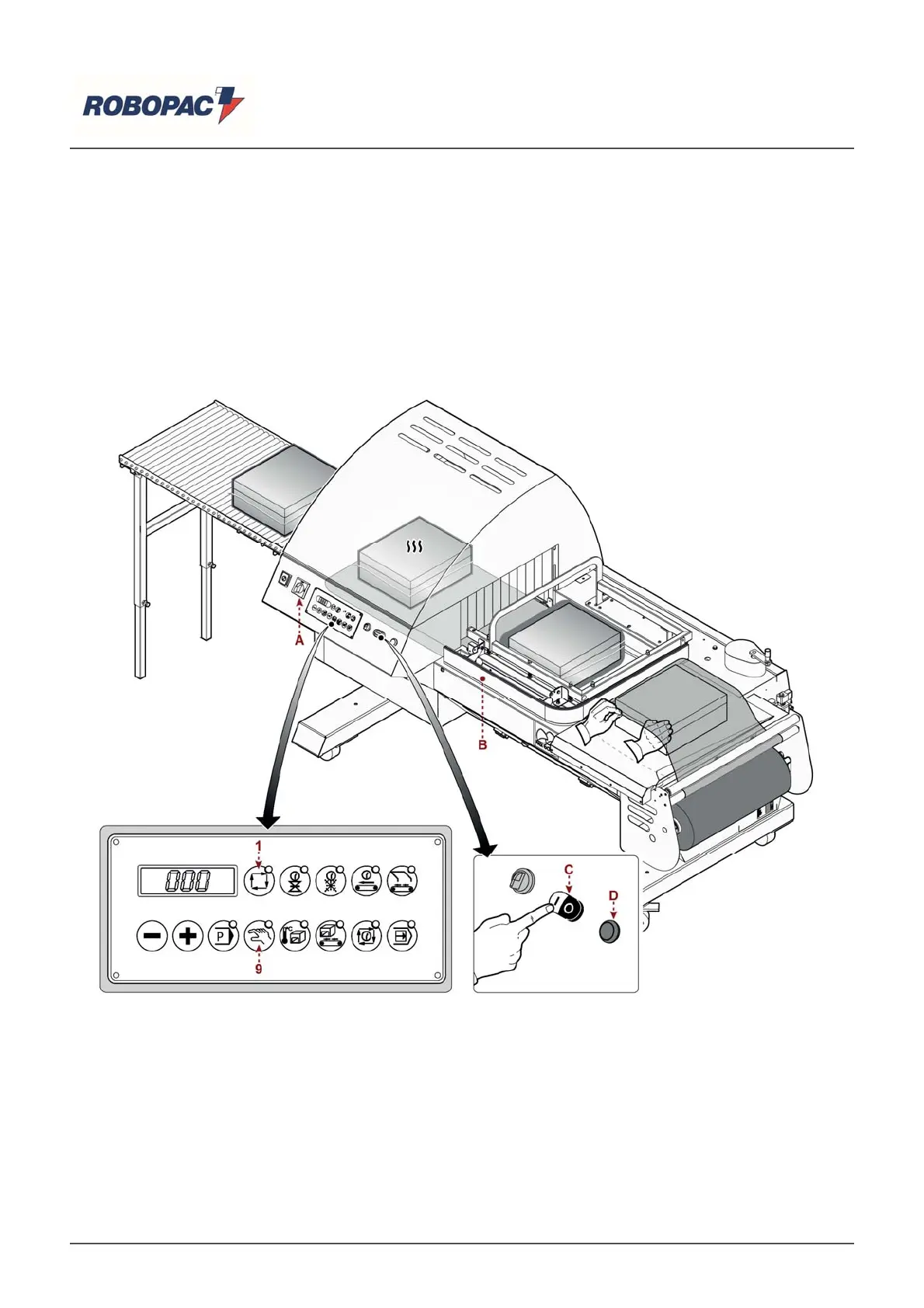
6.6. MACHINE USE (PACK 5040A - PACK 6050A)
he illustration shows the
oints of intervention and the descri
tion indicates the
rocedures to follow.
1. Insert film reel in the
ro
er housin
on the reel carria
e.
2. Turn the main switch (A) on "l" (on) to su
l
electrical
ower to the machine.
"E00" a
ears on the dis
la
.
3. Press the (C) (white) switch to start the tunnel mat and turbine.
4. Press one of the (9-1) ke
s to select the o
eratin
mode of the weldin
arm.
5. Ad
ust the weldin
and coolin
arameters accordin
to the t
e of the film used.
6. Ad
ust the hei
ht and s
eed of the carriers accordin
to the
roduct to be
acka
ed.
7. Adjust the trolleys according to the product to be packaged (See "Adjusting reel carriage and product
carrier").
8. Wait until the tunnel tem
erature reaches the set value.
English



 To Next Page