PACK 5040M/6050M
PACK 5040A/6050A
6.4. CYCLE PARAMETER SETTING
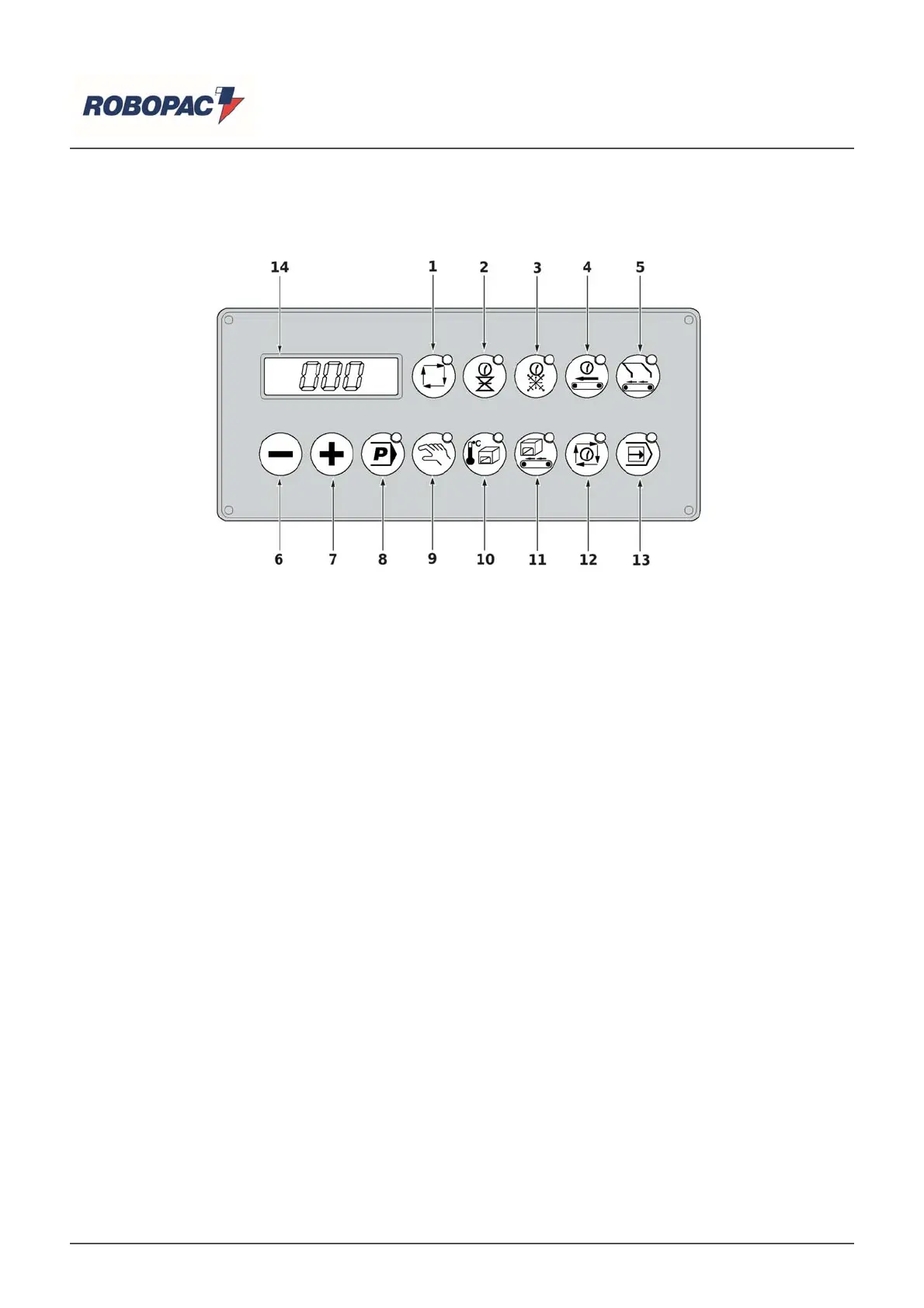
To set the cycle parameters, such as tunnel temperature, belt speed, welding and cooling time, and sealing
conve
or time,
roceed as follows.
‒ Press the key corresponding to the relevant parameter (press and hold the key only when choosing
arameter (10) "tunnel tem
erature").
‒
he relative LED li
hts u
and the value
reviousl
memorized a
ears on the dis
la
.
‒ Use the (6) and (7) keys to increase or decrease this value up to the desired number, which can be
viewed on the dis
la
.
The new value will thus be stored.
How to memorize a
ro
ram
‒ Press the (8) "program list" button; the current program number (Pr1 - Pr2 - Pr3) is shown on the
dis
la
.
‒ Use the (6) and (7) ke
s to select the desired
ro
ram number.
‒ Set the c
cle
arameters (see “C
cle
arameter settin
”).
|
Important
he
erformed modifications become instantl
o
erative and stored automaticall
.
How to set the ke
board lock
Lockin
the ke
board onl
allows
ou to view the
arameters or chan
e the
ro
ram number.
‒ Press the (5) and (13) ke
s at the same time.
On the dis
la
the messa
e a
ears
- FrE: Ke
board unlocked.
- LoC: Ke
board locked.
‒
o lock the ke
ad,
ress th
(5-13-7) ke
s simultaneousl
.
‒
o unlock the ke
board,
ress th
(5-13-6) ke
s simultaneousl
.
How to use the
iece counter
he "
iece counter" function allows
ou to view the number of
acka
ed items.
‒
o view the number of
acka
ed items on the dis
la
,
ress the "
iece counter" (13) ke
.
‒ For quantities greater than 999 pieces, press the (7) key to view the upper three digits (the total
number is stored with six di
its) alternatin
with the writin
(H).
‒ Press the (6) ke
to view the three lower di
its a
ain, alternatin
with th
(L) text.
English



 To Next Page