2F-85 & 2F-140 - Instruction Manual
8.4.Troubleshooting Universal RobotsModels
8.4.1.From the Universal Robotsteach pendant
To install a URCap, see the Installing URCap Package section. In case the URCap is already installed, but 2-Finger Adaptive
Gripper cannot be controlled with the teach pendant, follow these instructions:
1. 2-Finger Adaptive Gripper LED is not blue: see Table 8-1: Troubleshooting SolutionsDepending on GripperLED Status
2. 2-Finger Adaptive GripperLED is blue: the latest version of the URCap isinstalled. Contact support@robotiq.com.
8.4.2.For CB-Series:troubleshooting the I/O Coupling
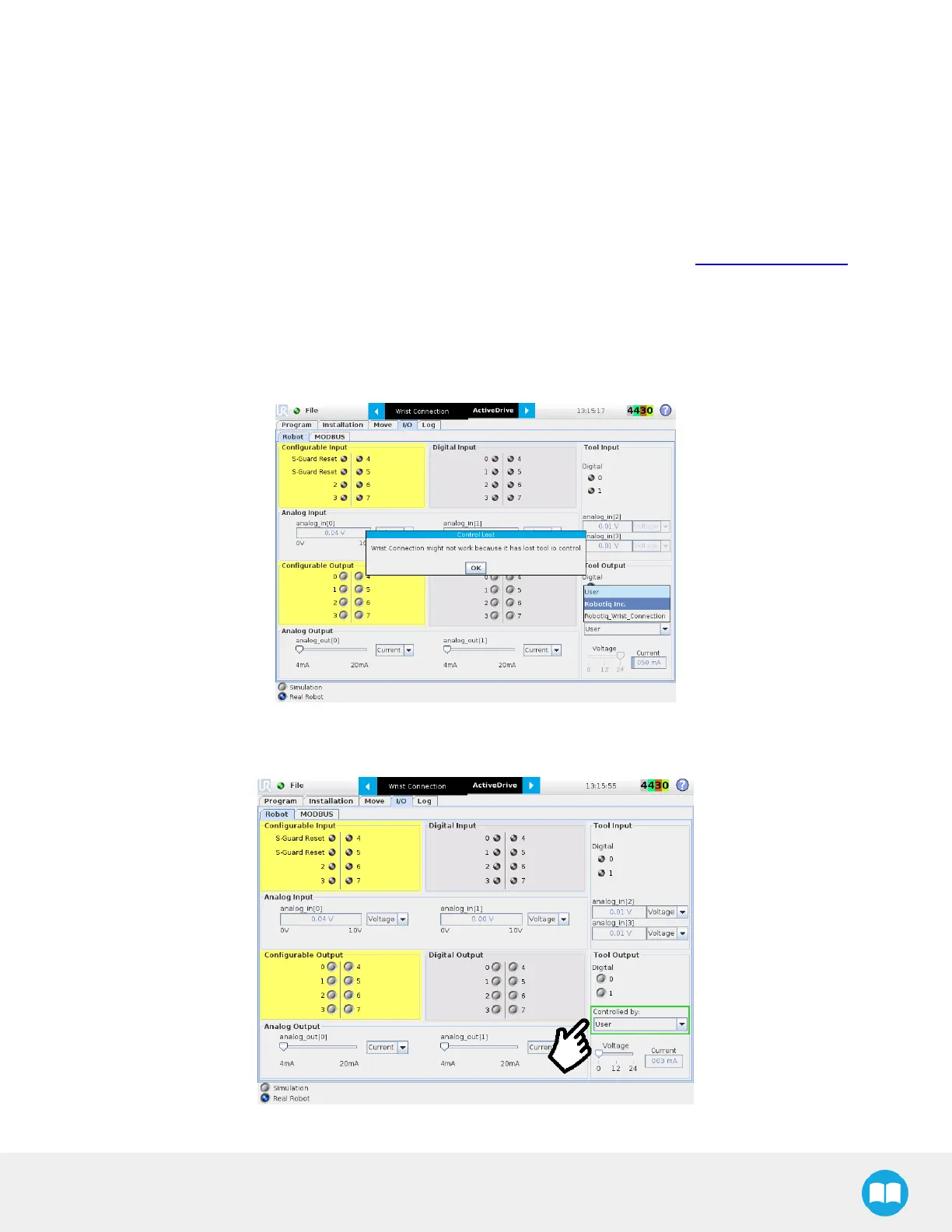
To take the control back of the I/O Coupling, follow the steps:
1
Remove the USB cable;
Fig. 8-2: Control Lost message when removing the USB cable
2
Select User in the Controlled by drop down menu
Fig. 8-3: : Tool output must be controlled by the user



 To Next Page