2F-85 & 2F-140 - Instruction Manual
3.8.1.Installing URCap Package
Installing URCap Package on CB-Series
To install the gripper URCap, follow these insctructions.
l
Make sure that your PolyScope version is up-to-date and that
your Universal Robotscontroller is compatible with the grip-
per'sURCap package.
l
Go to support.robotiq.com and click on Select product > 2 fin-
gersAdaptive Gripper> Universal Robots> Software > Grip-
per Software.
l
Download the UCG-X.X.X and extract itscontent on the root of
a blank USB stick.
l
If an I/O Coupling is present, install the appropriate URCap by
downloading the UCH-X.X.X in the I/O Coupling Software tab
and extract itscontent on the root of a blank USB stick.
l
Insert the USB stick in the URteach pendant or controller.
l
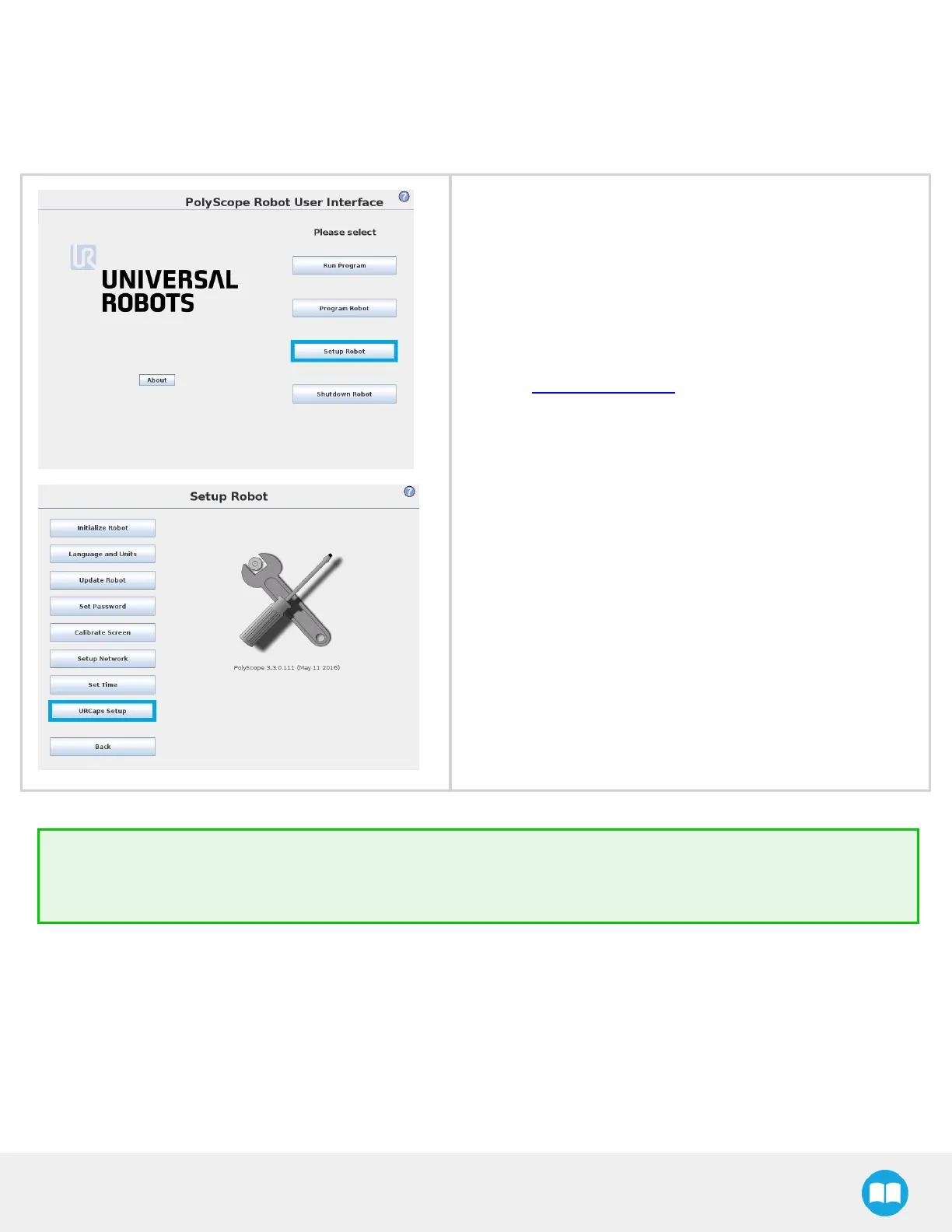
Go to Setup Robot.
l
Tap URCapsSetup.
Tip
To identify your PolyScope version, go to the PolyScope home page and tap About. A window containing the Universal
Robots software version is then displayed.
39



 To Next Page