2F-85 & 2F-140 - Instruction Manual
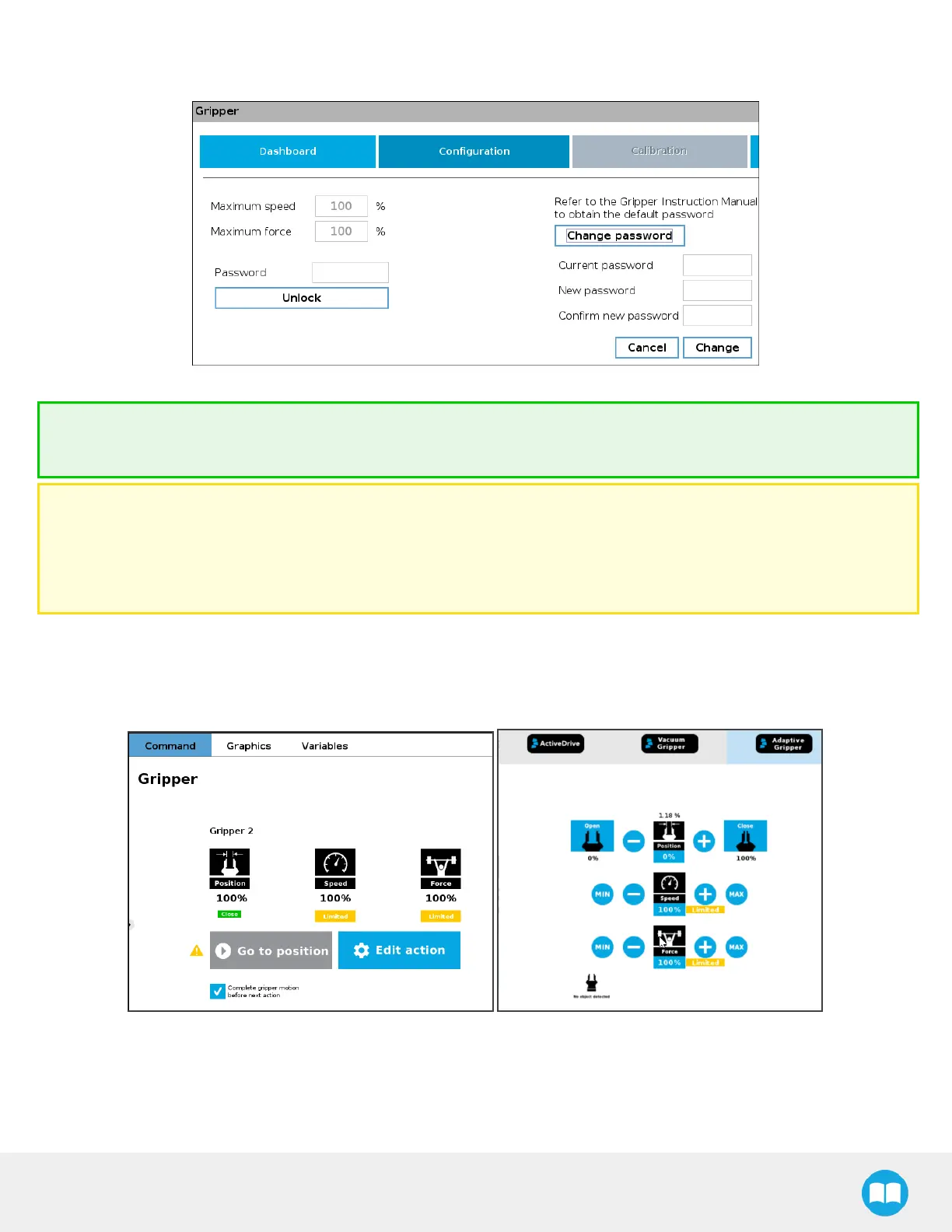
5. To choose a new password, tap the Change password button, and follow instructions on screen. To save your new pass-
word, tap Change.
Fig. 4-20: Modification of the current password.
Tip
Default password: rqsafe. If you lose your password, contact support team to reset it.
Caution
l
This feature reducesthe risk, but is not safety-certified.
l
The values(%) stand as referencesonly. The actual maximum force (in newtons)can vary depending on the application
and needs to be measured by its user by an external measuring system on each gripper for high precision.
4.9.5.Visual Cuesof Force and Speed Limitation
When a limitation is effective, some reminders appear in PolyScope. When adding gripper commands to a program or issuing
them via the Adaptive Gripper tab, the label "Limited" will be shown under the Speed and Force icons, if they have been limited.
Fig. 4-21: Label "Limited' appears when limitationsare effective.
91



 To Next Page