2F-85 & 2F-140 - Instruction Manual
4.9.6.Gripper Calibration menu and wizard
Depending on the fingertips used, the operator will calibrate the gripper and measure the stroke by defining the fully open and
fully closed positions.
Make sure the gripper isactivated.
For e-Series:
1
On the teach pendant, tap the Installation button.
2
Select URCapsin the navigation pane on the left.
3
Tap the Gripper button.
For CB-Series:
1
Go to the Installation tab
2
Select Gripperin the left pane
Info
A gripper that hasnot been calibrated will display open and closed valuesin percentage.
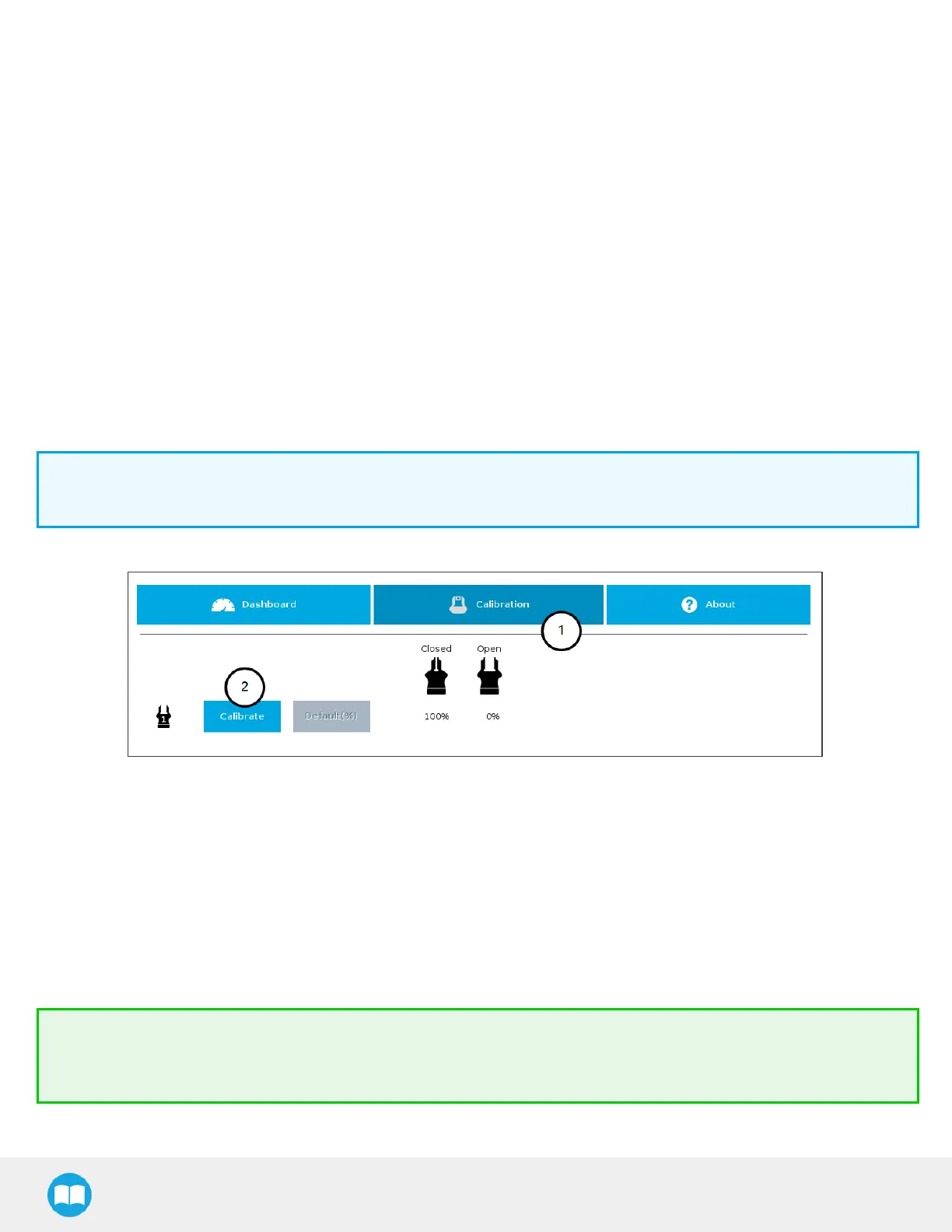
Fig. 4-22: Sequence Toward Calibration, Single Gripper
For both models:
1
Tap the Calibration tab
2
Tap the Calibrate button corresponding to the gripper you want to calibrate
Tapping the Calibrate button in the Gripper Calibration menu launches the Calibration wizard.
Follow the instructions on the screen of the teach pendant.
Tip
Depending on the PolyScope settingsdefined by the user, the units of measurement can either display according to the
metric or imperial system.
92



 To Next Page