Robustel GoRugged R3000 Lite User Guide
RT_UG_R3000 Lite_v.1.4.1 15.11.2016 21 / 135
Confidential
2.9 Grounding the Router
Router grounding helps prevent the noise effect due to electromagnetic interference (EMI). Connect the router to the
site ground wire by the ground screw before powering on.
Note: This product is appropriate to be mounted on a sound grounded device surface, such as a metal panel.
2.10 Connect the Router to PC
Connect the router’s Ethernet port to a PC through a standard crossed network cable.
2.11 Power Supply
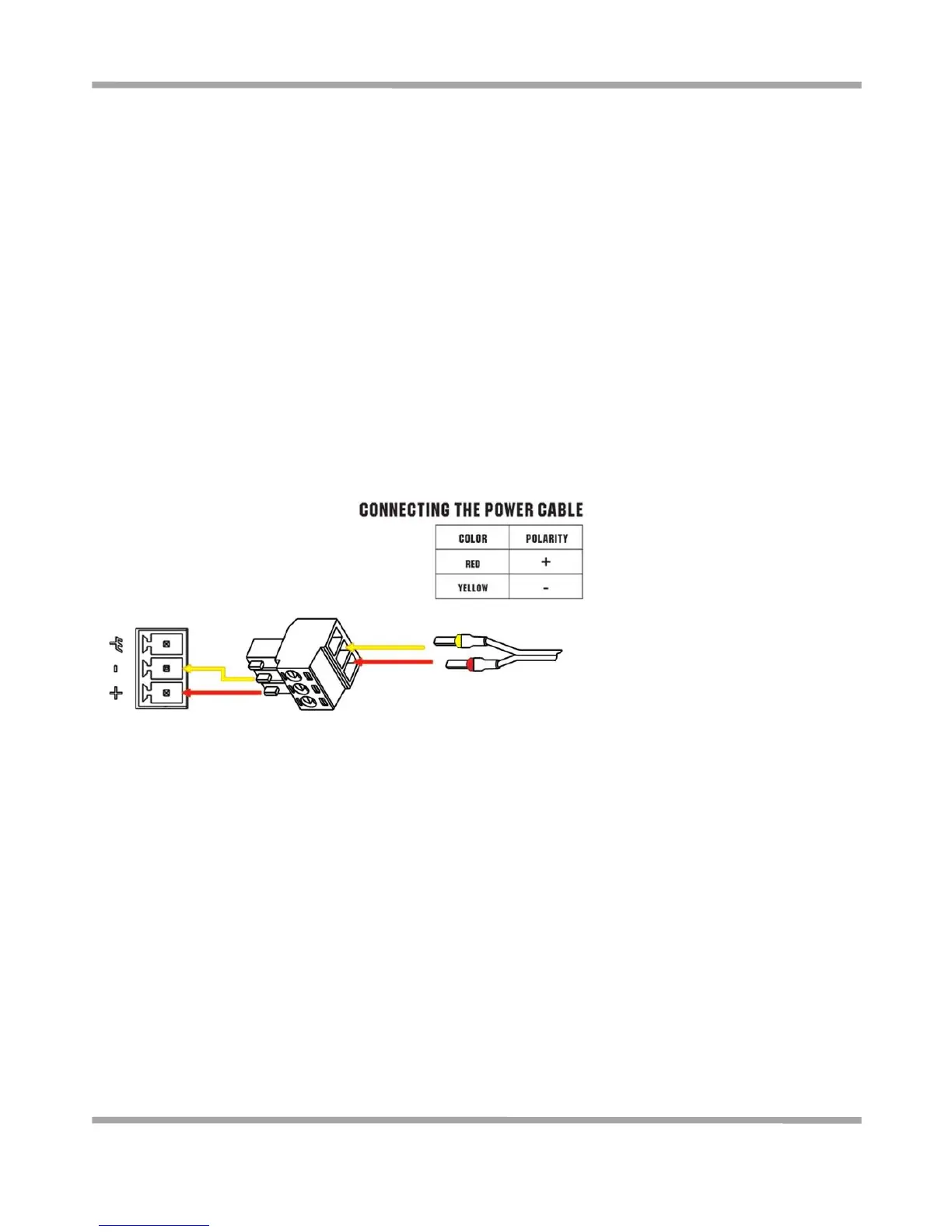
R3000 Lite router supports reverse polarity protection, but always refers to the figure above to connect the power
adapter correctly. There are two cables associated with the power adapter. Following to the color of the head,
connect the cable marked red to the positive pole through a terminal block, and connect the yellow one to the
negative in the same way.
Note: The range of power voltage is 6 to 26 VDC.











 To Next Page