Robustel GoRugged R3000 Lite User Guide
RT_UG_R3000 Lite_v.1.4.1 15.11.2016 62 / 135
Confidential
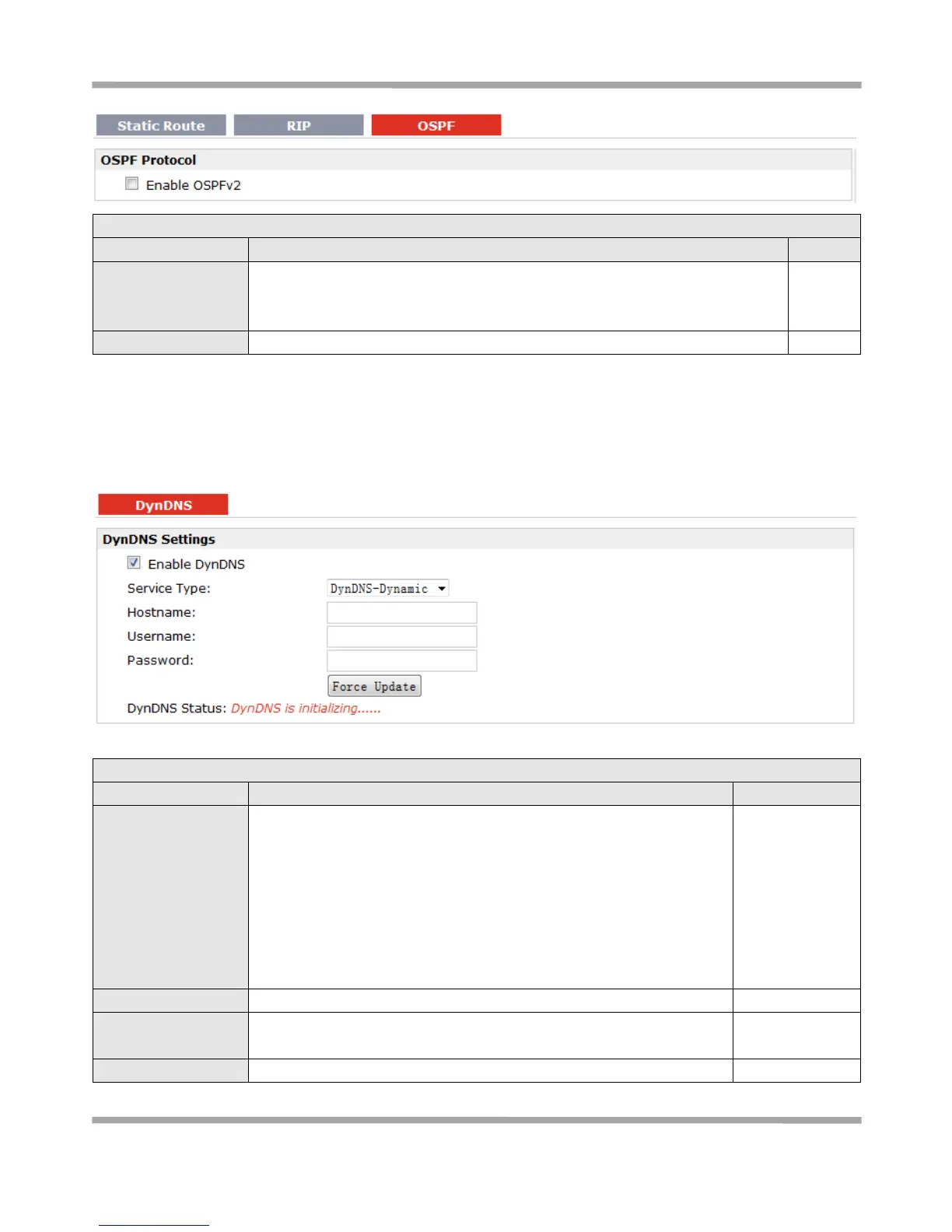
OSPF (Open Shortest Path First) is a link-state routing protocol for IP networks.
It uses a link state routing algorithm and falls into the group of interior routing
protocols, operating within a single autonomous system (AS).
Tick to enable OSPF function.
3.19 Configuration > DynDNS
This section allows users to set the DynDNS parameters.
The Dynamic DNS function allows you to alias a dynamic IP address to a
static domain name, allowing users whose ISP does not assign them a
static IP address to use a domain name. This is especially useful for
hosting servers via your connection, so that anyone wishing to connect
to you may use your domain name, rather than having to use your
dynamic IP address, which changes from time to time. This dynamic IP
address is the WAN IP address of the router, which is assigned to you
by your ISP.
Tick to enable DynDNS function.
Select the DDNS service from “DynDNS–Dynamic”, “QDNS (3322)”,
“NOIP” and “Custom” which you have established an account with.
Enter the Host name the DDNS server provided.











 To Next Page