Robustel GoRugged R3000 Lite User Guide
RT_UG_R3000 Lite_v.1.4.1 15.11.2016 56 / 135
Confidential
URL@ Blocking By
URL Address
Block the access according to the URL Address that filled in the blank.
Click “Add” to add a Keywork list.
Keywork@ Blocking
By Keywork
Block the access according to the Keywork that filled in the blank.
Note: You can use “-“to define a range of IP addresses or ports, e.g.1.1.1.1-2.2.2.2, 10000-12000.
The filtering settings should be divided into two parts. Part 1 is the Exact Filter List and Part 2 is the Default Filter
Policy. The priority of Exact Filter List is higher than Default Filter Policy. It means that while Router receive IP
packets from WAN side, it will check the Exact Filter List first, if the IP packets mismatch the Exact Filter List, then
Router will execute the Default Filter Policy.
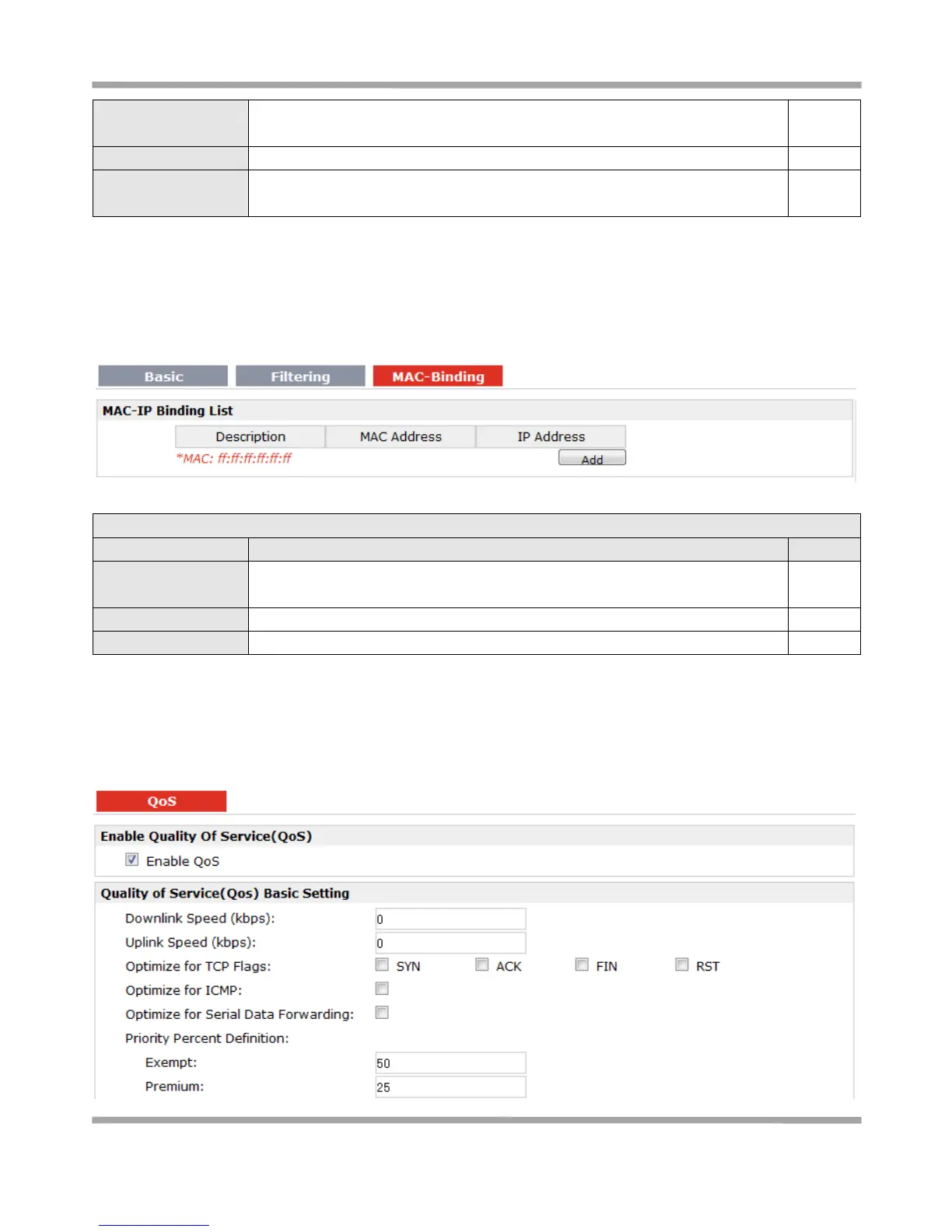
The defined host (MAC) on the LAN side only can use the defined IP address to
communicate with router, or will be rejected.
Enter the defined host’s Mac Address.
Enter the defined host’s IP Address.
3.17 Configuration > QoS
This section allows users to set the QoS parameters.











 To Next Page