Robustel GoRugged R3000 Lite User Guide
RT_UG_R3000 Lite_v.1.4.1 15.11.2016 52 / 135
Confidential
Enable automatic
update of configuration
Click Enable to automatically update the configuration file of R3000 when
insert the USB storage devices which has R3000’s configuration file.
Enable automatic
update of firmware
Click Enable to automatically update the firmware of R3000 when insert the
USB storage devices which has R3000’s firmware.
3.15 Configuration > NAT/DMZ
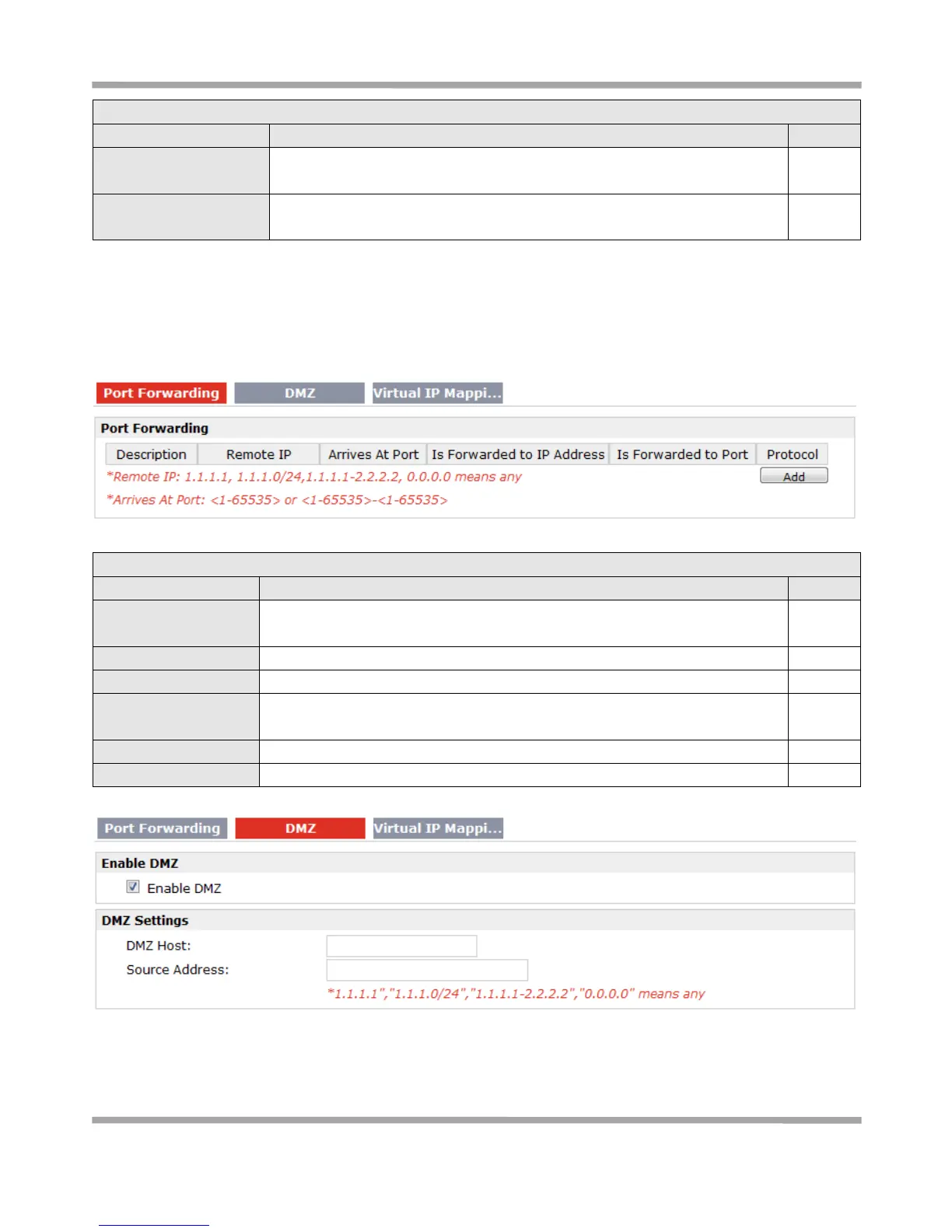
This section allows users to set the NAT/DMZ parameters.
Port Forwarding @ NAT/DMZ
Manually defining a rule in the router to send all data received on some range
of ports on the internet side to a port and IP address on the LAN side.
Set the remote IP address.
The port of the internet side which you want to forward to LAN side.
Is Forwarded to IP
Address
The device’s IP on the LAN side which you want to forward the data to.
The device’s port on the LAN side which you want to forward the data to.
Select from “TCP”, “UDP” or “TCP&UDP” which depends on the application.











 To Next Page