Robustel GoRugged R3000 Lite User Guide
RT_UG_R3000 Lite_v.1.4.1 15.11.2016 63 / 135
Confidential
Enter the user name the DDNS server provided.
Enter the password the DDNS server provided.
Click to the update and use the DynDNS settings.
Show current status of DynDNS
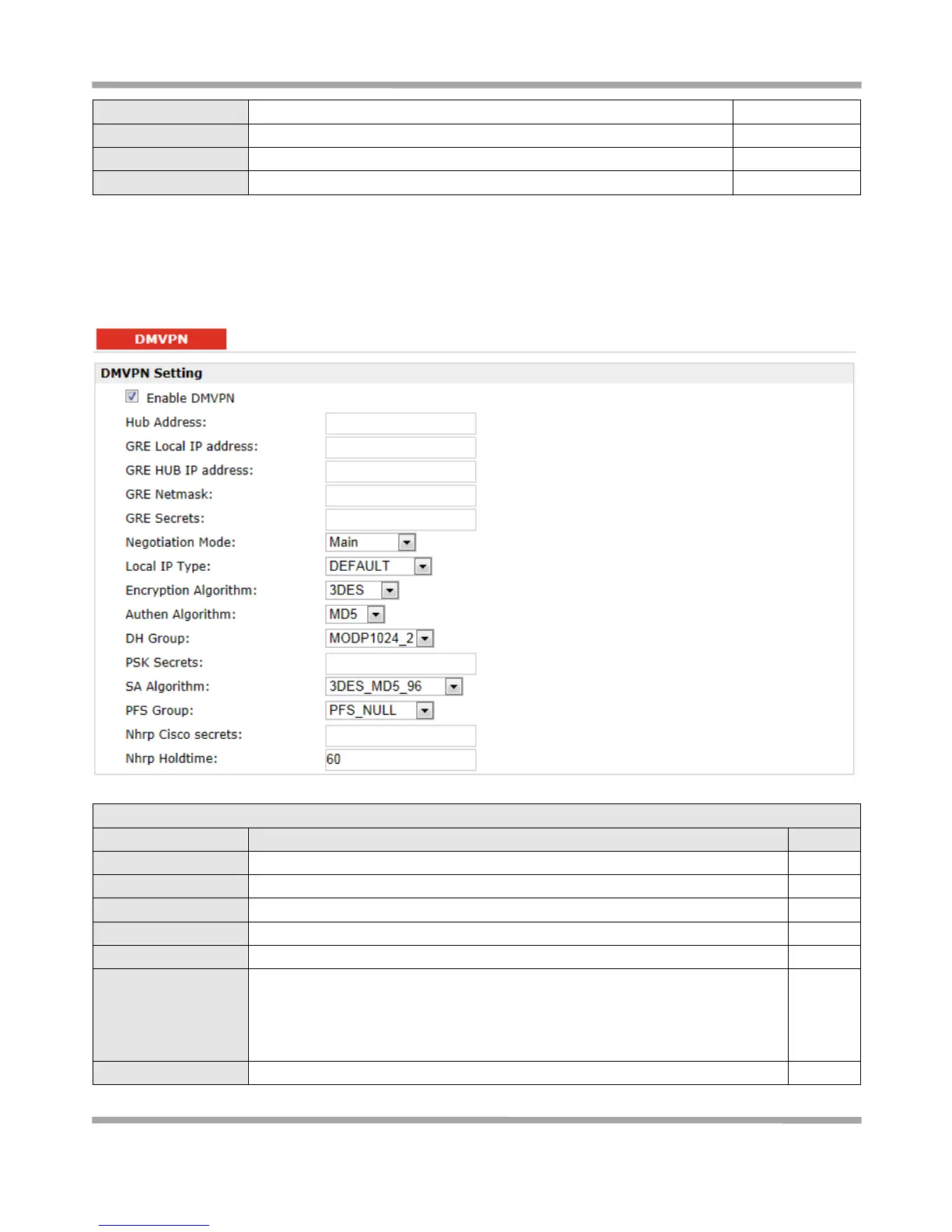
3.20 Configuration > DMVPN
This section allows users to set the DMVPN parameters.
DMVPN Hub’s IP address or domain
GRE Local tunnel IP address
GRE Hub tunnel IP address
Select from “Main” and “aggressive” for the IKE negotiation mode in phase 1. If
the IP address of one end of an IPSec tunnel is obtained dynamically, the IKE
negotiation mode must be aggressive. In this case, SAs can be established as
long as the username and password are correct.
Select from “ID”, “FQDN” and “User FQDN” for IKE negotiation. “Default”











 To Next Page