Robustel GoRugged R3000 Lite User Guide
RT_UG_R3000 Lite_v.1.4.1 15.11.2016 57 / 135
Confidential
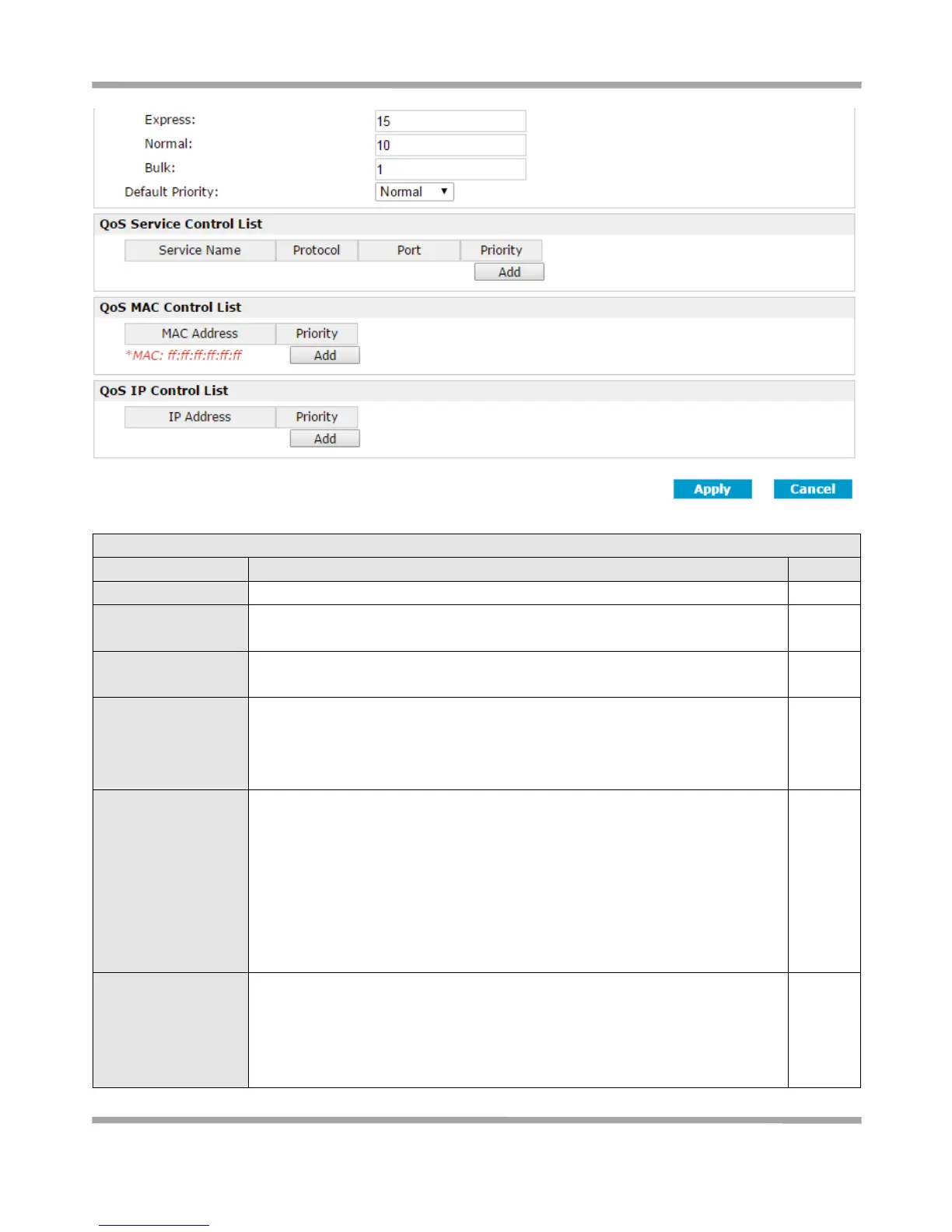
Click to enable “QoS” function.
Prescribe downlink speed of router.
Note: Default setting“0” means that there is no limitation of downlink speed.
Prescribe uplink speed of router.
Note: Default setting“0” means that there is no limitation of uplink speed.
User can choose to enable TCP flags: “SYN”, “ACK”, “FIN”, “RST”, which means
data with above TCP Flags will get the highest priority to occupy bandwidth.
After enabled, router will enhance respond timeout of TCP control, in case that
data resend frequently.
Enable to optimize for ICMP, which means ICMP will get the highest priority to
occupy bandwidth. After enabled respond interval of PING control will be
shorter.
Note: if user click to enable “Optimize for TCP Flags”, “Optimize for Serial Data
Forwarding”, and “Optimize for ICMP” at the same time (these three services
are in the same priority level), router will automatically start Stochastic Fairness
Queuing (SFQ) strategy to make a fair bandwidth allocation, in case of one
service occupy all the bandwidth.
Optimize for Serial
Data Forwarding
Enable to optimize for serial data forwarding, which means serial data
forwarding will get the highest priority to occupy bandwidth.
When enable serial data forwarding it need to enable local port number for
controlling. Therefore, it needs to set local port number of router even if router
is as TCP Client.











 To Next Page