Robustel GoRugged R3000 Lite User Guide
RT_UG_R3000 Lite_v.1.4.1 15.11.2016 49 / 135
Confidential
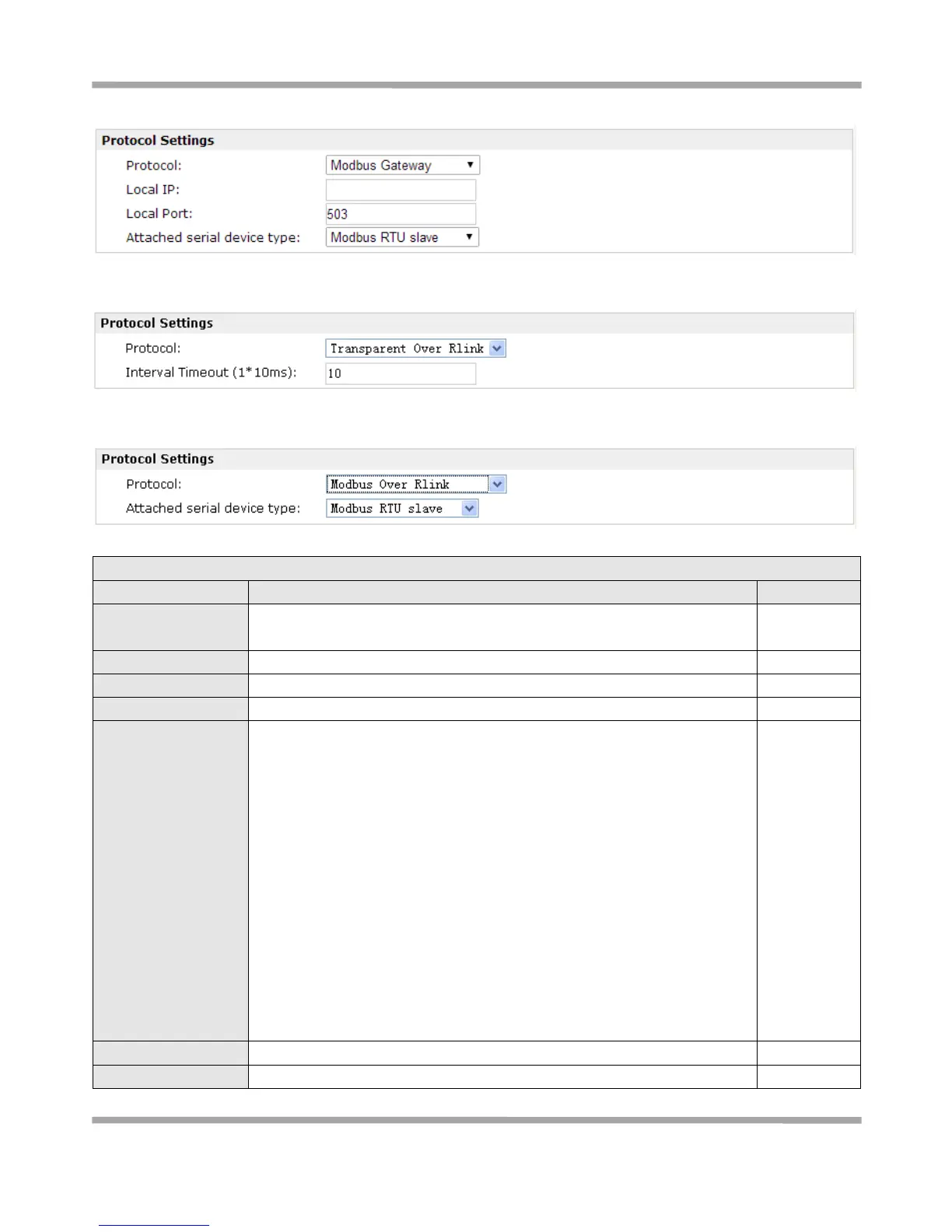
When Select Protocol “Modbus gateway”:
When Select Protocol “Transparent Over Rlink”:
When Select Protocol “Modbus Over Rlink”:
Select from “300”, “600”, “1200”, “2400”, “4800”, “9600”, “19200”, “38400”,
“57600” , “115200”and “230400”.
Select from “None”, “Transparent”, “Modbus Master” and “Modbus
gateway”, “Transparent Over Rlink” and “Modbus Over Rlink”.
Transparent: Router will transmit the serial data transparently without any
protocols.
Modbus gateway: Router will transmit the serial data with Modbus
protocol.
Modbus Master: R3000 Lite router could be configured as a modbus
master, and will automatically poll the slave sides.
Transparent Over Rlink: Router will send all data from RS232 serial port to
Robustlink, and then Robustlink will forward the data to another
destination site.
Modbus Over Rlink: Router will translate all data from RS232 serial port to
Modbus TCP protocol data, and then send to Robustlink, after that
Robustlink will forward the data to another destination site.











 To Next Page