47
Configuring the Access Point
Configuring Common Wireless Settings
CAUTION: Selecting the incorrect country or region may result in violation of appli-
cable laws. If you purchased the AP in the United States, you do not need to manually
set the country code. Ruckus Wireless APs that are sold in the US are preconfigured
with the correct country code and this setting cannot be changed.
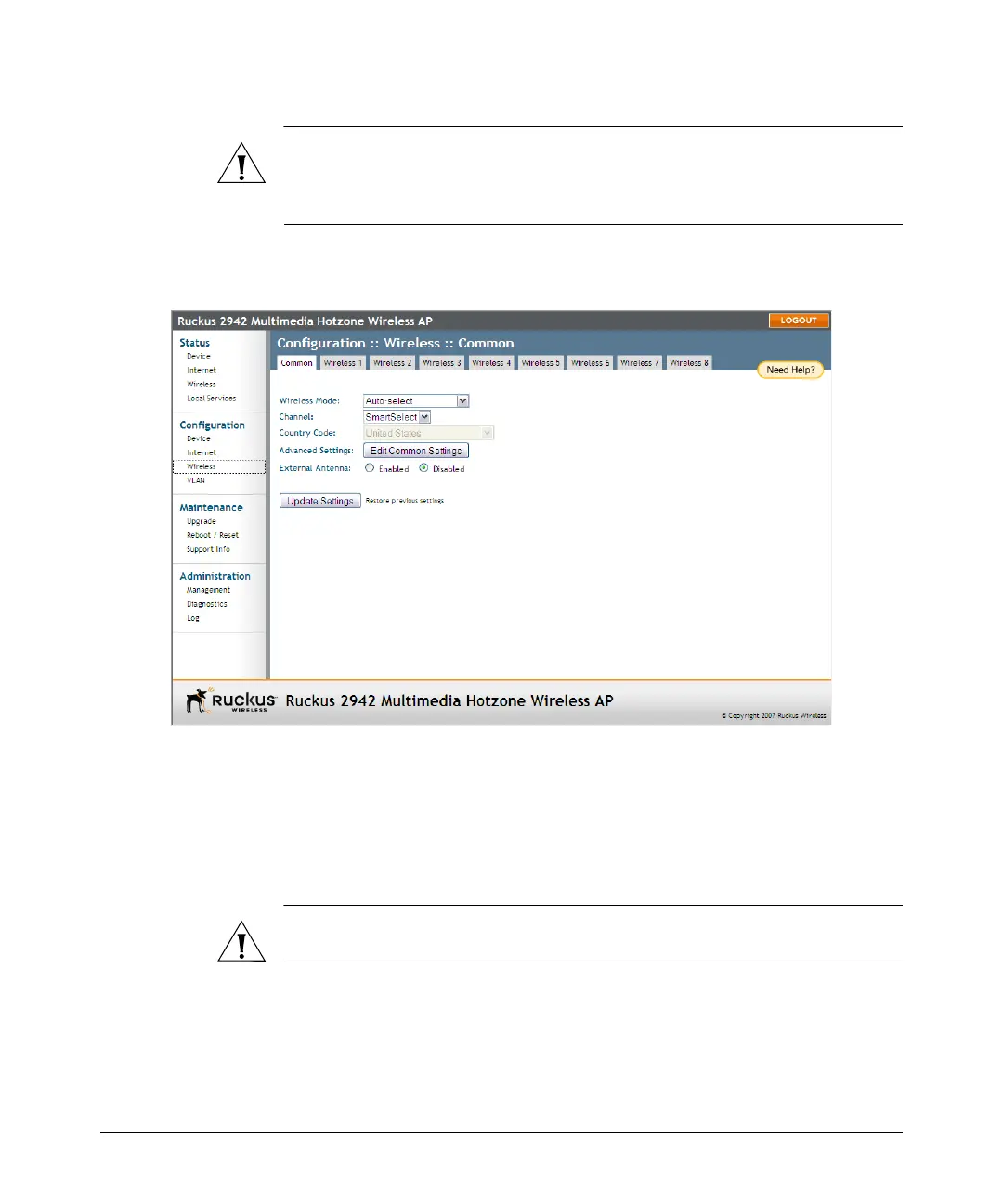
3. Click Update Settings to save your settings.
Figure 22. The Configuration > Wireless page
Reviewing the Advanced > Common Options
This page permits access to advanced wireless functions. These settings should only
be changed by an experienced administrator. Incorrect settings can severely impact
wireless performance. It is recommended that the default settings be retained for best
performance.
CAUTION: To fully benefit from the AP’s capabilities, it is advisable not to change this
value unless absolutely necessary.
To configure the advanced common options
1. On the Configuration > Wireless page, click Edit Common Settings. The
Configuration > Wireless > Advanced > Common page appears.













 To Next Page