62
Configuring the Access Point
Configuring VLAN Settings
Configuring VLAN Settings
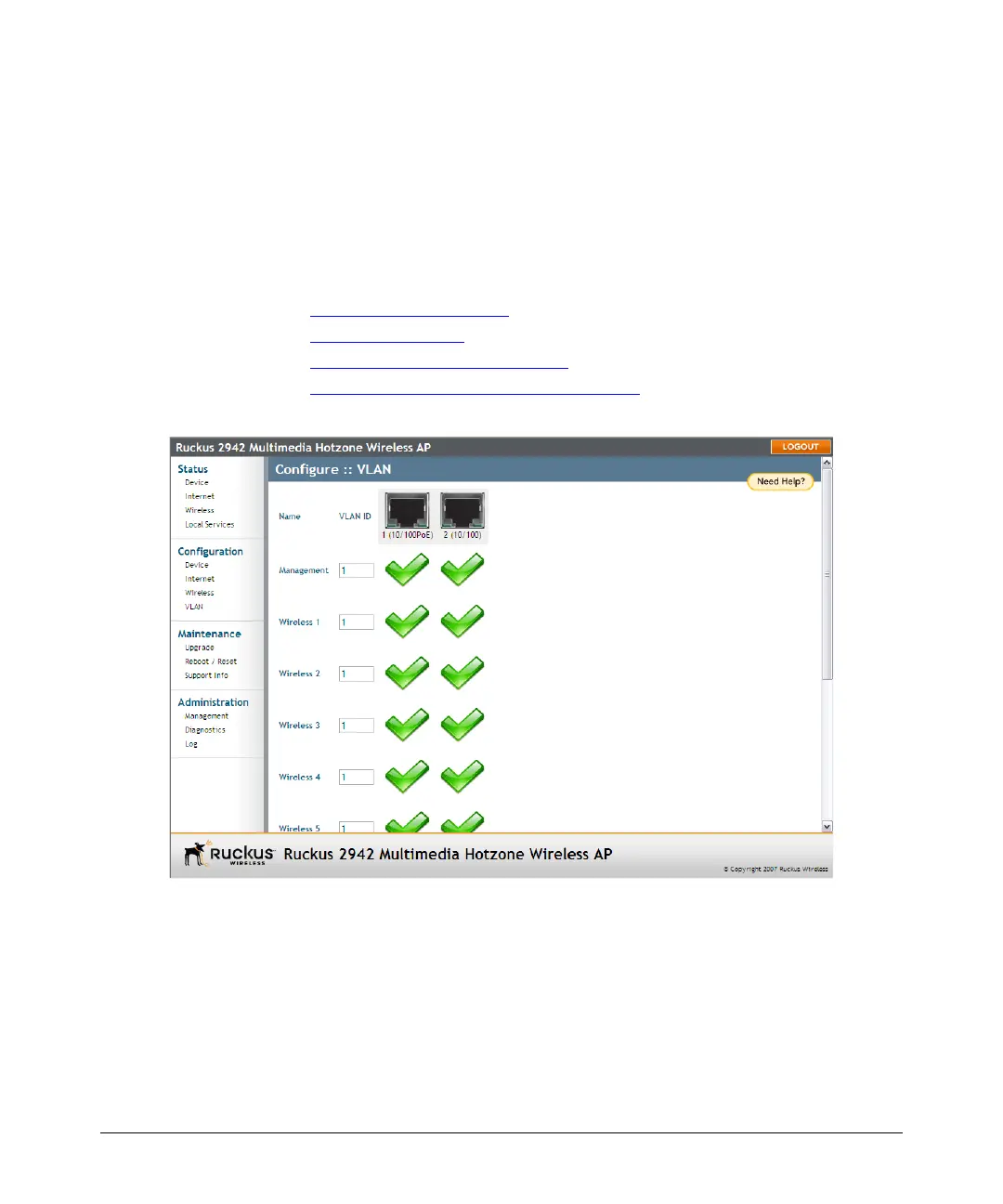
The VLAN page is used to configure the virtual LAN (VLAN) parameters of the AP.
Traffic never uses VLAN tags over wireless links, but traffic originating on or destined
for WLAN stations can be differentiated by a VLAN identifier as it travels over other
links, such as Ethernet, DSL or Cable Internet, etc., thus given the appropriate priority
as it traverses the Internet.
This section discusses the following topics:
■ Navigating the VLAN Page
■ Changing a VLAN ID
■ Changing the Port State of a VLAN
■ Changing an RJ45 Port’s VLAN Tagged State
Figure 30. The Administration > VLAN page
Navigating the VLAN Page
■ Name: The name appearing in the first cell of each column identifies each
“network”. Here the term refers to a single broadcast-domain. There is also a
“Management” network, referring to communications directly to the AP/Router.
■ VLAN ID: If the VLAN ID field is blank or empty, no VLAN tagging will occur for
that network. The state is shown by one of three images, explained below in
“VLAN port state icons.”













 To Next Page