76
Managing the Access Point
Sending a Copy of the Log File to Ruckus Wireless Support
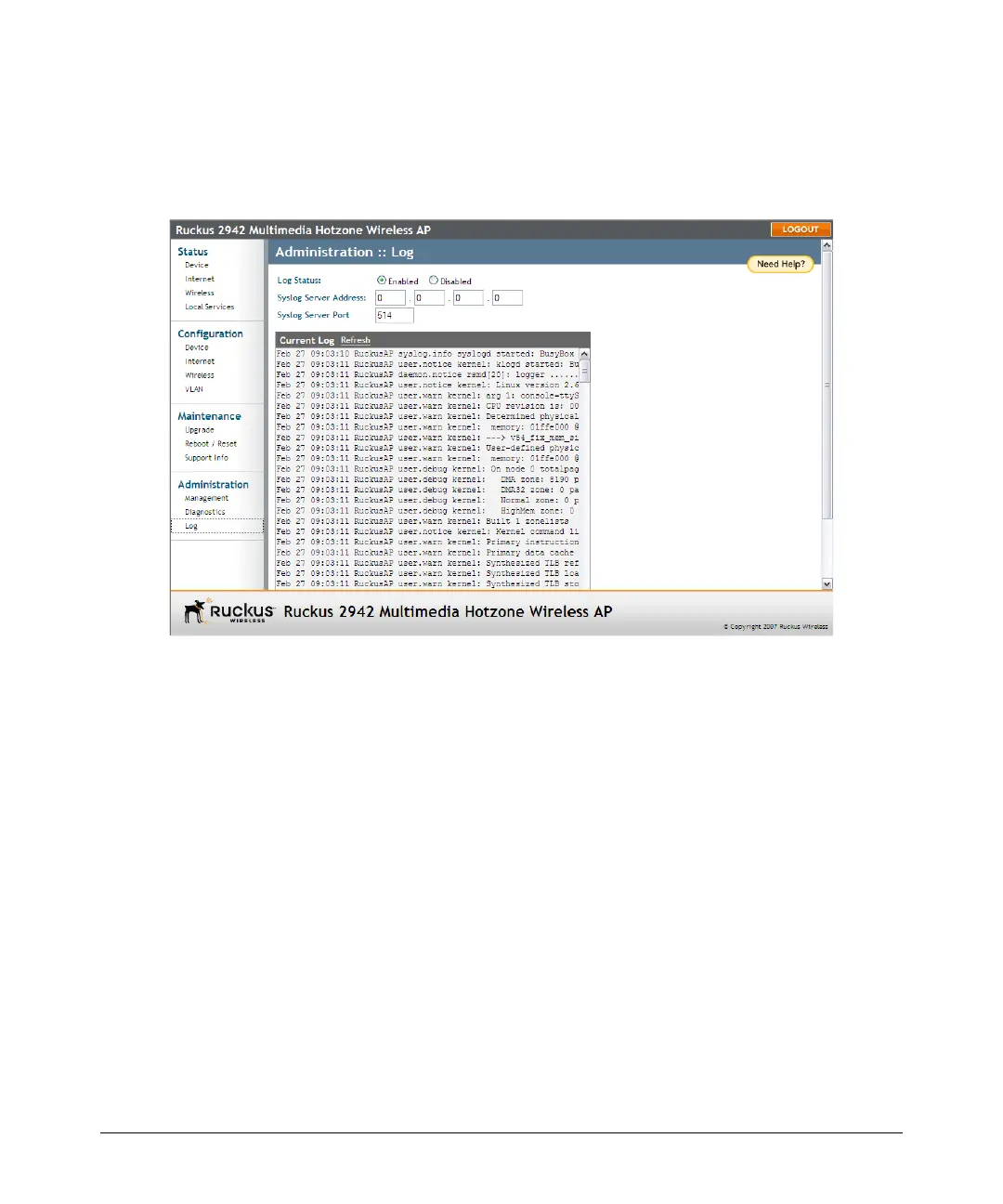
• Syslog Server Port: By default, the syslog port number is 514. If the syslog
server is using a different port, enter that port number in this field.
4. Click Update Settings to save and apply your changes.
Figure 38. The Administration > Log page
Sending a Copy of the Log File to Ruckus
Wireless Support
The Support Info log consists of the configuration and run-time status of the AP and
can be useful for troubleshooting. You have three options for sending a copy of the
current log file to Ruckus Wireless Support:
■ Save a copy to your local PC, then attach it to an e-mail message and send it to
support
■ Set up a connection to an FTP site
■ Set up a connection to a TFTP site
To take advantage of these options, follow these steps
1. Go to Maintenance > Support Info. The Maintenance :: Support Info page
appears.
2. Review the Upload Method options.
3. To upload a copy of the support info file to an FTP or TFTP server, click TFTP or
FTP option. Clicking the FTP option prompts you to enter a User ID and Password.













 To Next Page