21
Installing the Wireless Bridge
Preparing for Installation
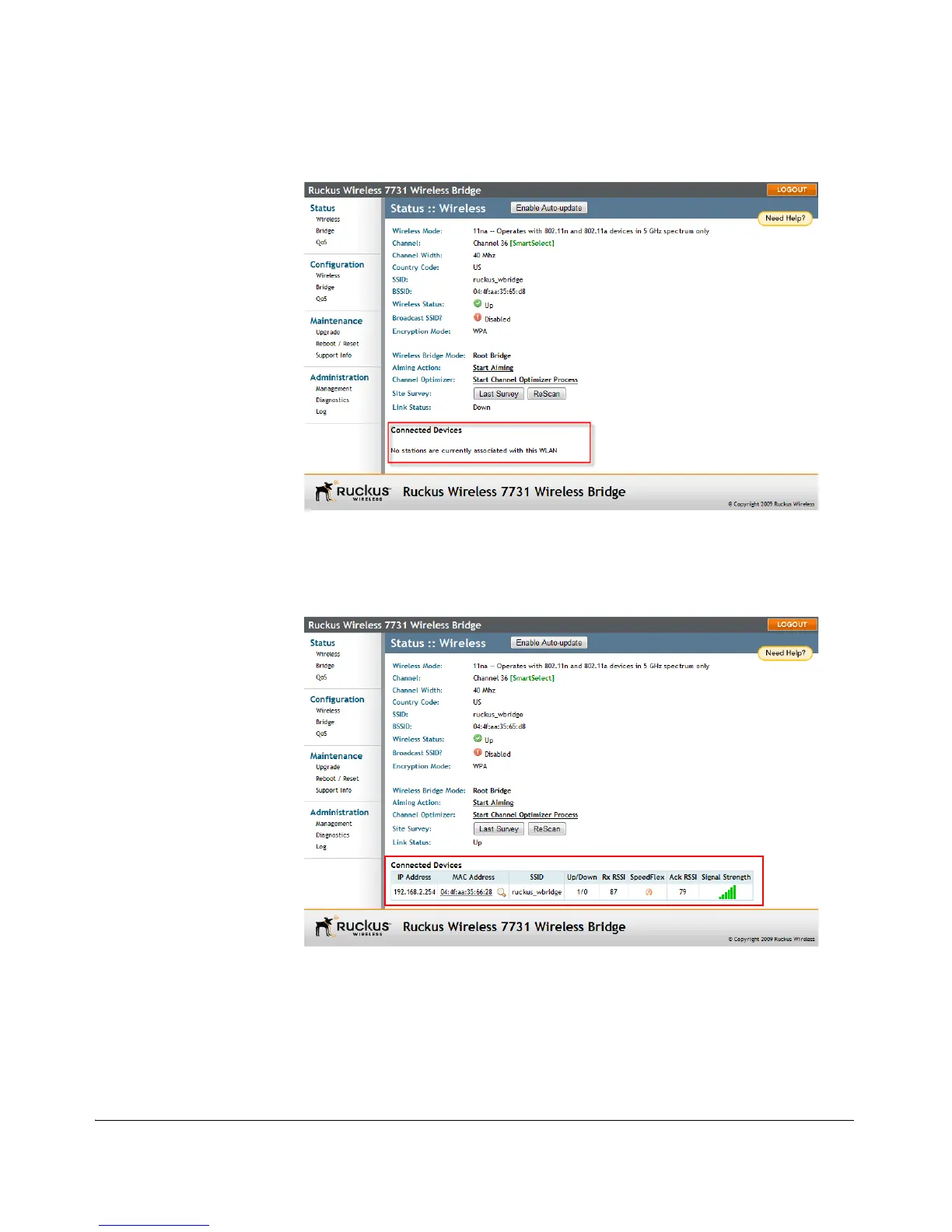
Figure 13. No association established
The units will automatically associate with one another within approximately 1 to 2
minutes. Once the association is complete, the page will refresh and the Connected
Device information will be displayed, as shown:
Figure 14. Association established
If no association is established after a few minutes, ensure that the SSID and Pass-
phrase are set to the same values, and that Channel is set to SmartSelect (or to the
same channel, if set manually). If you have made sure all these settings are the same
and the bridges still fail to associate, the Web interface provides several tools for
diagnosing the problem, which can be found on the Administration > Diagnostics
page. Tools include Ping, Traceroute, Show ARP Table and Show FDB Table.



 To Next Page