39
Installing the Wireless Bridge
Physical Installation
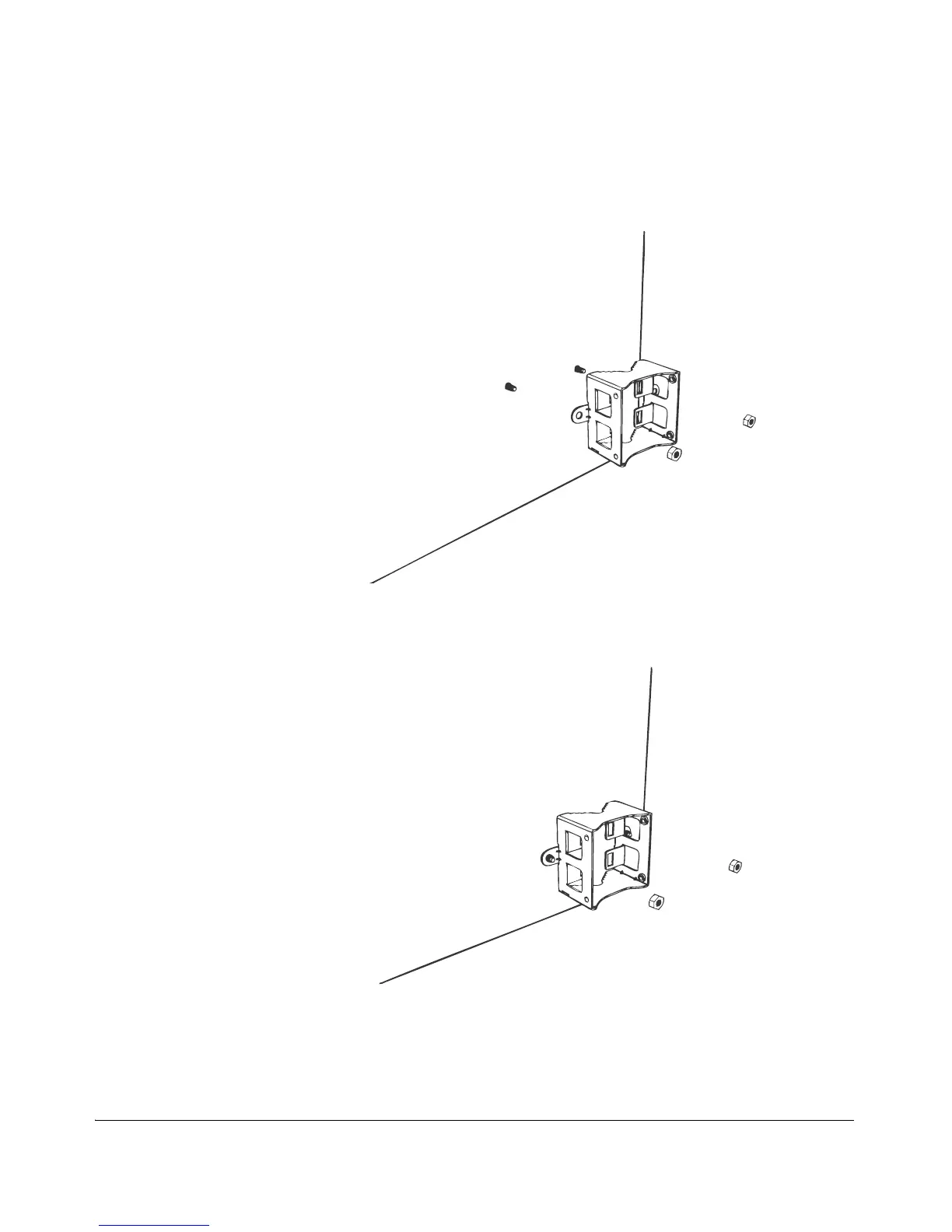
7. Align the two screw holes on the bracket with the wall anchors that you inserted
earlier.
Figure 33. Align the screw holes on the bracket with the wall anchors
8. Use two hex nuts to attach the bracket to the mounting surface.
Figure 34. Use two hex nuts to attach the bracket to the surface
9. Using a 10mm open-end wrench, tighten the nuts to secure the bracket to the
mounting surface. Screw torque value must be 4kg-5kg. As you tighten the nuts,
the metal cones that are built into the wall anchors will expand and lock the wall
anchors into place.



 To Next Page