42
Installing the Wireless Bridge
Physical Installation
Step 2: Attach the Dynamic Bracket to the Wireless
Bridge
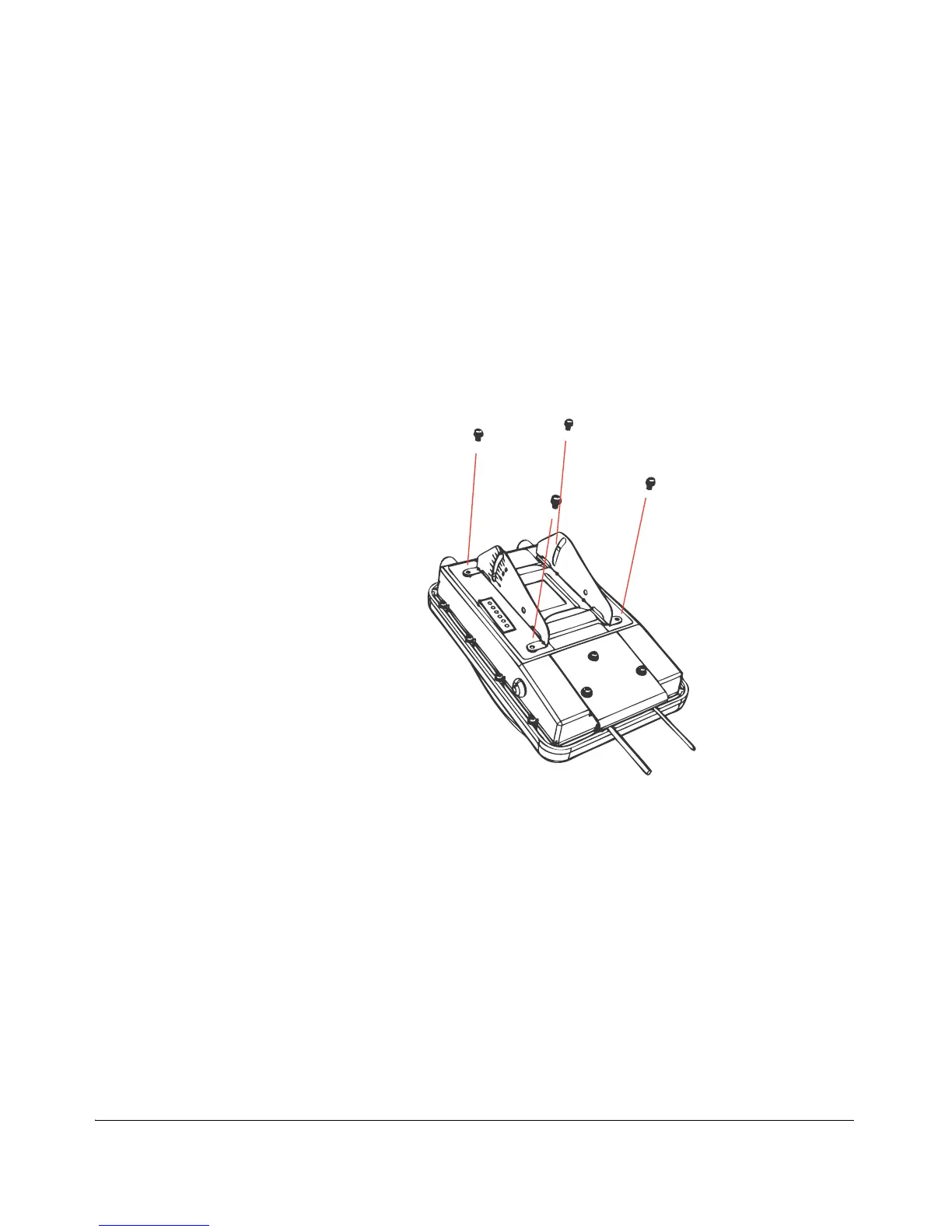
1. Place the dynamic bracket onto the flat side of the Wireless Bridge so that the
four screw holes on the bracket align with the four screw holes on the Wireless
Bridge. Make sure that the shorter end of the mounting bracket is on the same
side as the antenna connector.
2. Insert four machine screws (supplied with mounting kit) into the screw holes on
the bracket.
Figure 38. Insert four machines screws into the screw holes



 To Next Page