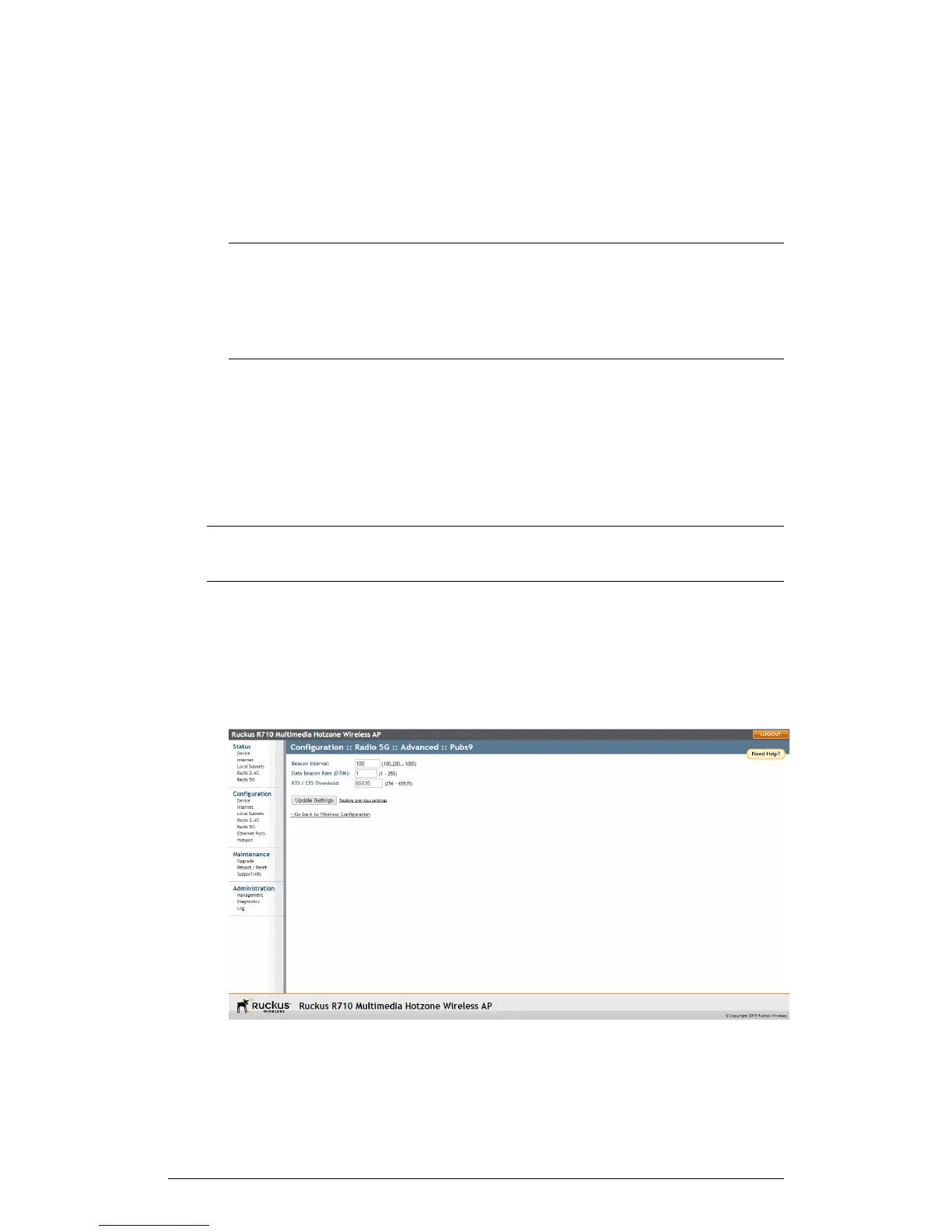
6. Click Update Settings to save and apply the changes. A confirmation message
appears at the top of this page.
7. Click Go back to Wireless Configuration to reopen the previous page.
NOTE Ruckus Wireless APs do not support arbitrary rate values for 802.1X clients
(if client rate limiting attributes are configured on the RADIUS server). Ruckus Wireless
APs support only those WLAN rate limiting values that can be set using the AP web
interface. If the rate returned by the RADIUS server does not match one of these
values exactly, it is approximated.
Setting Threshold Options
Threshold options consist of Beacon Interval, Data Beacon Rate and RTS/CTS Threshold.
The following options allow you to fine-tune the “Protection Mode” behavior, set previously
on the Configuration > Wireless > Advanced > Common page. After activating a
Protection Mode, you can open each Wireless tab and customize the threshold settings,
which determine what is put into effect and when.
CAUTION! Do not customize these options unless you are an experienced network
administrator or are under the guidance of an IT/support professional.
1. Go to Configuration > Wireless or Configuration > Radio 2.4G or Configuration
> Radio 5G. The Configuration > Wireless > Common page appears.
2. Click the tab for the Wireless # (WLAN number) that you want to configure. The
Configuration > Wireless > Wireless [#] page appears.
3. Look for Threshold Settings, and then click Edit Settings. The Configuration >
Wireless > Advanced > Wireless [#] page appears.
112
ZoneFlex Indoor Access Point Release 104.0 User Guide
Configuration
Configuring the AP











 To Next Page