English
8
43
OPTIO
N NO.
MENU ITEM
Description
4.3.2Eliminate favouritesTo remove a function from the "favourites" list, tap the function that you want to remove.
To remove all the functions from the list of "favourites", tap "Delete all".
4.4Machine Number and
Name
Allows you to enter a numerical code and name that identifies the appliance.
The code can be used to identify the appliance when analysing the statistics.
4.5Installation dateAllows the date that the appliance was installed to be set. Tap "Modify" to set the date.
4.6Contacts InformationAllows the contact information (name and phone number) of technical support to be entered that should be contacted in case of breakdown.
This information will be displayed should a fault occur.
It is possible to decide whether the information must be displayed with the faults that block the appliance or faults which do not block the
appliance, or with faults which cannot be reset during normal user mode.
Tap "Modify" to change the references.
5Energy Saving modeThe appliance's energy saving function can be enabled. Its parameters can also be modified and its time frames can be set.
5.1Energy Saving settingsEnables/disables the energy saving function.
The appliance can manage various energy saving profiles.
Some of the parameters in every energy saving profile can be customised.
"SOFT MODE" PROFILE
This profile enables the energy saving mode after the appliance has a period of inactivity.
When a selection is requested, the machine exits the energy saving mode.
It is possible to:
- Set after how many minutes of appliance inactivity to activate the energy saving profile.
- Set the maintenance temperature of the heating unit(s) in the energy saving mode.
- Enable/disable the appliance's lighting.
- Select the brightness level of the touchscreen from those that have been predefined.
"DEEP MODE" PROFILE
This profile is active during the set time frames.
During the set time frames, the heating unit temperature is lowered and the maintenance temperature is set.
- Set how many minutes to advance the heating of the heating unit(s) before the end of the time frame. For example 5 minutes: 5 minutes before
the end of the time frame, the heating unit(s) heating cycle is activated in order to reach the operating temperature.
5.2Energy Saving time
frames
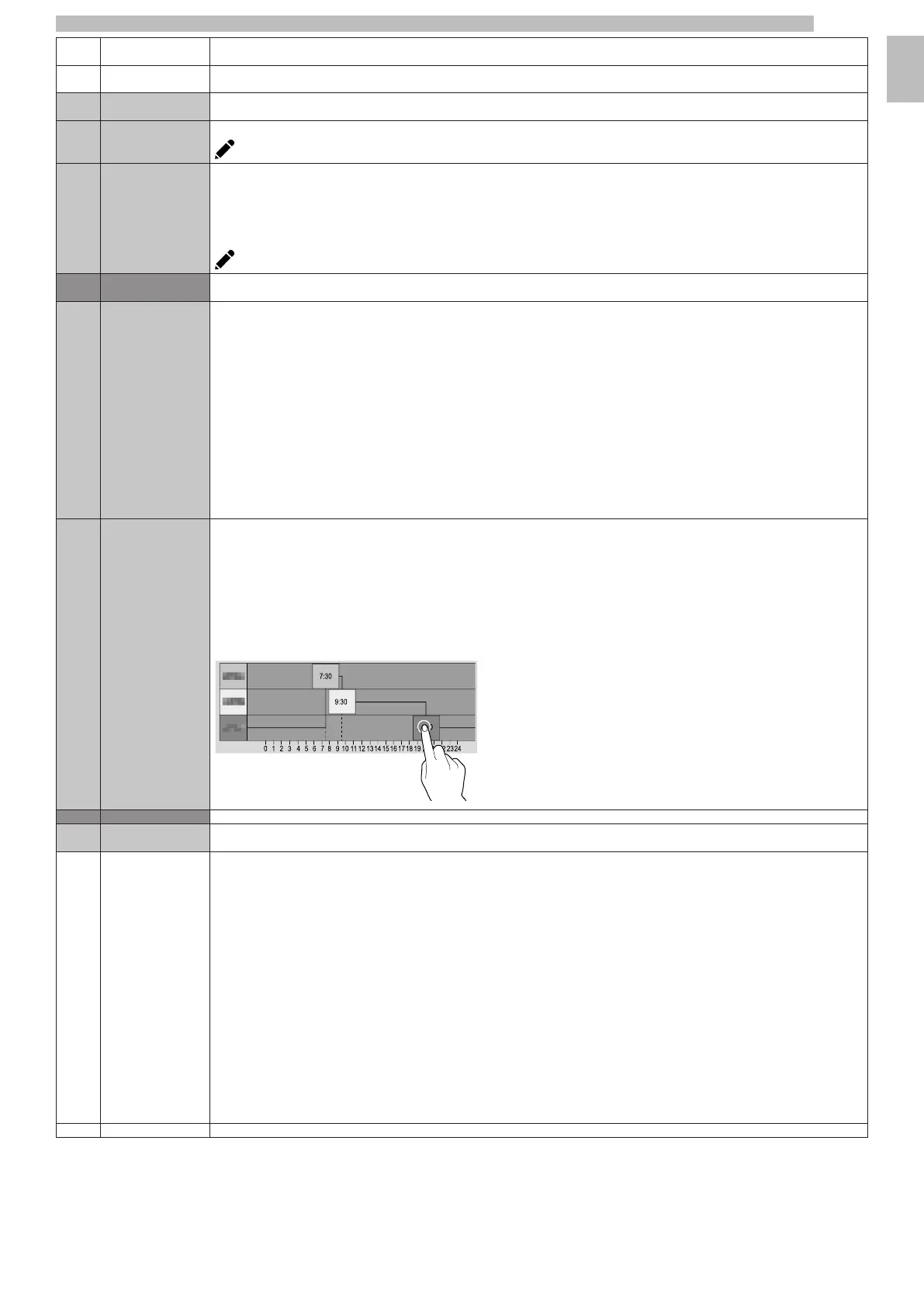
Allows the time frames of the energy saving profiles to be set.
- Select the day for which the time frames will be set.
- Tap the "Add" button, then the line of the profile in order to position a rectangle indicating the time.
- Drag the rectangle to define the time exactly.
To delete a rectangle, tap the "Remove" button, then tap the rectangle to be deleted.
Settings made for the entire week or a single day can be copied.
Tap "Copy day profile" to be able to:
- Copy the time frames that have been set for a single day of the week; tap the day to set the energy saving mode to and then tap "paste day
profile".
Copy the set up time frames for all days of the week; touch "paste daily profile to all days".
6Payment Systems
6.1ProtocolIt is possible to decide which of the payment system protocols to enable and manage the relative functions.
Some of the parameters, which are used in numerous payment systems, keep the set value even if the system type is changed.
6.1.1GENERAL SETTINGSIMMEDIATE CHANGE
Usually the amount for a selection is collected after the appliance sends the "Selection successful" signal.
By enabling this function, which is disabled by default, the payment signal is sent at the start of the dispensing.
The setting of this parameter is mandatory.
POSITION OF DECIMAL POINT
Sets the decimal point position, i.e.:
0: decimal point is disabled
1: XXX.X (one decimal digit after the point)
2: XX.XX (two decimal digits after the point)
3: X.XXX (three decimal digits after the point).
DISPENSING TYPE
This allows you to set the operating mode for multiple or single dispensing.
With multiple dispensing, the change is not automatically dispensed at the conclusion of a successful dispensing, but the credit remains available for
further dispensing.
When the coin recovery button is pressed, the remaining credit will be returned if its value is less than the maximum change value.
OBLIGATION TO BUY
This enables/disables the return coins button before a product is dispensed.
- ON: the change is returned after a product has been selected.
- OFF: the change is returned immediately when the return coins button is pressed (the appliance works as a change machine).
6.1.2MDBPayment system settings with MDB protocol.










 To Next Page