English
8
45
OPTIO
N NO.
MENU ITEM
Description
6.2.3Beverages priceThe appliance (depending on the payment method) can manage up to 4 different prices for each selection.
The prices can be active according to the time frame that has been set (standard or promotional).
The prices are grouped into 4 lists.
For each of the 4 lists, the individual price can be set (for every single selection).
6.2.4Free sale codeEnables/disables the free dispensing of one or more selections using a password.
Set:
- the password for one free dispensed beverage
or
- the password to dispense multiple selections for free
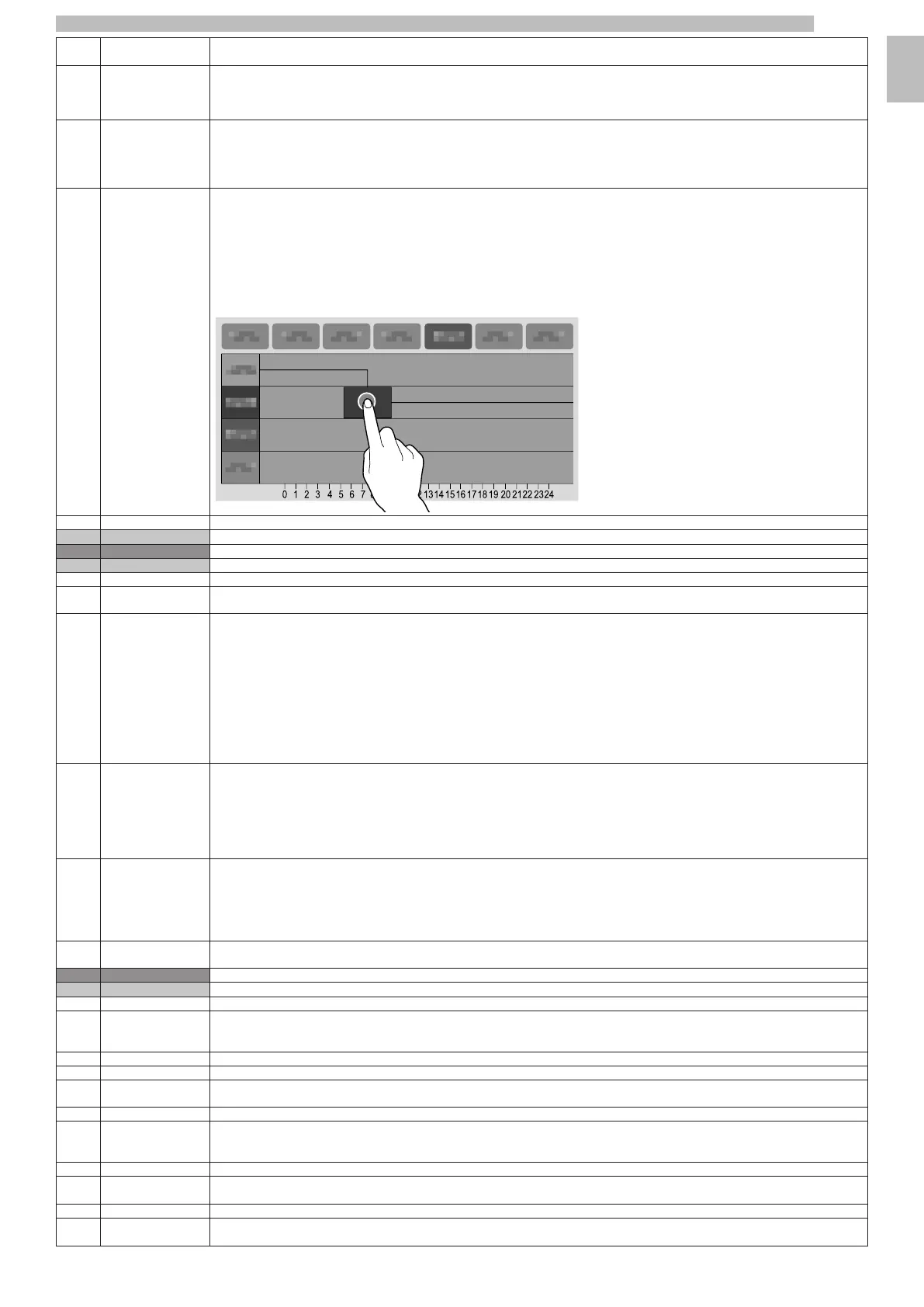
6.2.5Price brackets
management
Allows the time frames (standard or promotional) to be set for sales at differentiated prices.
- Tap the day you want to set the time frames for.
- Tap the "Add" button, then the line of the time frame in order to position a rectangle indicating the time.
- Drag the rectangle to define the time exactly.
To delete a rectangle, tap the "Remove" button, then tap the rectangle to be deleted.
Settings made for the entire week or a single day can be copied.
Tap "Copy day" to be able to:
- Copy the time frames that have been set for a single day of the week; tap the day to set the time frames and then tap "paste day".
- Copy the time frames that have been set for all days of the week; tap "paste to all days".
6.2.6Coffee level priceMakes it possible to assign a delta price depending on the coffee level selected.
6.3Cash actionMakes it possible to manage the coin mechanism, filling / emptying.
7Import/ExportIncludes all the export and import statistic functions, machine settings, graphics packages, etc.
7.1Export EVA-DTS
7.1.1Export fileIt allows the EVA-DTS statistics to be exported onto a USB memory stick.
7.1.2Serial Port exportIt allows the EVA-DTS statistics to be exported to a serial port.
(Not supported).
7.2VideosAllows videos to be imported/exported from the appliance via a USB memory stick.
SUPPORTED VIDEO FORMATS
- MP4 codes H264 and 25 frames per second
- AVI codes XVID, MPEG2 and 25 frames per second
- MOV codes MPEG4 and 25 frames per second
- 1200x800 maximum screensaver resolution
- 640x480 entertainment video resolution.
The use of high-quality content will affect the overall performance of the appliance and use up memory space.
Playing videos may require the authorisation of the copyright owner or other rights related to the content itself.
Make sure to comply with the copyright laws that are in force in the country where the appliance is installed.
7.3ImagesAllows images to be imported/exported from the appliance via a USB memory stick.
SUPPORTED IMAGE FORMATS
- JPG, PNG
The use of high-quality content will affect the overall performance of the appliance and use up memory space.
Showing images may require the authorisation of the copyright owner or other rights related to the content itself.
Make sure to comply with the copyright laws that are in force in the country where the appliance is installed.
7.4BackupIt allows a complete backup of the settings of the appliance to be exported/imported onto a USB memory stick.
The configuration groups (with relative layouts), the customisations of the user interface, videos and images used for the playlists and prices are
saved in the backup.
The machine parameters and settings made can be exported and used on other appliances or after an update of the application software.
The statistical data, the network settings, emails, machine name, installation date,... are not saved.
7.5Faults logExports the errors found on the machine into a log file.
It is stored onto a USB memory stick.
8SystemDevelopment menu for debug, test, etc.
8.1Development
8.1.1Export MenuAllows a text file of the menu tree of the appliance software functions to be exported onto a USB memory stick.
8.1.2Show logIt allows the log file to be viewed.
The log file is the sequential and chronological record of operations that have been carried out by the appliance.
Enables events to be recorded in the log file from the "advanced functions" in the "development" menu.
8.1.3Finger simulator testsFunctions useful for the automatic tests.
8.1.3.1Finger simulator testsFunctions useful for the automatic tests.
8.1.3.2Simulator test
import/export
Functions useful for the automatic tests.
8.1.4Show dmesgShows the system dmesg (diagnostic message).
8.1.5Export logsIt allows the log file to be exported onto a USB memory stick.
The log file is the sequential and chronological record of operations that have been carried out by the appliance.
Enables events to be recorded in the log file from the "advanced functions" in the "development" menu.
8.1.6System InfoIt contains the main information regarding the system, such as the used and available memory space,...
8.1.7Import/Export SW
translations
It makes it possible to import/export the user interface string translations via a USB memory stick.
8.1.8Export doses tableIt allows the settings of the recipes to be exported onto a USB memory stick.
8.1.9Export the machine
database
Allows the database containing machine information to be exported to a USB key.










 To Next Page