Installer reference guide / Mono tank integrated type 154
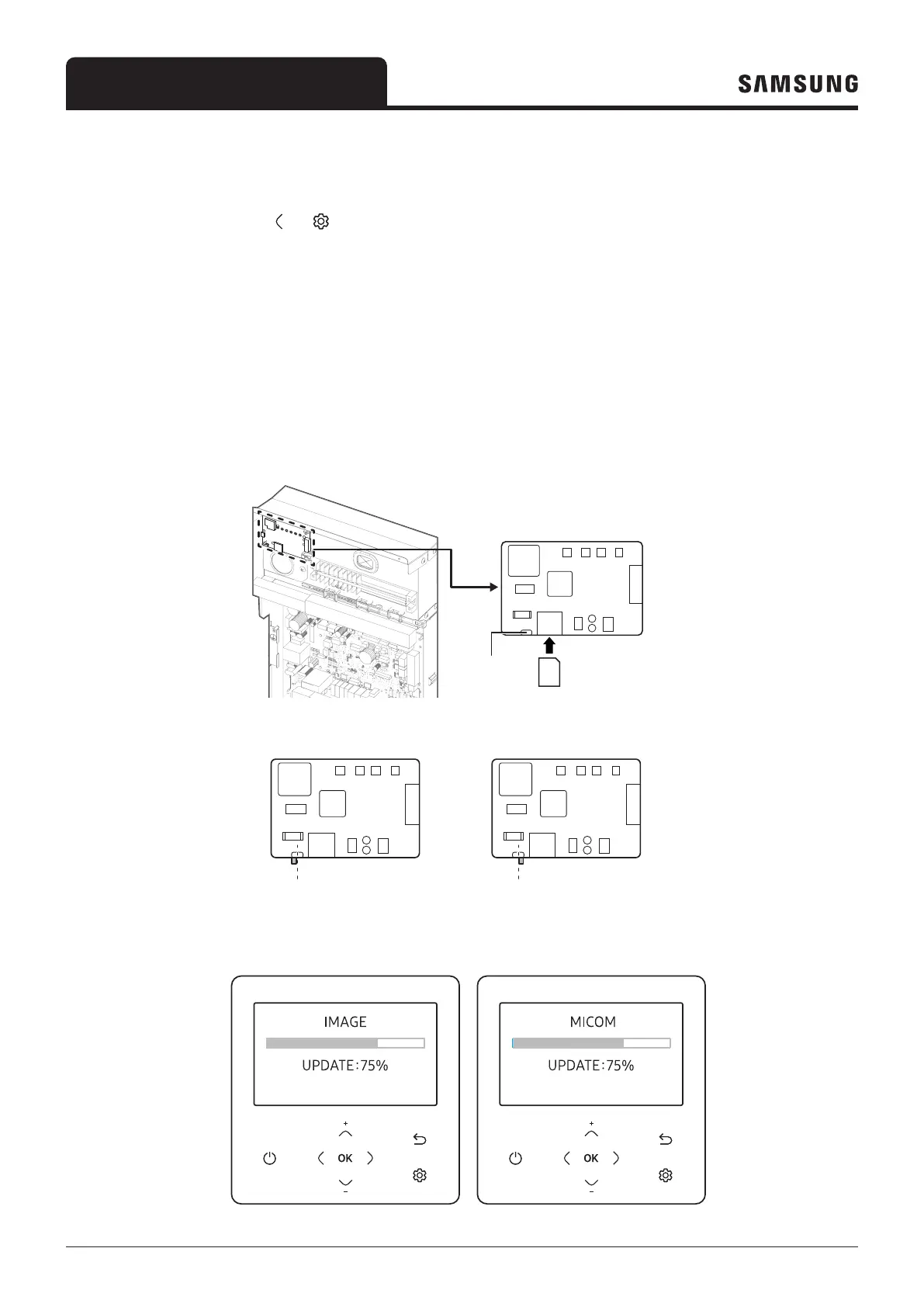
1 Download the wired remote controller image, change the file name to “IMAGE.BIN,” and then download to microSD Card.
2 Download the wired remote controller program, change the file name to “MICOM.BIN,” and then download to microSD Card.
3 Insert the microSD card with the wired remote controller active, and then reset the system.
For system reset, press the and
4 The download to microSD card is performed as follows:
– Download proceeds in the order of first IMAGE and then MICOM.
– When the update fails, the wired remote controller is reset automatically and the update proceeds again.
5 When the download is finished, tracking starts automatically.
When tracking is completed, remove the microSD Card.
• Add the function of FSV download/upload and data backup with SD card
• When FSV is download/upload, using the remote controller.
Mode
Selection
switch
Micro
SD
card
Left position
Right position
Left position: Field Setting Value
(FSV) mode
• Micro SD card is a separate purchase, using 8 ~ 32GB It's possible.
Right position: Operating Data
Backup mode




 To Next Page