Troubleshooting_ 91
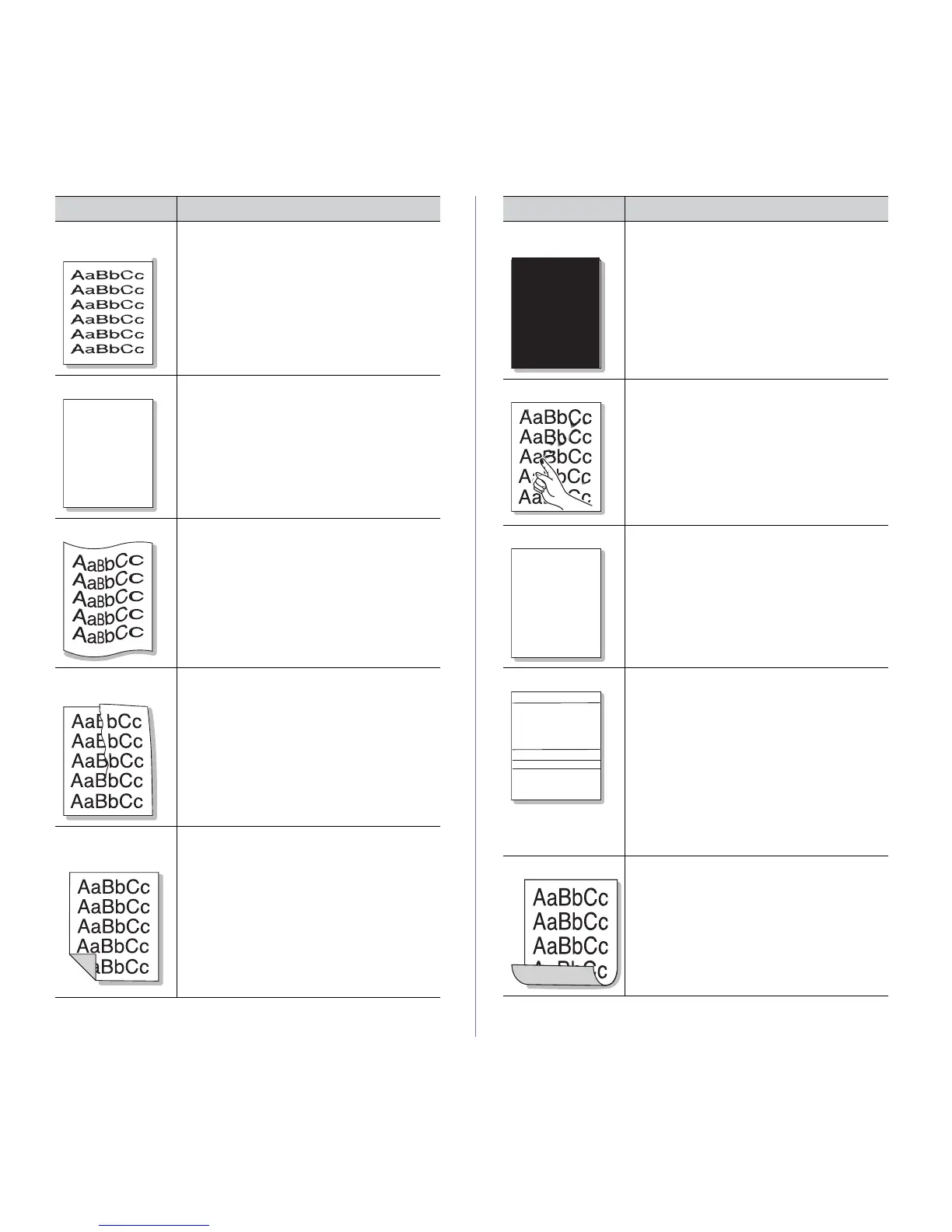
Misformed charac-
ters
• If characters are improperly formed and pro-
ducing hollow images, the paper stock may
be
too slick. Try different paper (See "Print
media specifications" on page 108).
Page skew
AaBbC
AaBbC
AaBbC
AaBbC
AaBbCc
• Ensure that the paper is loaded properly.
• Che
ck the paper type and quality (See "Print
media specifications" on page 108).
• Ensure
that the guides are not too tight or too
loose against the paper stack.
Curl or wave
• Ensure that the paper is loaded properly.
• Che
ck the paper type and quality. Both high
temperature and humidity can cause paper
curl (See "Print media specifications" on
page 108).
• T
urn the stack of paper over in the tray. Also
try rotating the paper 180° in the tray.
Wrinkles or
cre
ases
• Ensure that the paper is loaded properly.
• Che
ck the paper type and quality (See "Print
media specifications" on page 108).
• T
urn the stack of paper over in the tray. Also
try rotating the paper 180° in the tray.
Back of printouts
are
dirty
Check for leaking toner. Clean the inside of the
machine (See "Cleaning the inside" on
page 71).
CONDITION SUGGESTED SOLUTIONS
Solid Color or
Black pages
• The imaging unit may not be installed prop-
erly. Remove the imaging unit and reinsert it.
• Th
e imaging unit may be defective. Remove
the imaging unit and install a new one (See
"Replacing the imaging unit" on page 97).
• Th
e machine may require repair. Contact a
service representative.
Loose toner • Clean the inside of the machine (See "Clean-
ing the inside" on page 71).
• Che
ck the paper type and quality (See "Print
media specifications" on page 108).
• Remove the imag
ing unit and then, install a
new one (See "Replacing the imaging unit" on
page 97).
• If th
e problem persists, the machine may
require repair. Contact a service representa-
tive.
Character Voids
Character voids are white areas within parts of
characters that should be solid black:
• You
may be printing on the wrong surface of
the paper. Remove the paper and turn it
around.
• T
he paper may not meet paper specifica-
tions (See "Print media specifications" on
page 108).
Horizontal stripes
AaBbC
AaBbC
AaBbC
AaBbC
AaBbC
If horizontally aligned black streaks, white
streaks or smears appear:
• T
he imaging unit may be installed improp-
erly. Remove the imaging unit and reinsert it.
• The imaging unit may be defective. Remove
the imaging unit and install a new one (See
"Replacing the imaging unit" on page 97).
• T
he machine might had a minor shock dur-
ing printing or copying. There is no problem
wi
th the machine. Try printing again.
• If the prob
lem persists, the machine may
require repair. Contact a service representa-
tive.
Curl If the printed paper is curled or paper does not
feed into the machine:
• T
urn the stack of paper over in the tray. Also
try rotating the paper 180° in the tray.
• Change the printer option and try again. Go
to Printing Preferences, click Paper tab,
and set type to Thin (See "Opening printing
preferences" on page 50
).
CONDITION SUGGESTED SOLUTIONS



 To Next Page