32
Click [OK] to add the newly created device to the BLF group.
Adding a Speed Dial Number
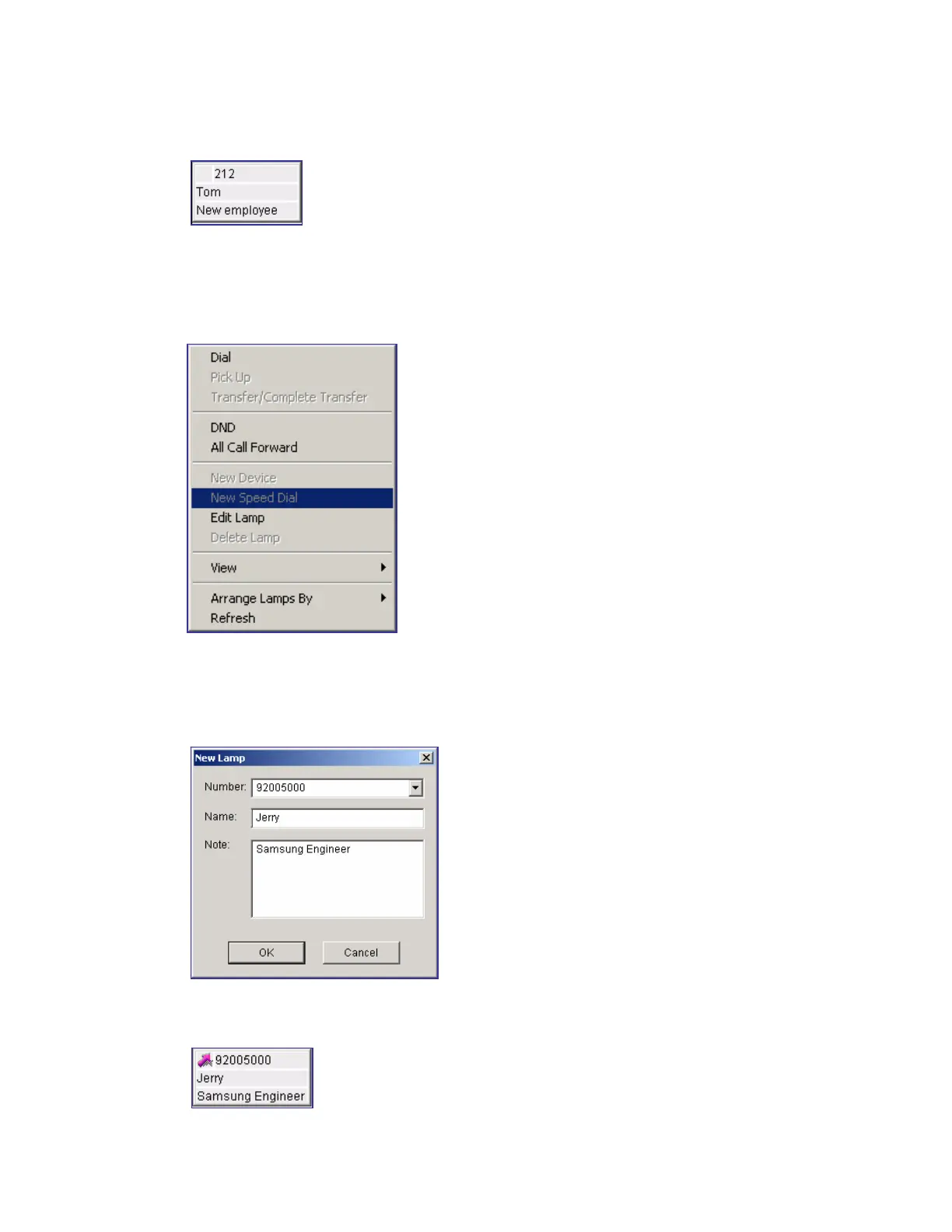
Right-click on the BLF group and select [New Speed Dial] to add a number including a
C.O.line connection number (e.g. mobile phone, external phone) to a speed dial number.
Enter a speed dial number to be added in [Number] in the window below and fill out [Name]
and [Note] : If the user wants to dial an external phone number, enter the C.O.line connection
number first (e.g. 9).
Click [OK] to add the newly created device to the BLF group.















 To Next Page