85
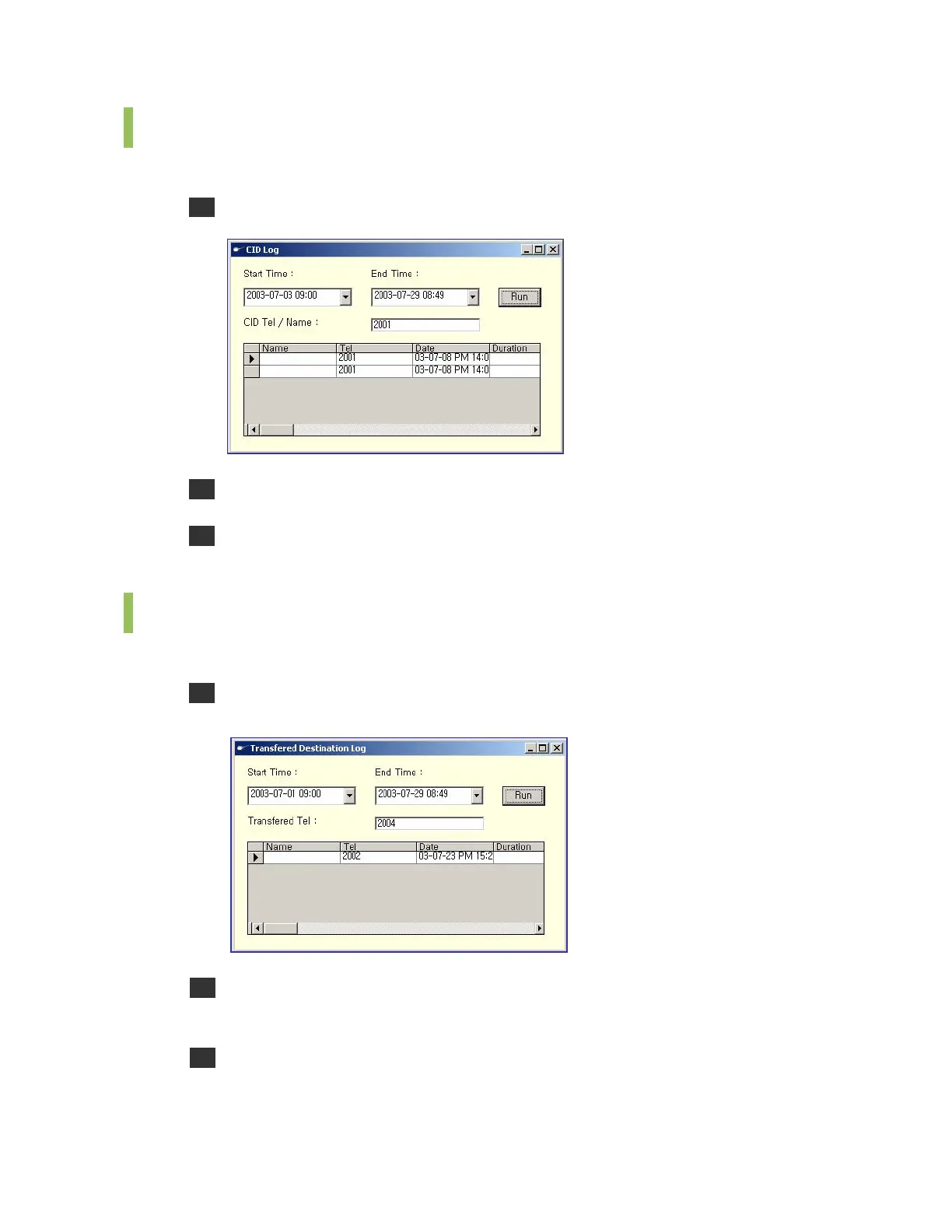
Retrieving CID Logs
Follow the steps below to retrieve CID logs.
1 Select the [CID Log] menu from the [Run] to see the <CID Log> window.
2 Enter the start time and end time for retrieving logs and DID No./Name.
3 Click [Run] to see the log retrieval results for the DID No. or DID name within the time
period.
Retrieving Logs for Each Transfer Destination
Follow the steps below to retrieve logs for each transfer destination.
1 Select the <Transferred Destination Log> menu from the [Run] to see the <Transferred
Destination Log> window.
2 Enter the start time and end time for retrieving logs and the transfer destination number
to be retrieved.
3 Click [Run] to see the log retrieval results for the transfer destination number within the
time period.















 To Next Page