41
CHAPTER 4. OfficeServ Operator Settings
This chapter describes the procedures for setting various options through the OfficeServ
Operator.
Changing Telephone Line
This section describes the procedures for changing the telephone lines of the OfficeServ
Operator.
Option Settings
This section describes the procedures for setting functions such as General, Key Telephone,
Columns, Display, Toolbar, Station Group, Contact Information, Call Control, Blocked CIDs,
and Urgent/VIP CIDs.
Message Handling
This section describes the procedures for connecting to the OfficeServ Link and for
transmitting messages.
Adding Outgoing Call Information to the BLF Group
This section describes the procedures for adding the outgoing call information saved in the
phonebook to the BLF group.
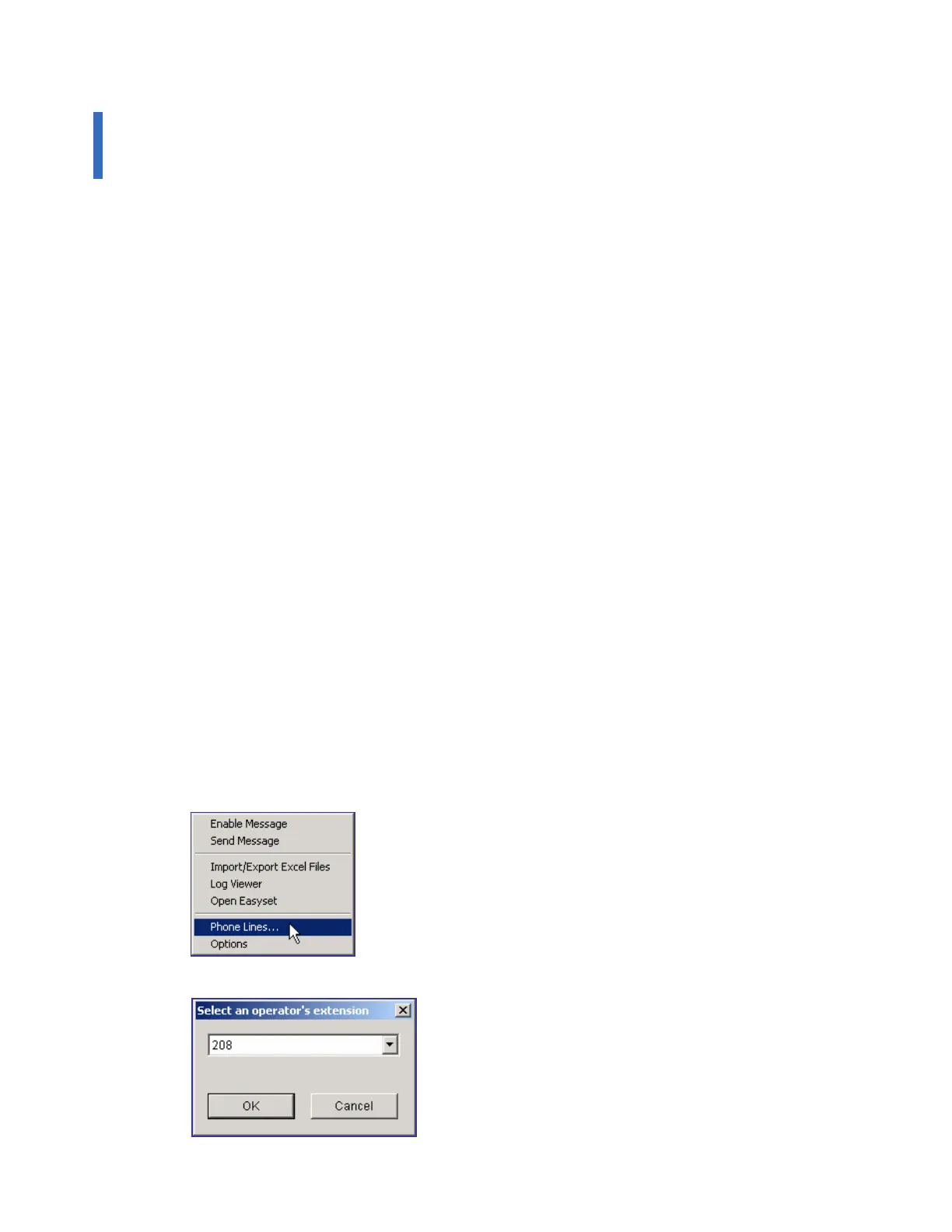
Changing Telephone Line
Select [Phone Lines] from the [Tools] menu to change the telephone line of the OfficeServ
Operator.
Select an extension to be used by the OfficeServ Operator and click the [OK] button.















 To Next Page