39
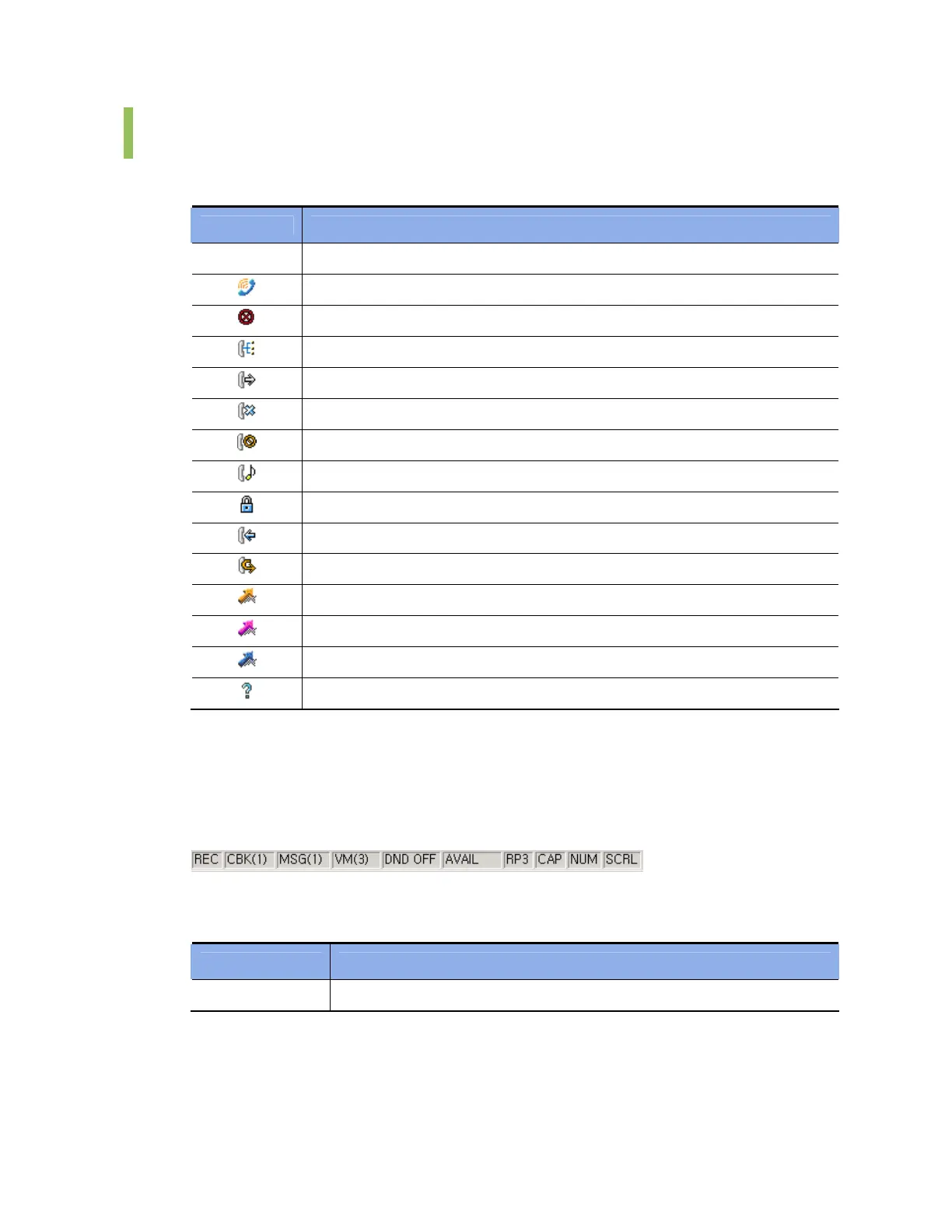
Icons for Status Display
Device status is displayed at the left of the BLF device numbers.
Icon Description
Blank Idle Status
Busy
Out of Service
In conference
Off-Hook or Ringback
Disconnected
Do Not Disturb
On hold
Station lock
A phone is ringing
Shows that all forwarding has been set
Outgoing speed dial number created from the database
Speed dial number set by the user
Speed dial number set in the operator station and system
Unknown status
Status Bar
When a variety of station functions supported by the iDCS system are set, the station status
such as DND, callback, or messages is displayed in the status bar as shown below:
Status displayed in the status bar is described below:
Status Description
REC Shows that a call is being recorded.















 To Next Page