28
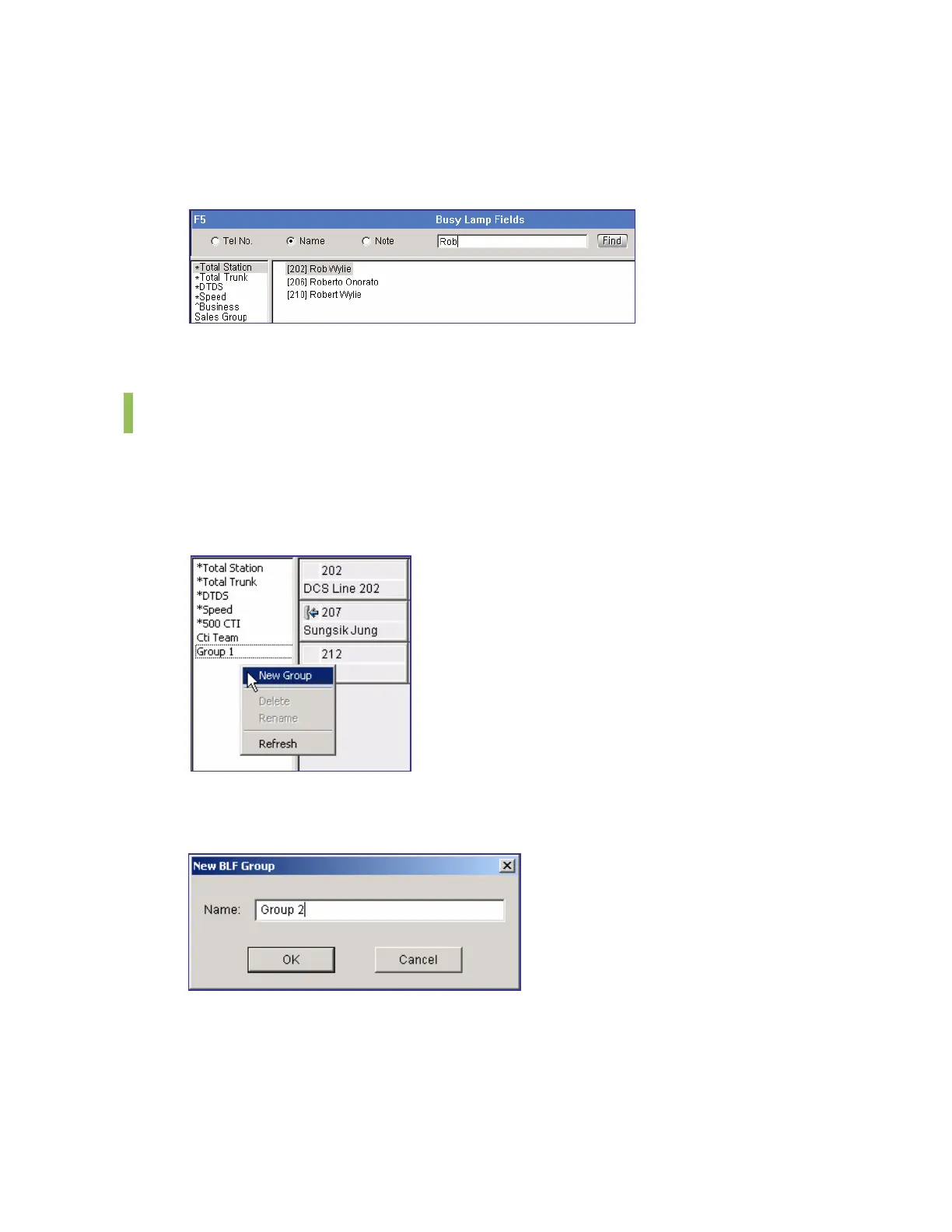
Click the [Find] button or [Enter] key. Then, the window focus moves to the BLF device with a
name of ‘Rob Wylie’. ‘202’, which is the phone number of ‘Rob Wylie’, is entered in the
destination field of the call button window.
If multiple search destinations exist, use arrow keys.
BLF Group Management
Creating the BLF Group
Put the mouse cursor and right-click on the list box of the <BLF> window and select the
[New Group] menu.
Enter the name of the BLF group to be created in the window below and click [OK] to create a
new group.















 To Next Page