47
Category Parameter Description
Hide ‘Total
Station’ Group
Does not display the ‘Total Station’ group on the <Busy
Lamp Field> window.
Hide ‘Total
Trunk’ Group
Does not display the ‘Total Trunk’ group on the <Busy
Lamp Field> window.
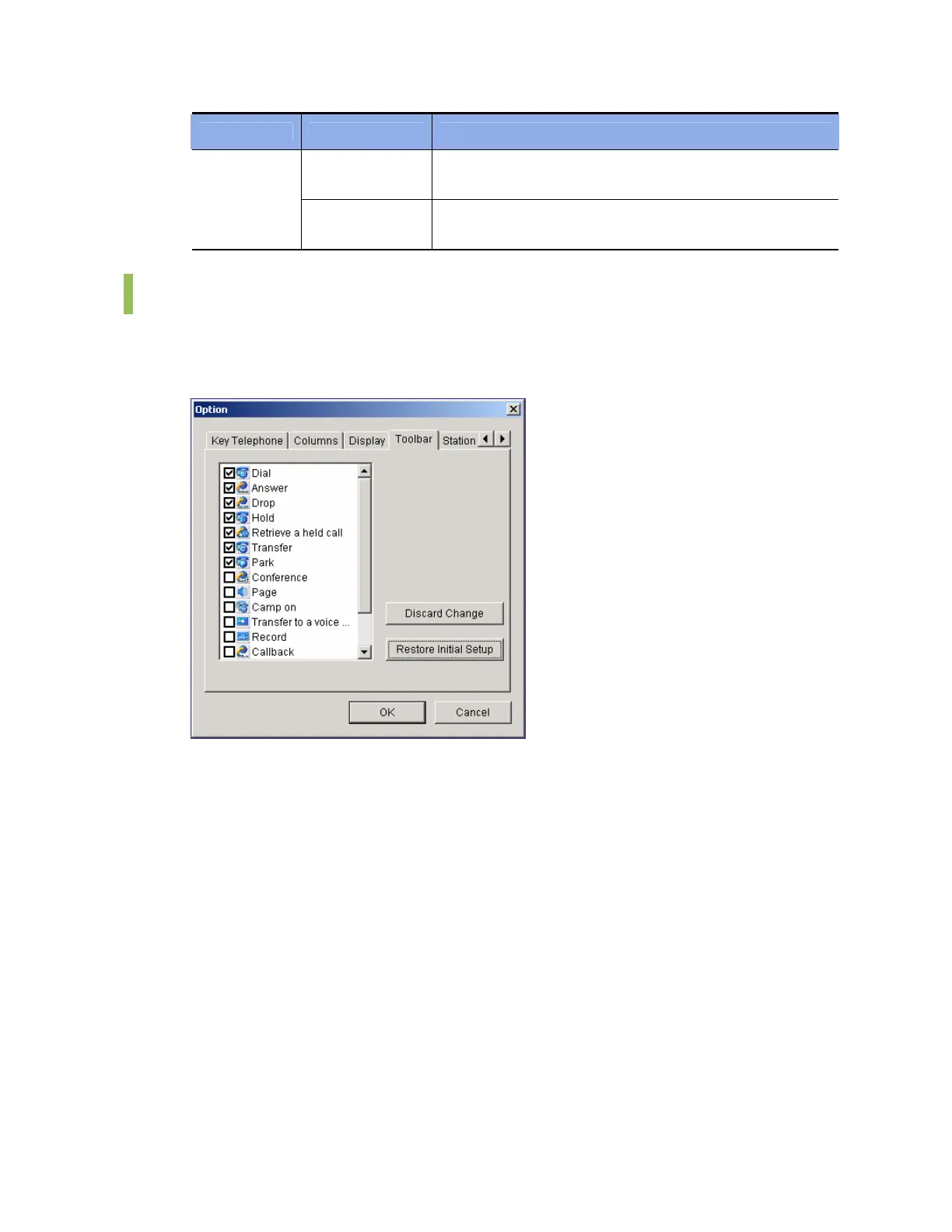
Toolbar
This submenu enables the user to select the [Call Control] buttons to be used in the
<OfficeServ Operator> main window. Seven call control buttons, ‘Dial’, ‘Answer’, ‘Drop’, ‘Hold’,
‘Retrieve a held call’, ‘Transfer’, and ‘Park’, are initially selected by default.
After selecting target call control buttons, click the [OK] button. Click the [Discard Change]
button to return to the original settings or click the [Restore Initial Setup] button to load the
default values.















 To Next Page