83
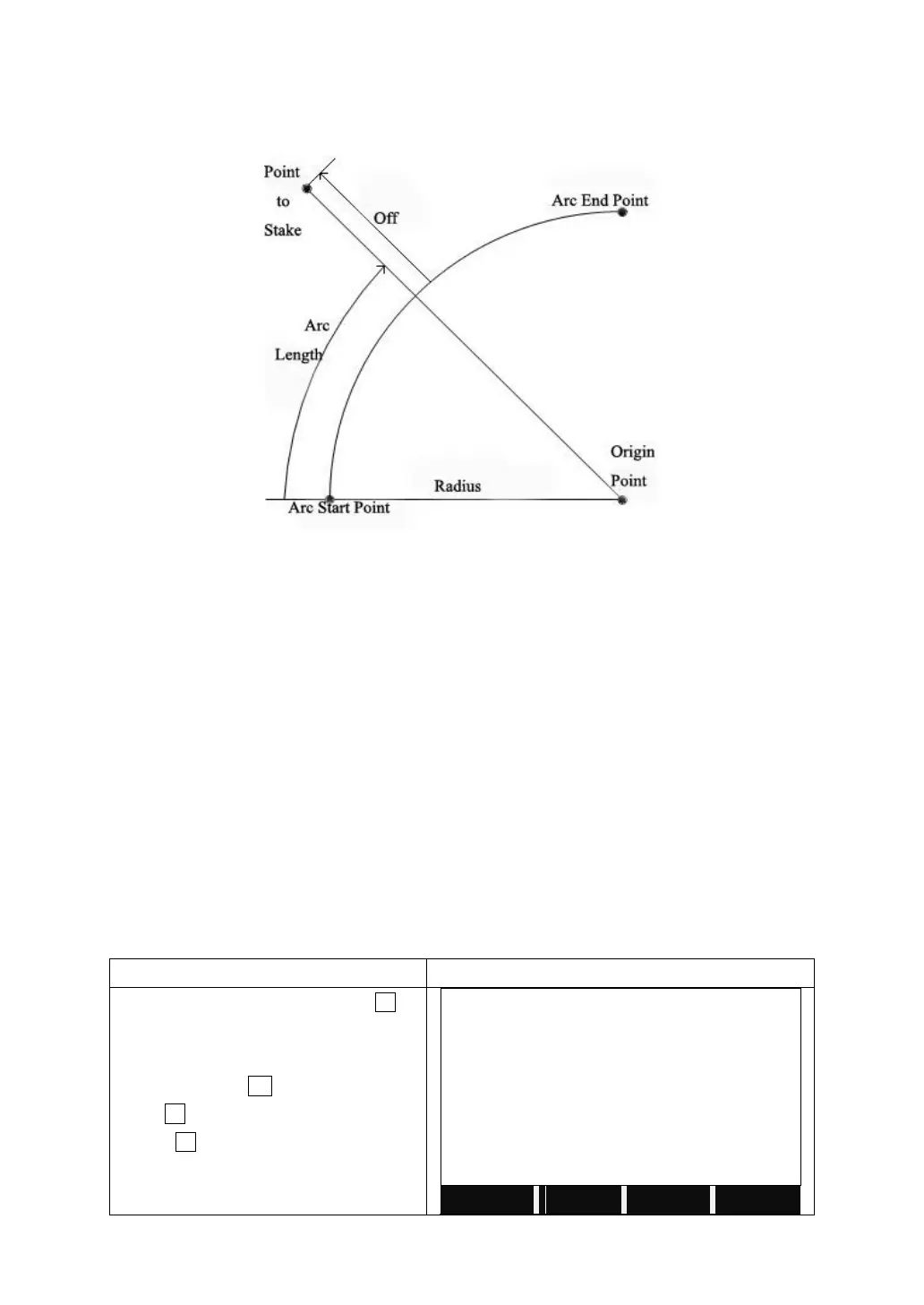
5.11.2 Reference Arc
This procedure allows user define a reference arc, and the measure or stake out
with respect to the arc.
Off: Perpendicular distance from arc.
All arcs are defined in clockwise direction.
All calculations are made in two dimensions.
Steps:
1. Define the arc.
2. Decide to measure or to stake out
1): ‘Line & Offset’ measurement
2): Stake out of reference arc
a: stake-out point
b: stake-out arc
c: stake-out chord
d: stake-out central angle
5.11.2.1 Defining Reference Arc
a) Center Point & Start Point
On Page 2/3 of Programs, press F4 to
start Reference Line/Arc.
After setting the job, station and
orientation, press F4.
Press F2 to start Reference Arc.
Press F1 to choose to define the
reference arc by CenterPt & StartPt.



 To Next Page