Payment Systems
BASO-2 - 02.08 - V07 Page 8-7
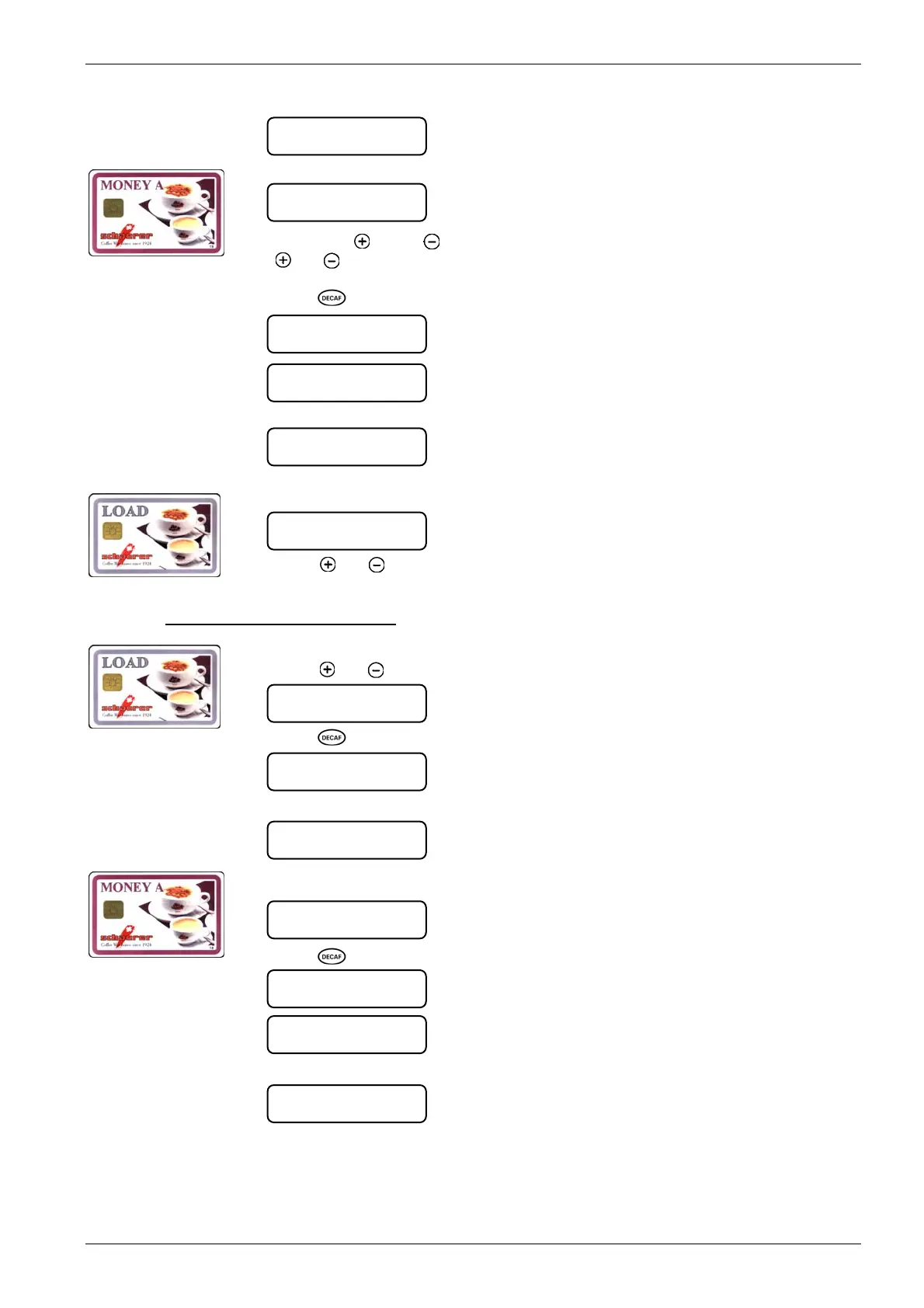
4. Remove LOAD card.
5. Insert MONEY card into the card reader.
Amount = Credit balance
Enter = Credit to be loaded
6. Using the [
] and [ ], enter the amount of credit to be loaded. Pressing the
[
] or [ ]
key adds or subtracts credit by the factor programmed by the service en-
gineer.
7. Press
[ ] key.
8. Remove MONEY card
9. Load another MONEY card Î Repeat steps 5-8. Back to menuÎ Insert LOAD card
into the card reader.
10. Press [ ] or [ ]
key to reach the next menu, remove LOAD card Î coffee machine
ready in payment mode.
8.2.1.2.4. Delete credit from MONEY card
1. Insert LOAD card into the card reader.
2. Press [
] or [ ]
key until the following menu is displayed:
3. Press
[ ] key.
4. Remove LOAD card:
5. Insert MONEY card into the card reader:
6. Press
[ ] key.
7. Remove MONEY card.
insert card
MONEY / LOAD -Æ
amount xx.xx
entry x.xx
amount xx.xx
... Save ...
remove card
remove card
MONEY card
delete ? ` Decaf `
MONEY-card
... Busy ...
remove card
insert card
MONEY / LOAD -Æ
load MONEY-card
execute ‘ Decaf ’
delete MONEY-card
execute ‘ Decaf ’
delete MONEY-card
execute ‘ Decaf ’
insert card
MONEY / LOAD -Æ
ª













 To Next Page