User Instructions
BASO-2 - 02.04 - V07 Page 4-23
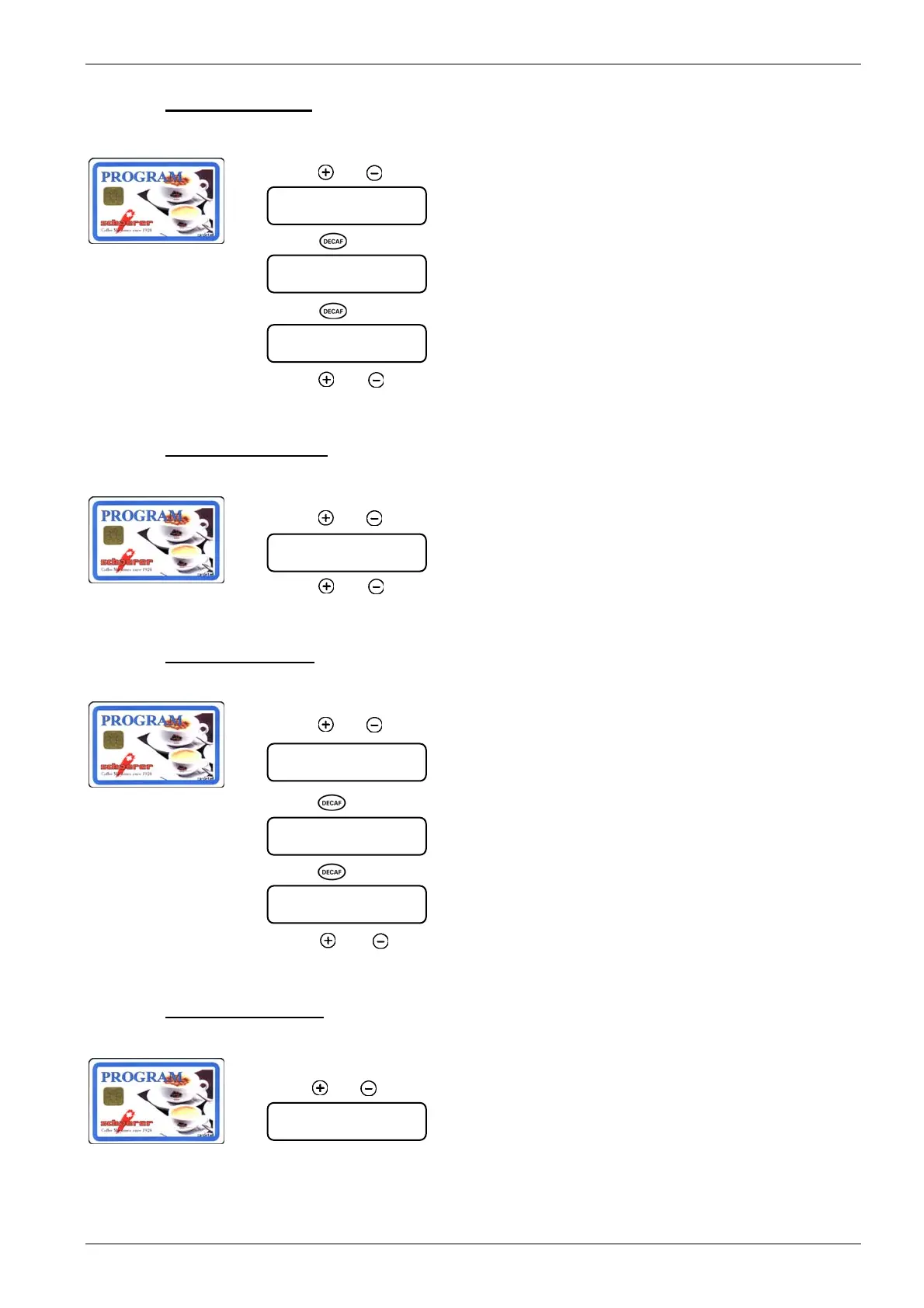
4.6.1.9. Reset MONEY sales
1. Insert PROGRAM card into the card reader:
2. Press
[ ] or [ ] until the following menu is displayed:
3. Press [ ] key.
4. Press [ ] key.
5. Press
[ ] or [ ] to reach next menu, remove PROGRAM card Î coffee machine is
ready in normal operating mode.
4.6.1.10. Display MASTER card
1. Insert PROGRAM card into the card reader:
2. Press
[ ] or [ ] until the following menu is displayed:
3. Press
[ ] or [ ] to reach next menu, remove PROGRAM card Î coffee machine is
ready in normal operating mode.
4.6.1.11. Reset MASTER card
1. Insert PROGRAM card into the card reader:
2. Press
[ ] or [ ] until the following menu is displayed:
3. Press
[ ] key.
4. Press
[ ] key.
5. Press
[ ] or [ ] key to reach next menu, remove PROGRAM card Î coffee ma-
chine is ready in normal operating mode.
4.6.1.12. Log on MASTER card
1. Insert PROGRAM card into the card reader:
2. Press
[ ] or [ ] until the following menu is displayed:
log on MASTER
execute ` Decaf `
sale amount MONEY
amount 0.00
sale amount MONEY
delete ? ` Decaf `
... Done …
sale amount MASTER
amount 0.00
sale amount MASTER
amount 0.00
sale amount MASTER
delete ? ` Decaf `
... Done …
ª













 To Next Page