2 Introduction
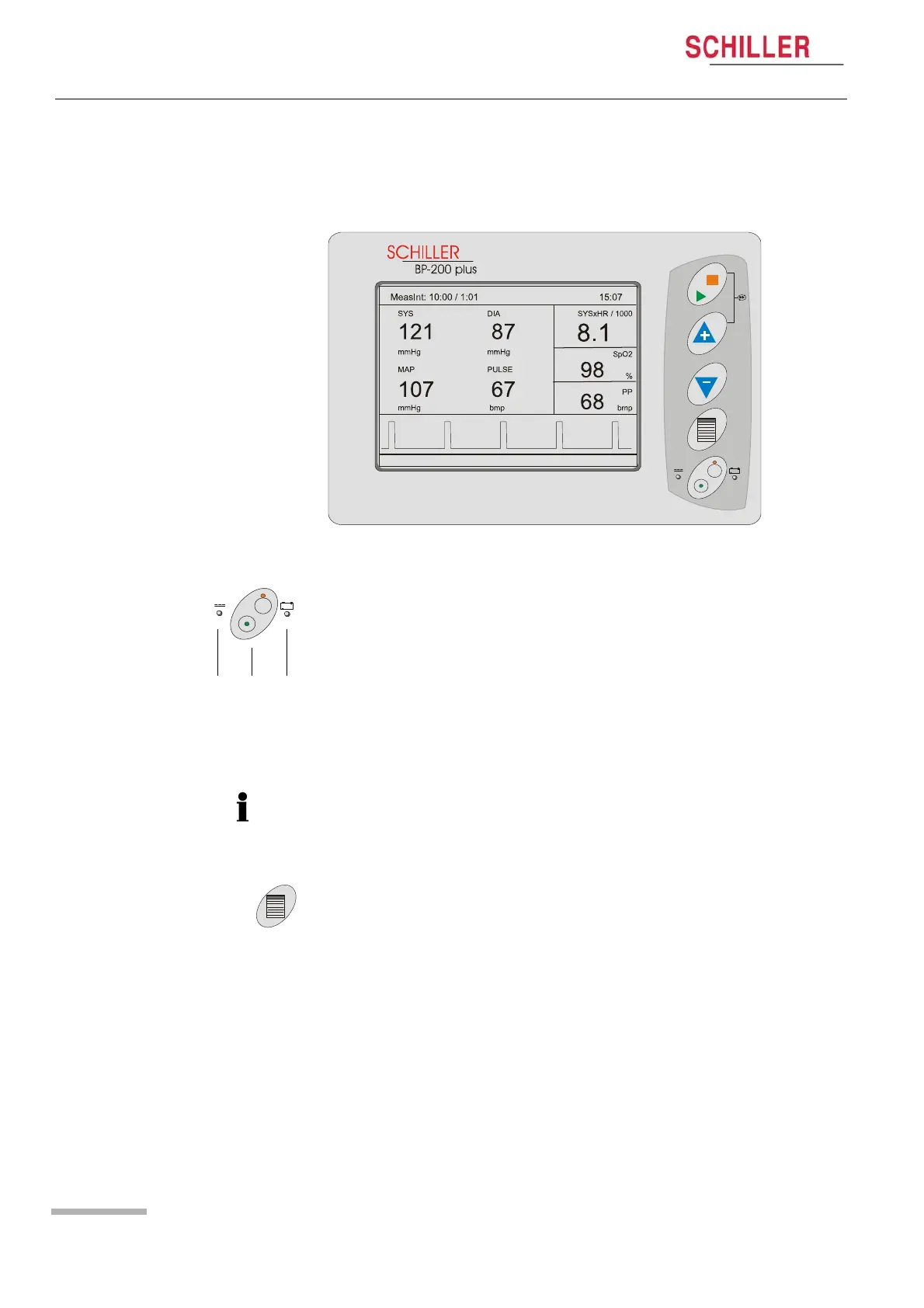
2.2 Operating and Display Elements
Page 14
BP-200 plus
Art. no.: 2.510701 rev.: c
2.2 Operating and Display Elements
2.2.1 BP-200 plus Control Keys and Indicators
On / Off Key
Use this key to switch the unit on or off (b).
Power Indicators
The power LED indicator (a) is lit when external power is connected.
The battery LED indicator (c) is lit when external power is not connected and the unit
is running on back-up battery power. (The battery LED will also flash when new
software is being loaded from the mini SD card (see service handbook).
When a stress test is not being run and no keys are pressed for a predetermined time,
the unit can be set to switch off automatically. This is defined in system settings (see
page 19). When running on backup battery, the switch-off time cannot be changed
and is set at 10 minutes.
Menu / Confirmation Key
This key has two functions:
« Enters the system settings menu.
« Confirms a highlighted option when in the settings menus.


 To Next Page