Page 37
Art. no.: 2.510701 rev.: c
Blood Pressure Measurement 4
User Guide Using the BP-200 plus with a Host System 4.3
BP-200 plus
4.3 Using the BP-200 plus with a Host System
4.3.1 Procedure
1. Position cuff on the patient (see page 27).
2. If SpO2 measurement is to be taken apply sensor (see page 40).
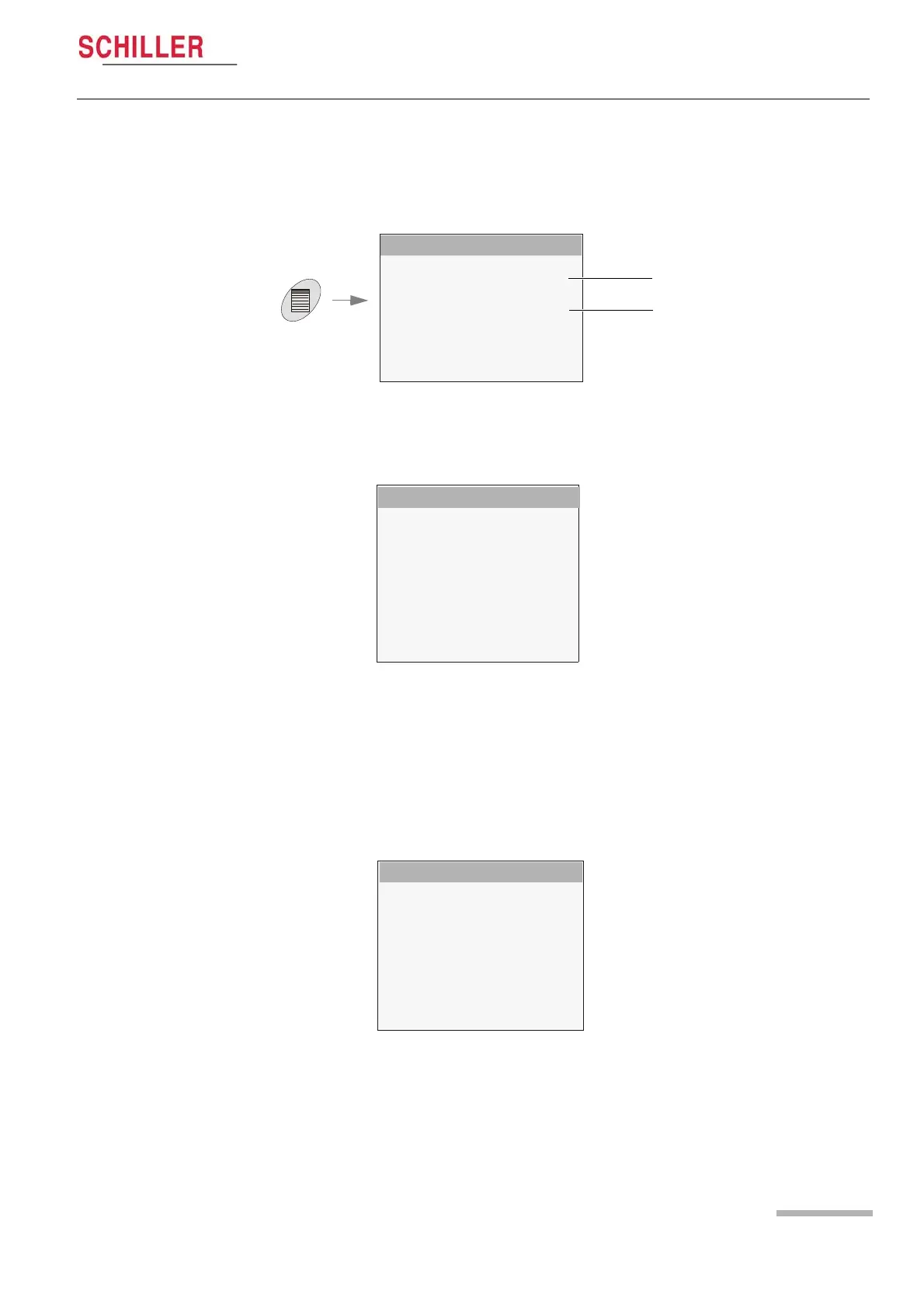
MAIN MENU
SETUP SYSTEM
SETUP MEASUREMENTS
SETUP VIEW
SETUP LIMITS
DISPLAY MEASUREMENTS
STOP MEASUREMENTS
INFO SYSTEM
BACK
a
b
3. Press the menu key and select Setup Measurements (a).
4. Make the following settings:
– Host System - SCHILLER System
– Trigger Mode:
Select External Pos when a positive trigger pulse is defined in host system
Select External Neg when a negative trigger pulse is defined in host system
– Measurement Interval - the measurement interval will be defined by the host
system and nothing needs to be defined here.
– Define all other settings according to circumstance and preference.
5. Select Setup Limits (Optional) (b)and define limits according to preference.
– An audible indication is given when a limit is reached.
1. The unit is now ready to take measurements on command from the host system.
The results are passed back to the host system.
SETUP MEASUREMENTS
Host System
Trigger Mode
Meas Method
Beep Mode
Meas. Interval
Init. Pressure
Max. Initial Press.
Deflation Speed
BACK
SETUP LIMITS
SYS high
SYS Drop
Dia high
HR high
BACK


 To Next Page