4 Blood Pressure Measurement
4.2 Using the BP-200 plus in Standalone Mode
Page 34
BP-200 plus
Art. no.: 2.510701 rev.: c
4.2.5 Ending the Measurement Program
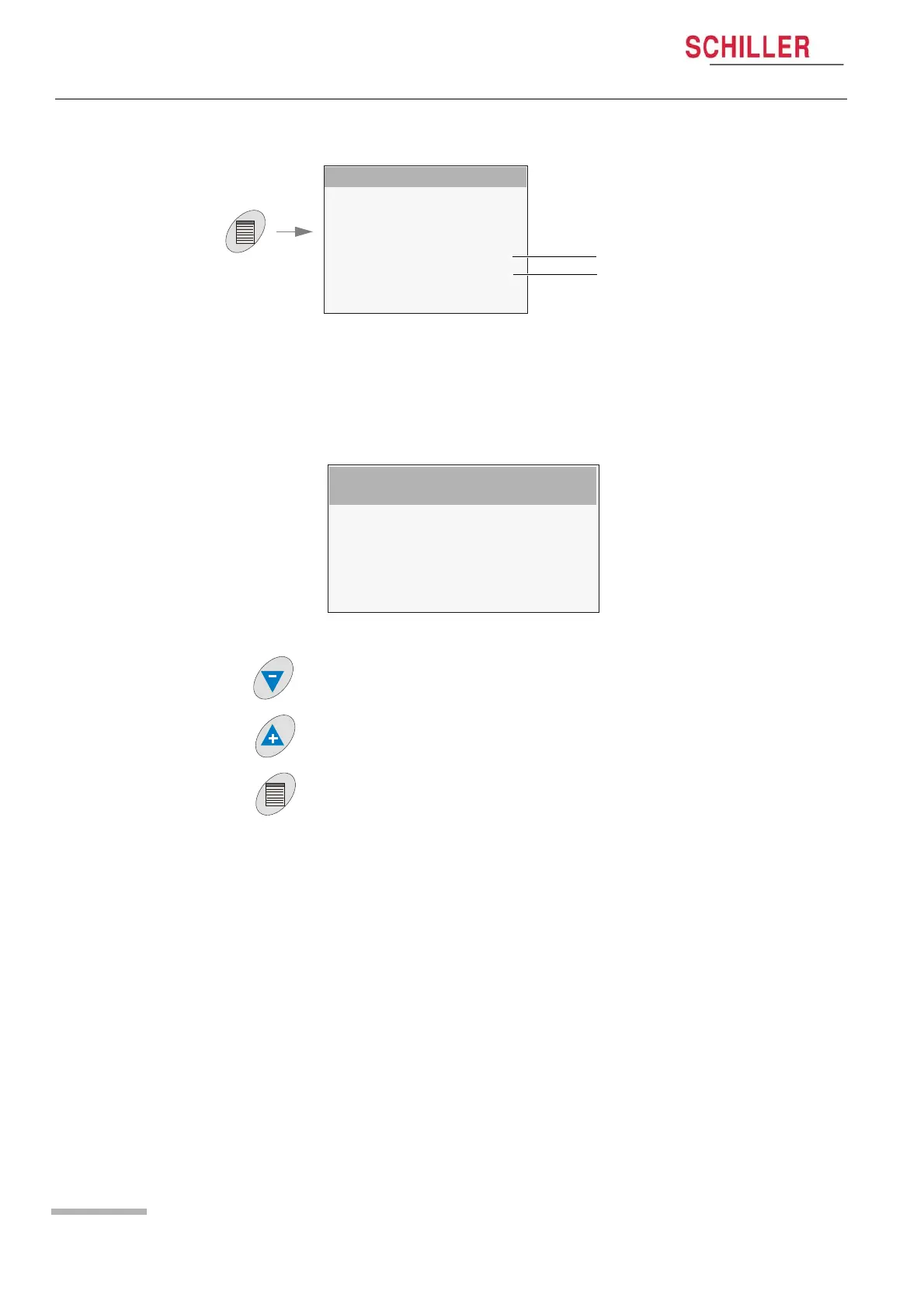
Press the Menu key and select Stop Measurements (b) from the main menu
4.2.6 Viewing the Results
Press the Menu key and select Display Measurement (a) from the main menu:
All results from the start of the measurement program until test end are displayed in
tabular form:
MAIN MENU
SETUP SYSTEM
SETUP MEASUREMENTS
SETUP VIEW
SETUP LIMITS
DISPLAY MEASUREMENTS
STOP MEASUREMENTS
INFO SYSTEM
BACK
a
b
DISPLAY MEASUREMENTS 09/10/2006 09.28am
No. TimeSYS DIA MAPHRDPMeth
-----------------------------------------------------
1 09.30 128 87 103 88 11.2 KOR
2 09.35 123 83 99 92 11.3 KOR
3 09.40 134 88 101 121 16.2 KOR
4 09.45 142 87 109 132 18.7 KOR
5 09.50 148 81 105 159 23.5 KOR
Further Results
When more results are available they can be scrolled with the down arrow key.
Viewing the Results in Graphical Form
Press the up arrow key to view the results in graphical trend view.
Exiting the Measurement View
Press the menu key to exit the results screen.


 To Next Page