2 Introduction
2.6 LCD Screen
Page 18
BP-200 plus
Art. no.: 2.510701 rev.: c
2.6 LCD Screen
The display will vary according to the current task being carried out. There are three
display modes:
« Measurement screen (shown below)
« Trend screen
« Menu screen
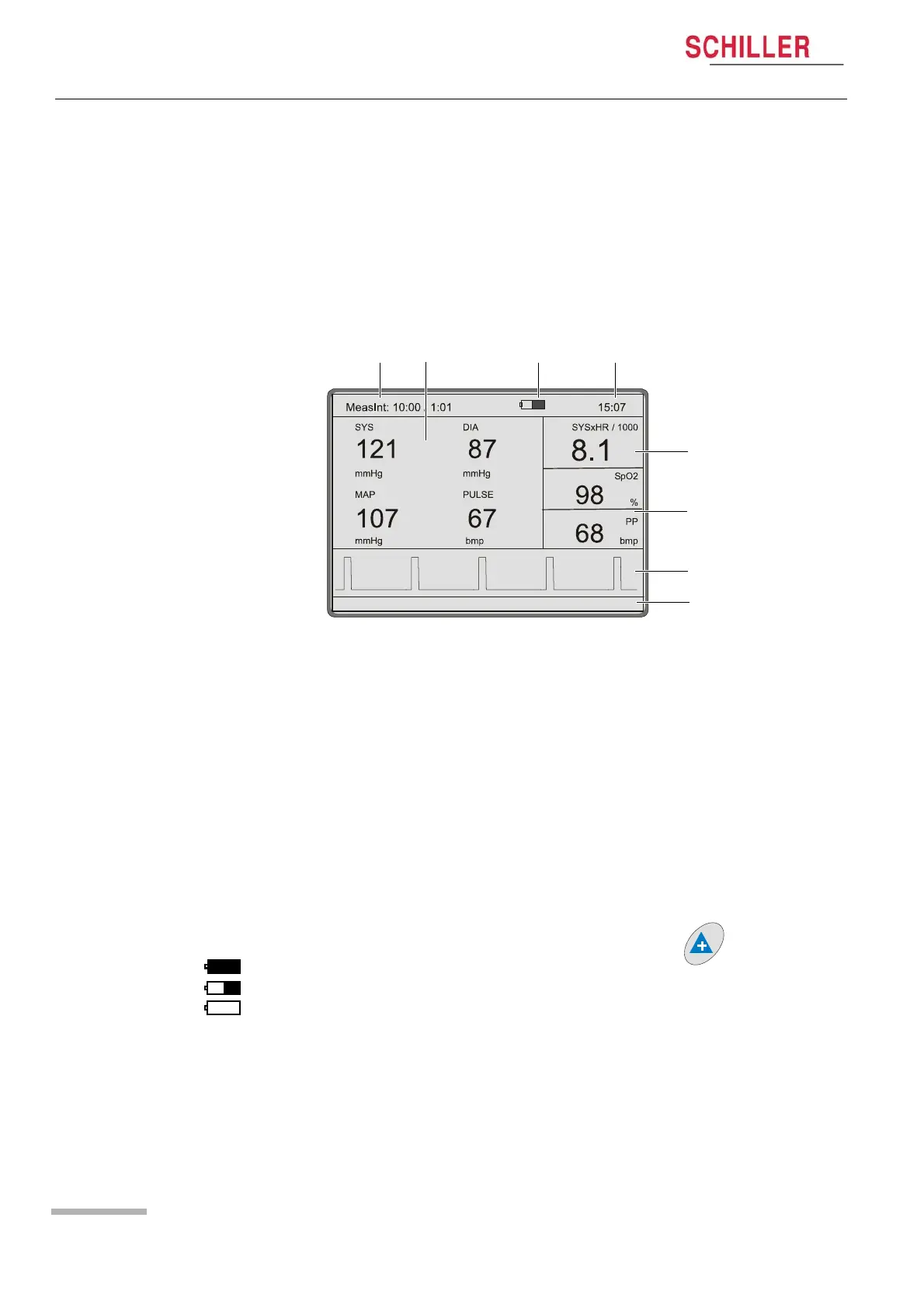
The following is a example of a typical measurement screen.
(1) Measurement interval and time of the next measurement as follows:
–In Standalone Mode - measurement interval and a count-down timer showing
the time until the next measurement, e.g. MeasInt. 2:00 / 1:06
–In Host Mode - a display to show that the unit is in host mode and a count-up
timer indicating the total time elapsed from the start of the test, i.e. from the first
measurement taken with the BP-200 plus, e.g. HOST .. 5:07
–In Short term continuous mode - an indication that continuous measurement
mode is active and a count-down timer showing the time that the continuous
measurement has been active, e.g. CONT .. 11.17
(2) Measurement or Trend data displaying either:
– The main measurement screen showing the last measurement taken.
– Measurement trend data.
– The two screens are toggled with the Up arrow key .
(3) The battery symbol is displayed when running on backup battery power and in-
dicates the capacity status. Maximum capacity displays a solid symbol and an
empty battery displays an empty symbol.
(4) System time. The format of the time display can be set to 24 hour or 12 hour
display (am/pm displayed). These settings are defined in System setup (see
page 19).


 To Next Page