Page 15
Art. no.: 2.510701 rev.: c
Introduction 2
User Guide Modes of Operation 2.3
BP-200 plus
2.3 Modes of Operation
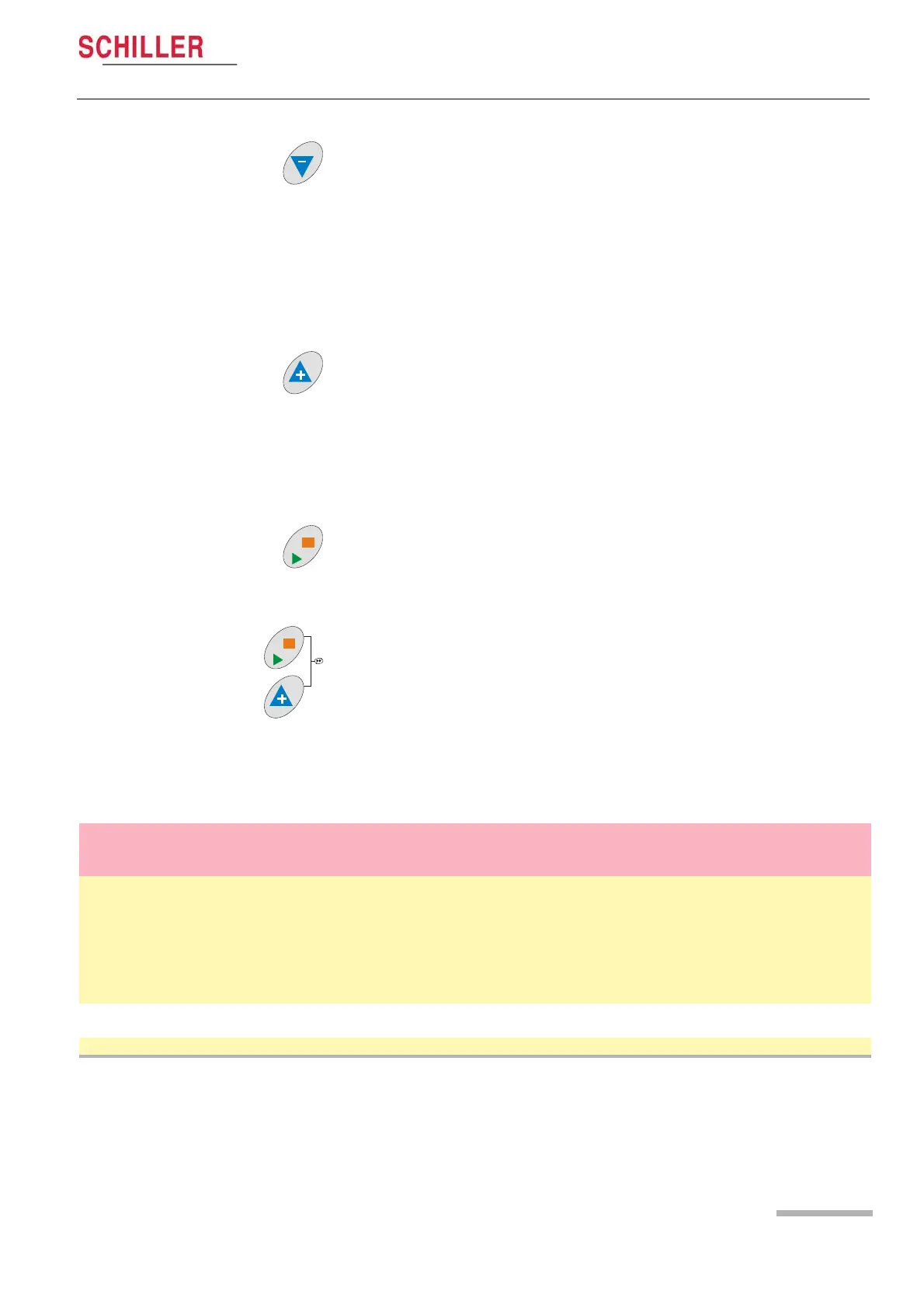
Down Arrow Key
This key has three functions dependent on monitor display:
« When in a menu, this key selects the next menu option.
« When in an options sub-menu, this key selects the next setting.
« When measurements are displayed, this key toggles the waveforms on the
display between:
– Trigger pulse waveform
– oscillometric waveform
– Korotkoff waveform
Up Arrow Key
This key has three functions dependent on monitor display:
« When in a menu, this key selects the previous menu option.
« When in an options sub-menu, this key selects the previous setting.
« When measurements are displayed, this key toggles the display between:
– trend view
– current measurements
Measurement Start / Stop Key
This key manually starts or stops a measurement.
Continuous Short Term Measurement
Press and hold the + key and press the Measurement key to take continuous
measurements (2 second interval between measurements), over a period of 15
minutes.
The continuous measurement mode can be stopped at any time by pressing the Menu
key, and confirming.
Requirements
Mode of Operation BP Cuff Microphone
Ext. ECG
Trigger
Int. ECG
Trigger
Notes
Connection with a (stress) test
host system (Korotkoff)
9 9 strongly
recommend
This is the standard configuration. Measurement
interval normally defined by host system.
Measurements are sent to the host system via
RS232 interface.
Note that oscillometric measurement is not possible
when the unit is controlled from a host system -
Korotkoff is always used.
Standalone (Korotkoff) 99 strongly
recommend
The internal ECG trigger is only available on units
with the ECG / SpO2 option.
Standalone (oscillometric) 9 For stationary patients only.


 To Next Page