Page 21
Components and Operation 2
User Guide Operating and Display Elements 2.4
Art. no.: 0-48-0013 Rev. m
FRED easy
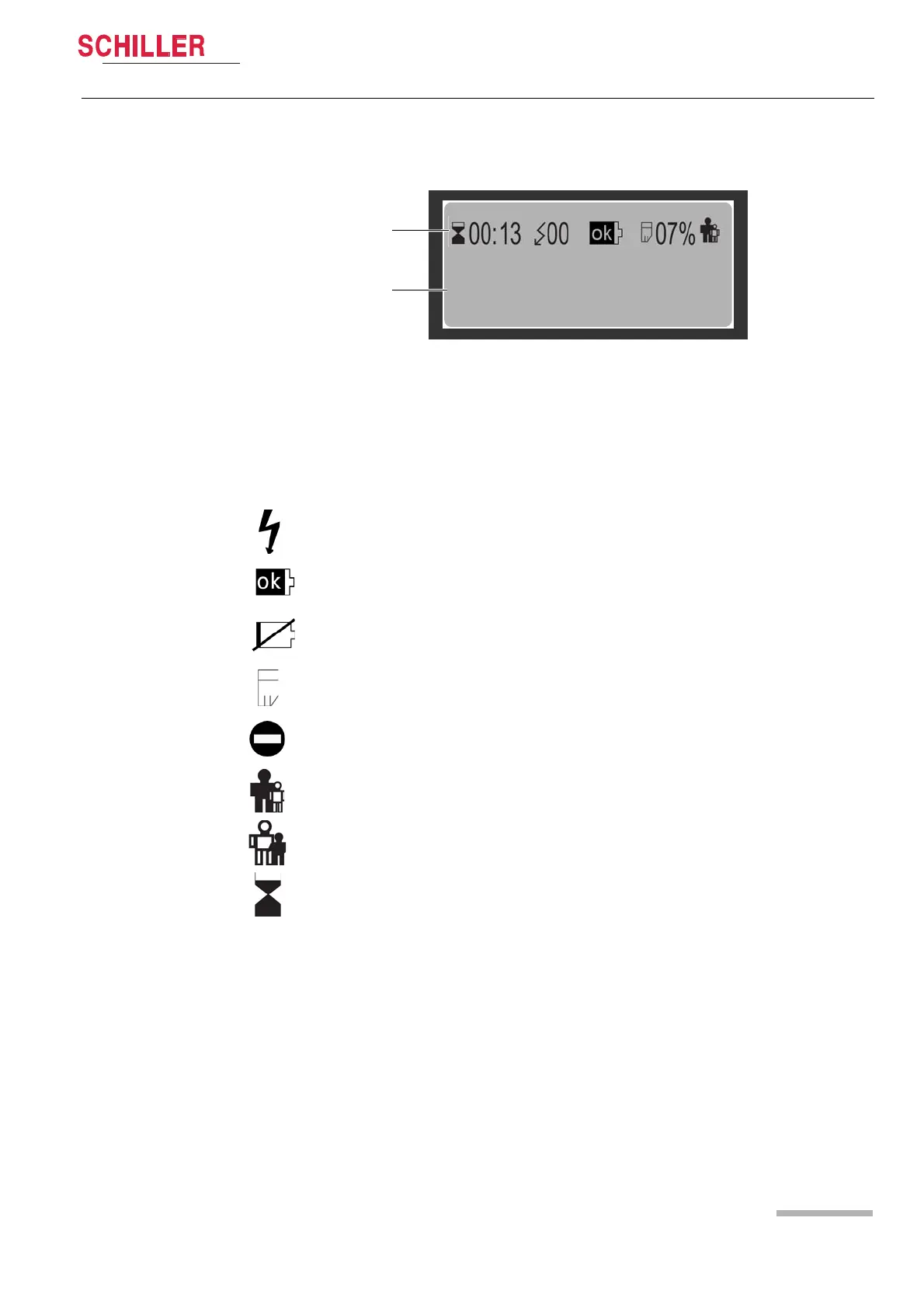
2.4.3 Display
Fig. 2.3 FRED easy® display
(1) Symbol display line.
(2) Text display lines. The written instructions issued by the FRED easy® are dis-
played on these 3 lines.
2.4.4 Symbols used on the display
DO NOT TOUCH THE PATIENT
ANALYSING!
1
2
Number of shocks delivered since the device was turned on.
Sufficient battery capacity (see 3.1 Inserting the battery).
Low battery capacity (see 3.1 Inserting the battery).
SD card detected, percentage of memory used.
SD card not recognised (see 5.1 SD card version).
Adult pads detected.
Paediatric pads detected.
Time elapsed since device was turned on (minutes : seconds).















 To Next Page