Page 49
Versions 5
User Guide SD card version 5.1
Art. no.: 0-48-0013 Rev. m
FRED easy
5.1.1 Inserting the SD card
1. Make sure that the SD card is not write-protected.
2. Switch off the device before inserting the card.
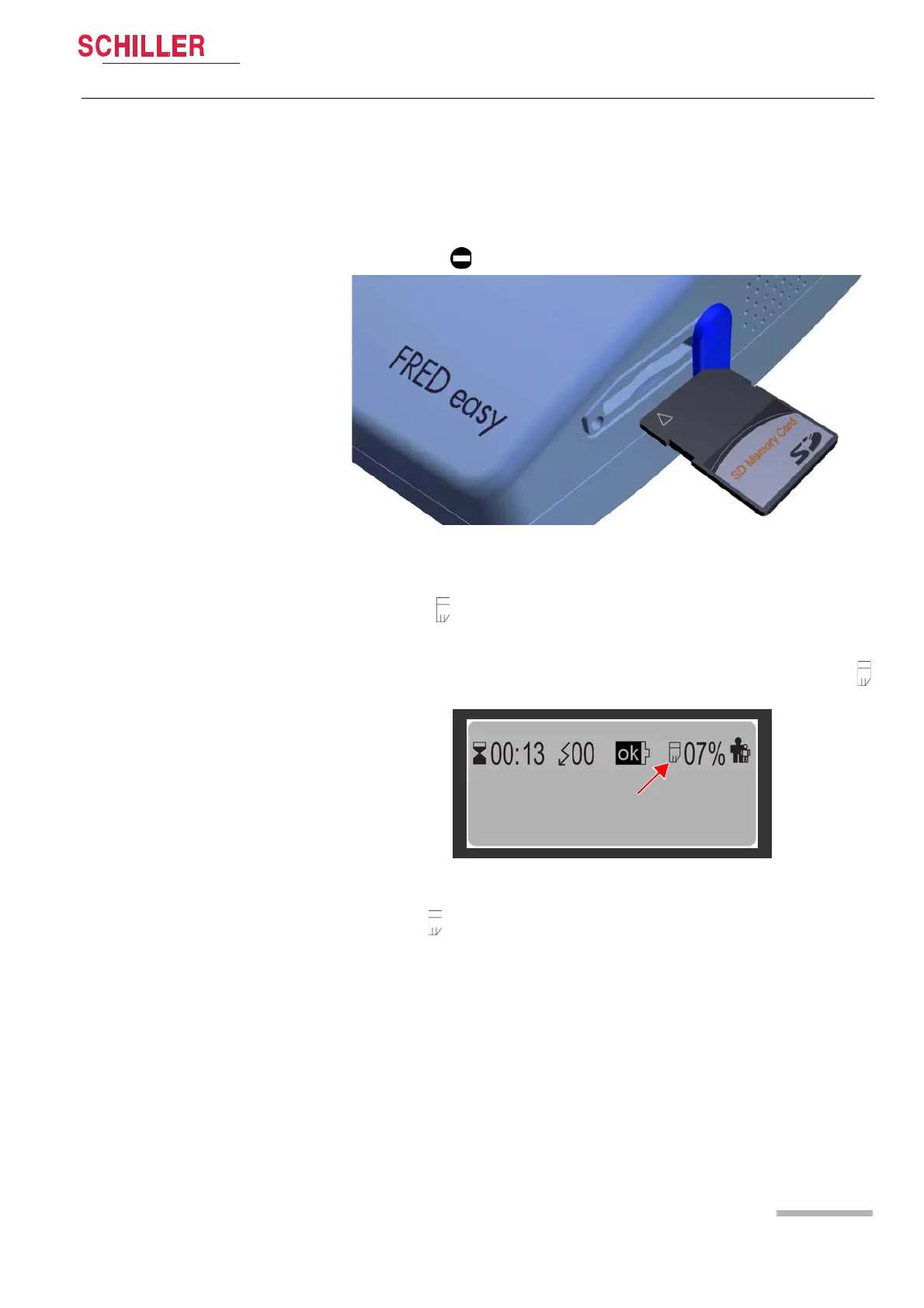
3. Insert the card as shown in Fig. 5.2 SD card inserted (text facing up, in the direc-
tion indicated by the arrow). Otherwise, the device will not recognise the card and
the symbol is displayed.
Fig. 5.1 Inserting the memory card
4. Once the card is inserted, close the rubber cover of the card slot.
If the symbol is not displayed even though the card has been inserted, check that
the card has been recommended by SCHILLER for the use in this type of device.
Inserting the SD card automatically activates the memory function and the symbol
is displayed (see Fig. 5.2 SD card inserted).
Fig. 5.2 SD card inserted
The symbol starts blinking when the SD card is full. No further data is stored; how-
ever, previously recorded data remains stored on the card.
SD cards can be read on a PC using the Schiller data viewing and "LifeDataNet®"
software.
DO NOT TOUCH THE PATIENT
ANALYSING!















 To Next Page