Page 23
Initial operation 3
User Guide Inserting the battery 3.1
Art. no.: 0-48-0013 Rev. m
FRED easy
3.1.1 Switching device On and Off
Switching ON Press the green button for max. 1 second.
Switching OFF Press the green button and hold for 3 second.
• The device is normally operated with a non rechargeable lithium battery.
• Alternatively, a rechargeable NiCd battery can be used (see 6.3 Rechargeable
NiCd battery).
• Each time the device is turned on, it verifies that the battery is functioning proper-
ly.
Equipment damage —
The connector in the battery compartment must only be used for maintenance
purposes.
Do not use rechargeable batteries to operate the FRED easy® TRAINER be-
cause its voltage is not suitable for this device.
Do not use the lithium battery to power the FRED easy® TRAINER, because its
voltage is not adapted to this device.
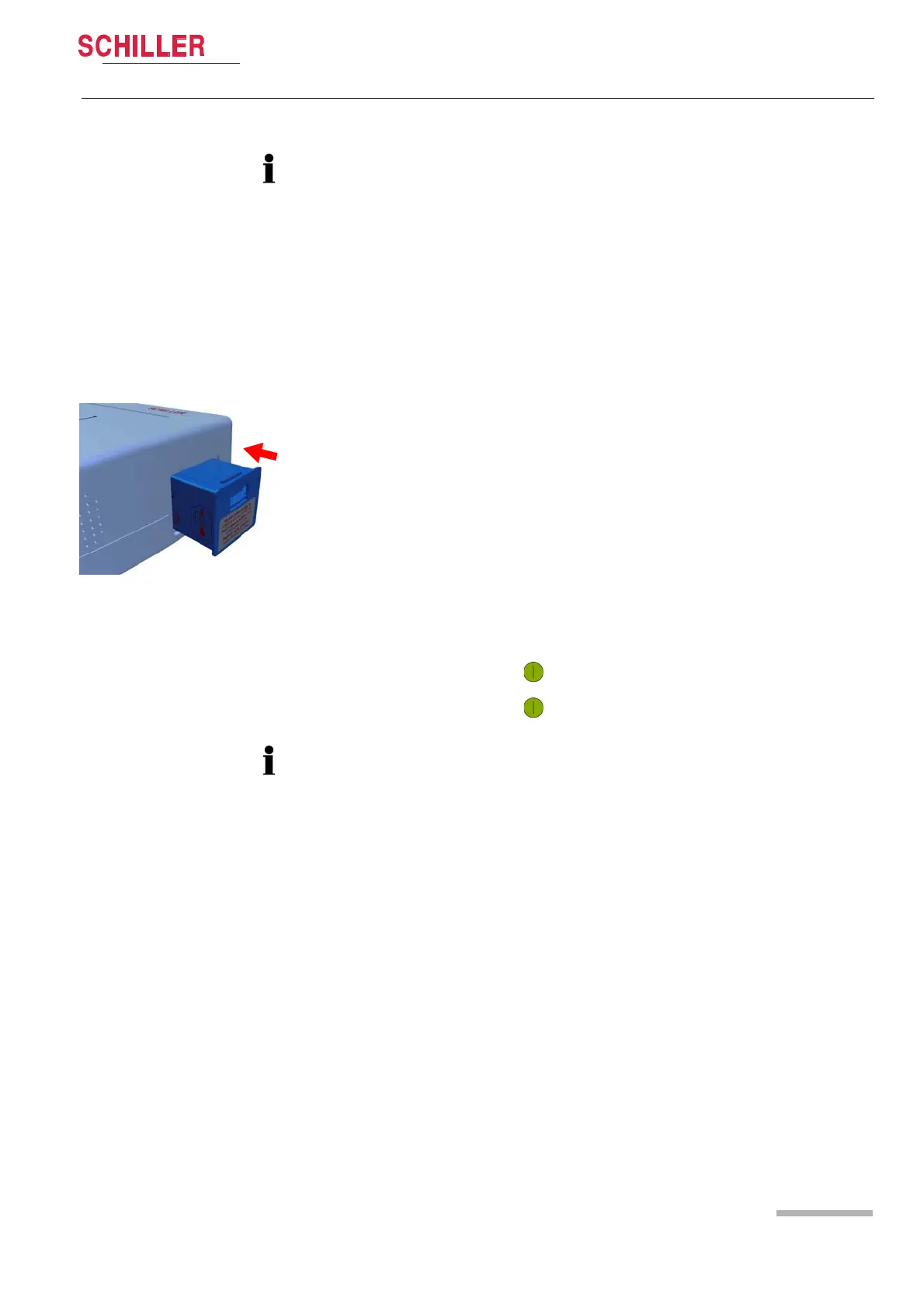
Insert the battery as indicated in the illustration on the left.
– Firmly press the battery into the battery compartment until it clicks into place.
– As soon as the battery is inserted, the FRED easy® runs a self-test to check the
condition of the device and the battery.
– After this self-test, the date, time and IP configuration for the FRED easy Ether-
net/Online can be set (see section 5.4.2 page 60).
If this test does not reveal any problems, the green indicator starts blinking and the
information is displayed.
Fig. 3.1 Inserting the battery
Forced shutdown procedure
If the device cannot be switched off via the above procedure, remove the battery and
inserting again.















 To Next Page