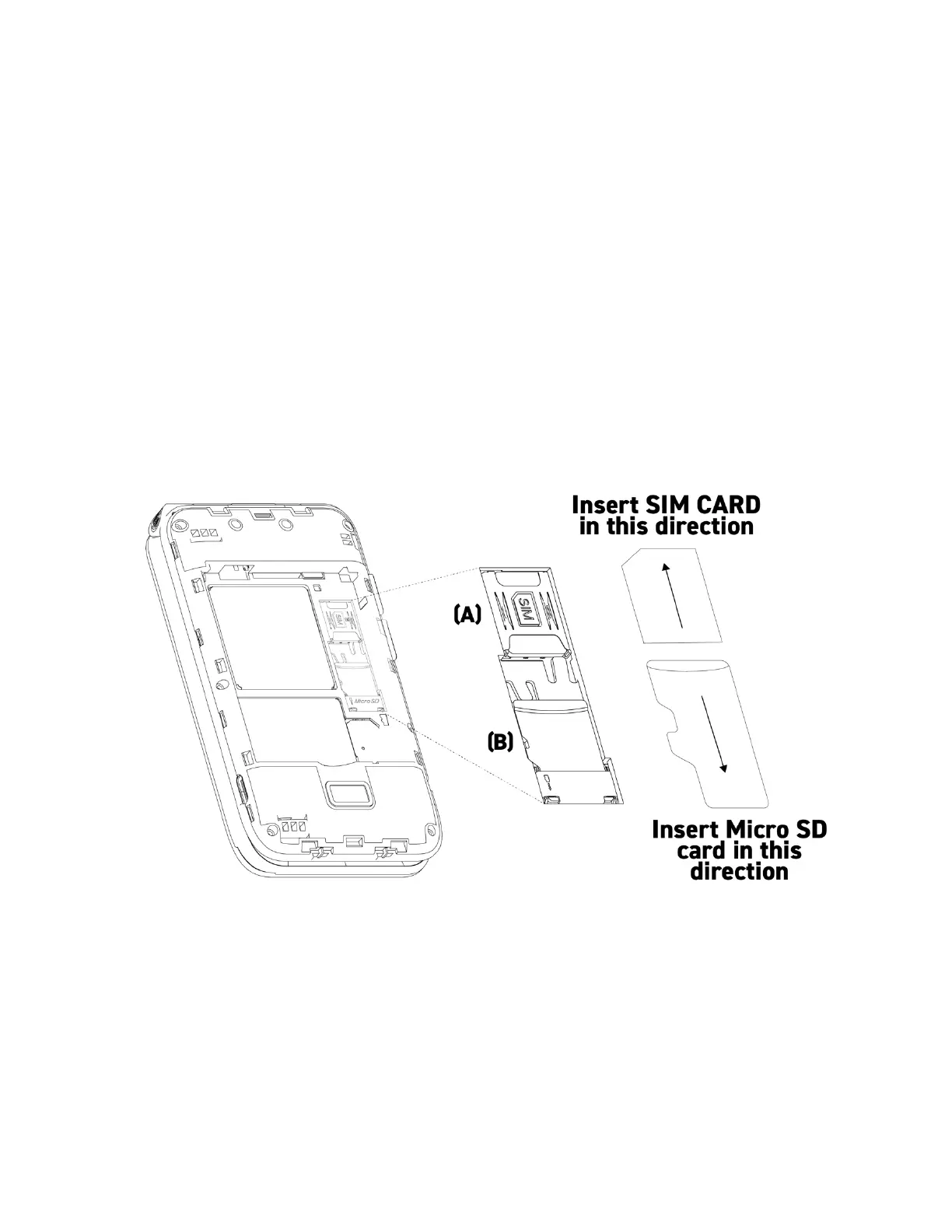
Inserting the SIM card and Micro SD card
1. Remove the back cover and remove the battery.
2. Remove the battery by inserting your fingernail at the bottom (“Pull/Jale”) and lift the
battery out.
3. Locate the slot for the Nano SIM card (A) and slide it in until it is fully inserted. The
angled cut of the SIM card must be facing the left side of the SIM card slot, the gold-
colored connectors must be facing down.
4. To insert or remove a Micro SD Memory Card repeat steps 1 and 2.
5. Locate the slot for the micro SD card (B)
6. Slide the Micro SD card in until it is fully inserted.



 To Next Page