Daily operation
How to make phone calls
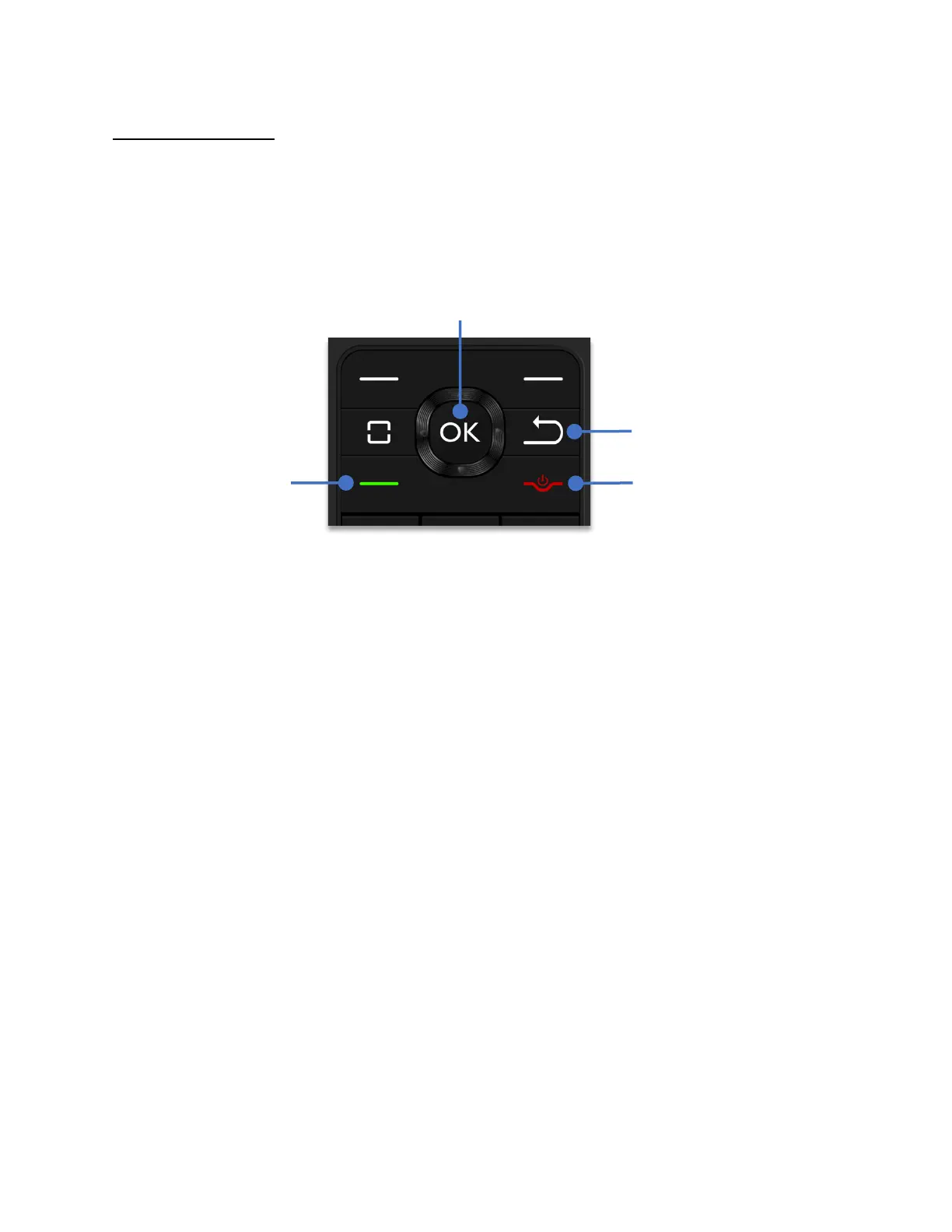
From the Home Screen, dial the phone number using the keypad and press the
OK key
to
send the call.
To make a phone call from anywhere in the system, press the
Back key
until the Home Screen
appears and then follow the steps above to place a call.
Make a call from the contacts list
There are two methods to open Contacts.
Method one:
Using the Contacts shortcut.
1. From the home screen, press the
left soft key
to open Contacts.
2. Using the
Navigation key
, scroll up or down to select a contact.
3. Press the
Answer Call
key to send the call.
Method two:
Open the Contacts application.
1. From the home screen, click the
OK key
to open the Apps menu.
2. Using the
Navigation key
, highlight
“Contacts”
and press the
OK Key
.
3. Using the
Navigation key
, scroll up or down to select a contact.
4. Press the
Answer Call
key to send the call.



 To Next Page