PDF Extra
PDF Extra allows you read any file saved as a PDF. Also the applications can convert pictures
or documents to PDF and scan pictures and send them via email as a PDF file.
• From Home Screen, press
OK Key
• Using the
Navigation key
, press
OK key
on
“PDF Extra”
.
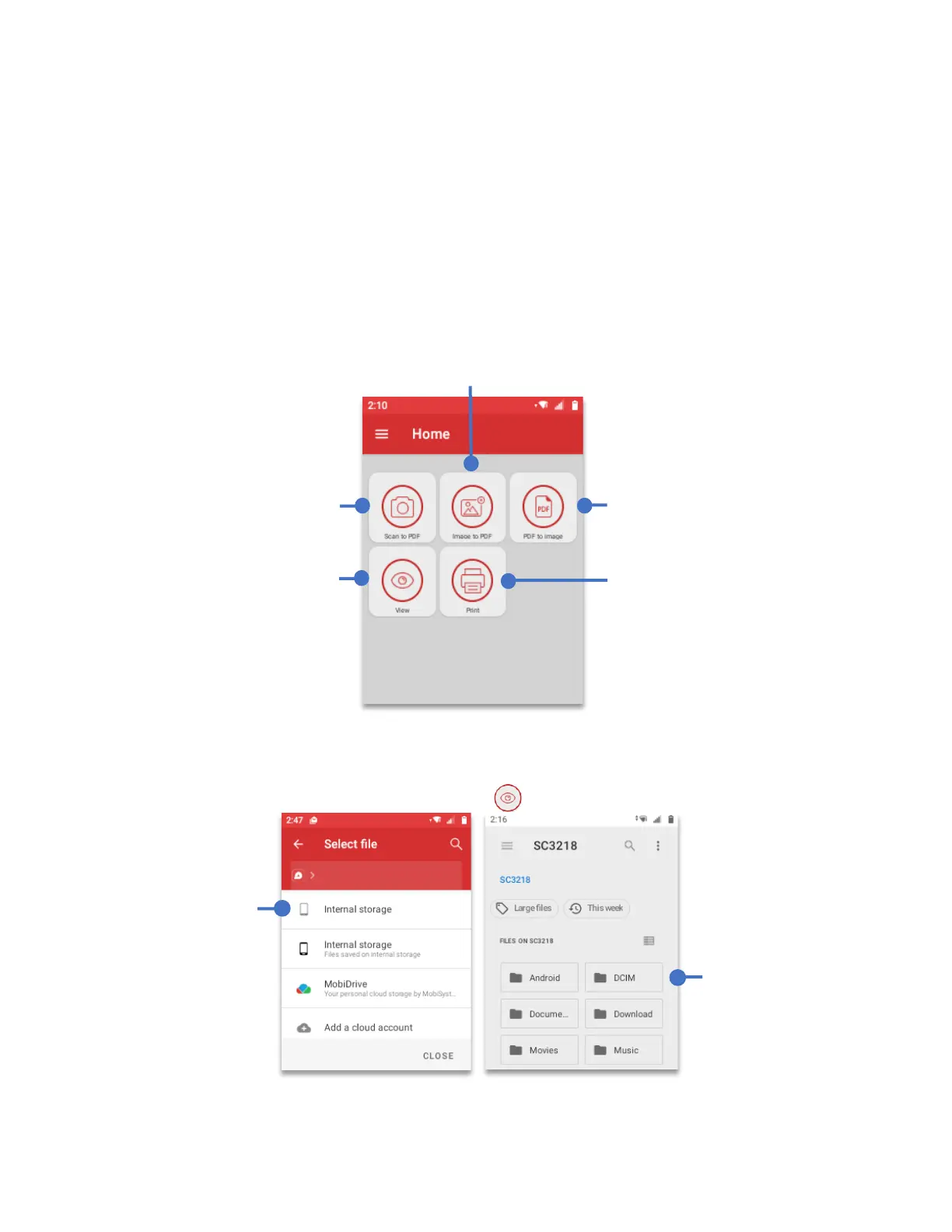
PDF Extra home screen has five different ways to interact with PDF files.
To open (View) a PDF
Using the
Navigation key
scroll and select View, press
OK Key
.
Send a PDF file to a
printer (this section
is in experimental
phase) and may be
included in future
software versions.
Take a picture of a
document and
convert it to PDF
You can use the View
section to open any
PDF saved to the
device
Any PDF file can be
converted to a JPG
image.
Convert an Image to a PDF
file
Press
“Internal
Storage”
,
press
OK key
Choose the
location where
the PDF is
located and press
the
OK key



 To Next Page