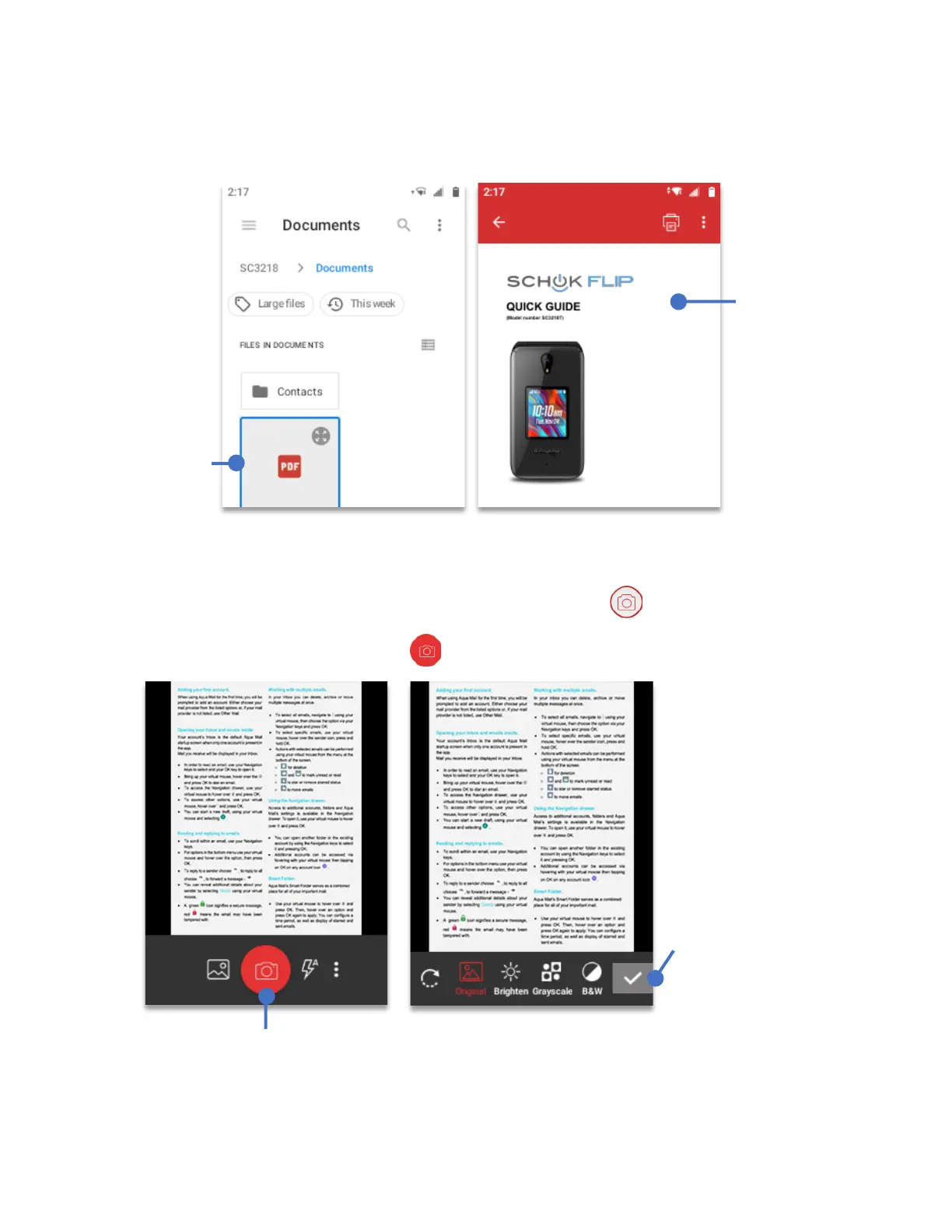
After opening the location, using your
Navigation key
select the PDF file to open and press
the
OK key
.
To Scan a Document and convert it to PDF.
• Using the
Navigation key
scroll and select
Scan to PDF
, press
OK key
.
• The built-in camera menu will open. Focus the document that you want to convert and
press the
camera shutter
icon .
Select the
desired PDF
file, press the
OK Key
to
open
After
pressing the
OK key
, the
PDF file will
be displayed
on the screen
Using the Navigation key, select the Camera shutter and
press the OK Key to scan the document.
On this screen,
you can modify
the document
using the icons
on the bottom
bar. When
done, using the
Navigation key
select the
checkmark and
press the
OK
key.



 To Next Page