Stopwatch:
• From Home Screen, press
OK Key
• Using the
Navigation key
, press
OK key
on
Tools & Settings.
• Using the
Navigation key
, press
OK Key
on
Tools
.
• Using the
Navigation key
, press
OK Key
on
Stopwatch
.
The Stopwatch has two modes (“
Split”
and “
Lap”
)
1. To choose “
SPLIT”
press the
Left Soft key
(Mode)
until
“SPLIT”
is showed at the left
top of the display.
2. To choose
“LAP”
press the
Left Soft key
(Mode)
until
“LAP”
is showed at the left top of
the display.
LAP mode:
1. With the mode selected press the OK key (Start)
2. To record the time for a
“Lap”
while the Stopwatch is running press the
Left Soft Key
(Lap)
The lap time will be recorded and displayed on the screen.
3. To “
stop”
the Stopwatch, press the
OK key (Stop)
4. To
“reset”
the time, press the
Right Soft key (Reset)
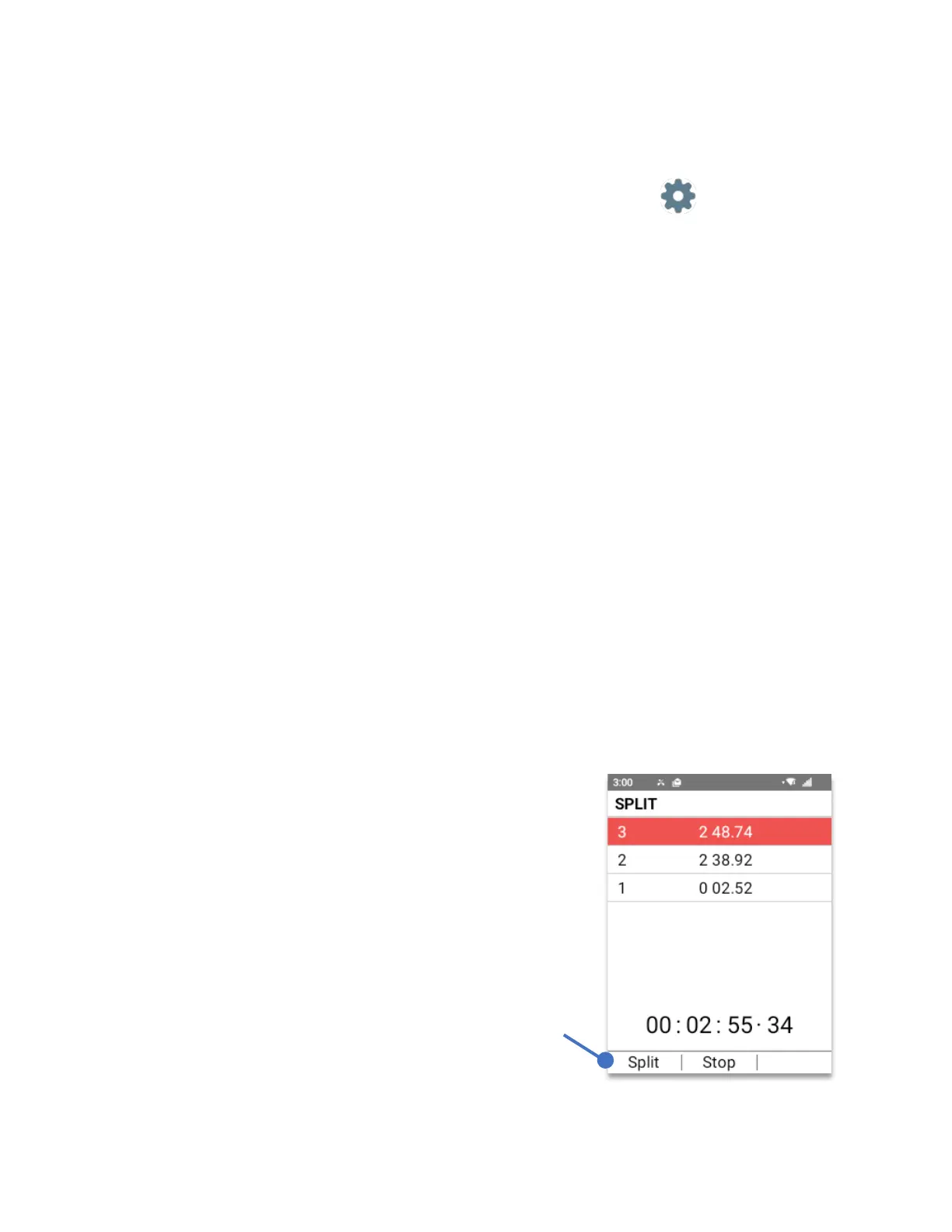
SPLIT mode:
1. With the mode selected press the OK key (Start)
2. To record the time for a
“Split”
while the Stopwatch is running press the
Left Soft Key
(Split)
The split time will be recorded and displayed on the screen.
3. To “
stop”
the Stopwatch, press the
OK key (Stop)
4. To
“reset”
the time, press the
Right Soft key (Reset)
To Split, press the
Left Soft Key.



 To Next Page